

Last updated October 21, 2026. Endpoints, tool counts, release dates, and published prices were checked against each vendor’s documentation, pricing pages, and live MCP endpoints on that date.
The best CRM MCP servers in 2026 are Salesforce Hosted MCP Servers for Salesforce orgs, the HubSpot MCP server for HubSpot portals, and Close MCP for the tightest write controls. Microsoft Dataverse MCP, Zoho CRM MCP, Pipedrive MCP, Attio MCP, CData Connect AI, and Composio Connect complete the list of nine.
Every major CRM now runs its own remote MCP server, so the first choice is simple: use the vendor server for the CRM you already pay for. Reach for CData or Composio when one agent needs several CRMs, or when the vendor server lacks the objects you need. Then spend your review time on scopes and metering, where these servers differ most. For finding servers beyond the vendor ones, our Smithery vs Glama vs official MCP Registry comparison explains how the public catalogs differ.
A CRM MCP server is a Model Context Protocol endpoint that lets an AI agent search, read, and update records such as contacts, deals, and activities. This guide sits in our MCP coverage within agent protocols. No vendor paid for placement or reviewed this page, per our editorial standards and disclosure policy.
TL;DR
- Vendor servers won in 2026. HubSpot went GA on April 13, Salesforce on April 29, Pipedrive launched on June 30, and Microsoft restructured Dataverse MCP to 12 tools on June 8.
- Our discovery check found one clear gap: all 7 public endpoints we probed returned 401 and supported PKCE, but HubSpot was the only one without self-serve client registration.
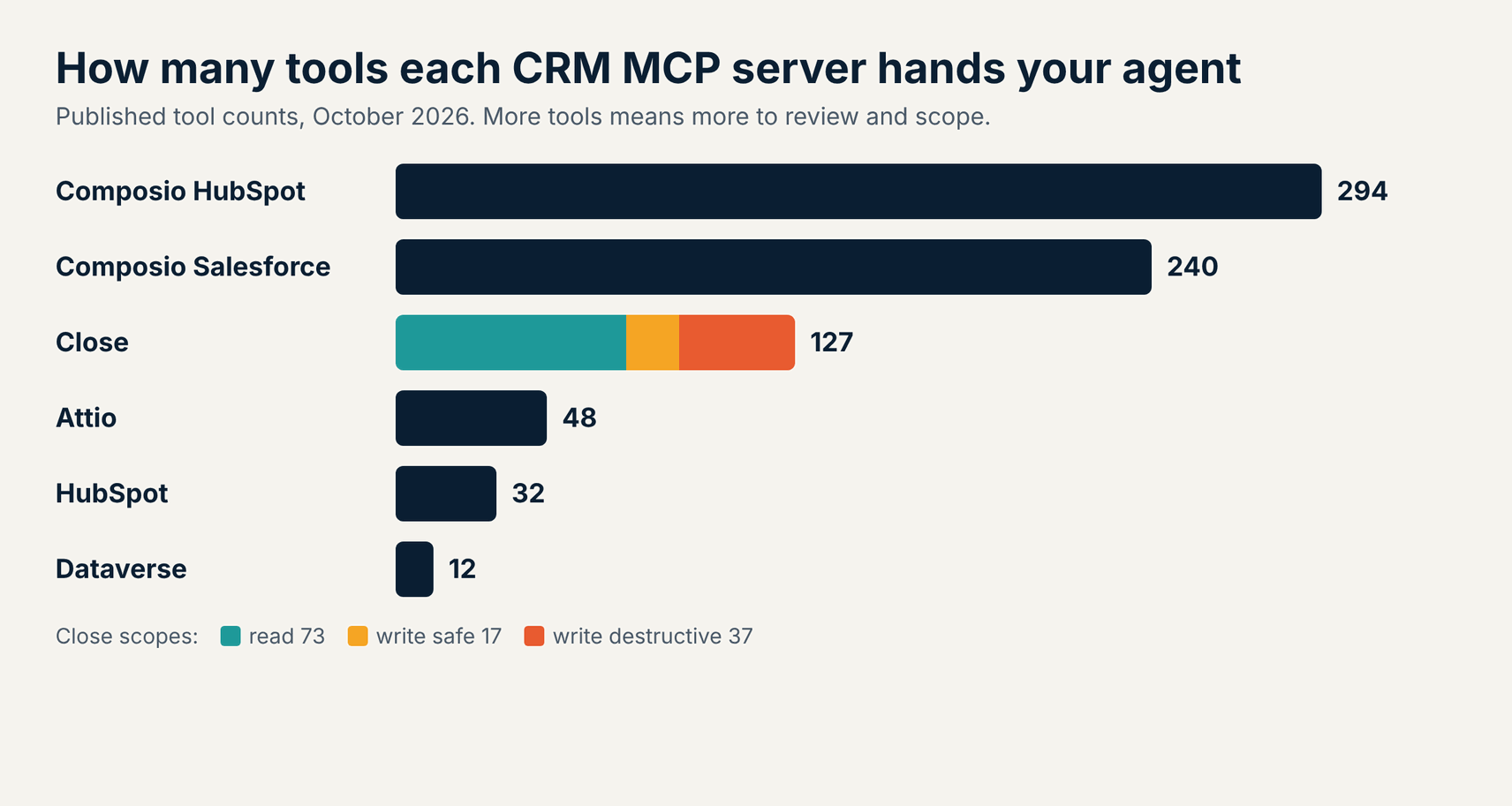
- Close has the most careful permission model. Its 127 tools split into read, write safe, and write destructive scopes, and it was the only server of 7 to tier writes that way.
- Metering is coming for agent calls. Salesforce will bill each call as a Headless Platform Interaction after 30 days’ notice, and Dataverse already bills outside Copilot Studio in Copilot Credits.
- The local Salesforce DX MCP Server ends on November 2, 2026. Teams on @salesforce/mcp should move to Hosted MCP Servers or the new Salesforce skills before then.
- Multi-CRM agents need a broker. Composio lists 240 Salesforce and 294 HubSpot tools, and CData Connect AI queries many sources through one SQL-style interface.
9 Best CRM MCP Servers at a Glance
Choose a CRM MCP server by the CRM that holds your records first, then by how it scopes writes and meters agent calls. The table compares all nine on fit, endpoint, write controls, and published price. Each cell reflects vendor documentation, pricing pages, and our own unauthenticated endpoint checks on October 21, 2026.
| Server | Best for | Endpoint type | Write controls | Published price |
|---|---|---|---|---|
| Salesforce Hosted MCP Servers | Salesforce orgs that need sharing rules enforced | Hosted, per server | Separate Reads, Mutations, and Deletes servers | Flex Credits; per-call metering announced |
| HubSpot MCP Server | HubSpot portals on any hub | Hosted, one URL | User confirms each write | Included; tools vary by subscription |
| Microsoft Dataverse MCP | Dynamics 365 and Power Platform | Per environment URL | Admin allow-list of clients | Copilot Credits outside Copilot Studio |
| Zoho CRM MCP | Zoho CRM teams wanting split servers | Per user URL | 4 servers by job, read-only option | Uses Zoho API credits |
| Pipedrive MCP | Small sales teams on Pipedrive | Hosted, one URL | Admin can switch off; change log | All plans, from $14 per seat a month |
| Attio MCP | Search across calls, emails, and notes | Hosted, one URL | Writes ask for confirmation | Plans from $0; Plus $35 per user a month |
| Close MCP | Strict, tiered write permissions | Hosted, one URL | Read, write safe, write destructive scopes | Plans from $9 per user a month |
| CData Connect AI | Querying several CRMs with SQL | Hosted broker | Inherits source permissions | 14-day trial; Standard $79 a month |
| Composio Connect | Agents spanning many SaaS apps | Hosted broker | Per toolkit and per tool selection | Free tier; Pro $29 a month |
Verdict: Use the vendor server for a single CRM, because it respects that CRM’s own permissions and roadmap. Close and Salesforce give the cleanest separation between reading and writing. CData and Composio earn their place when one agent touches several systems.
How We Ranked These CRM MCP Servers
We ranked servers on how safely an agent can use them against live customer data, and on evidence a buyer can check. We started from the remote MCP servers that CRM vendors ship themselves, added the two brokers most often used for CRM work, then read each vendor’s documentation and pricing on October 21, 2026.
- Coverage: which objects and actions the tools reach, from contacts and deals to calls, notes, and analytics.
- Permission model: whether the server respects existing CRM permissions and lets you separate reads from writes and deletes.
- Authentication: OAuth support as defined in the MCP authorization specification, including PKCE and client registration, checked against live endpoints.
- Admin control: whether an admin can switch the server off, approve clients, or review a change log.
- Cost clarity: whether agent calls are free, consume credits, or carry announced metering.
- Maturity: general availability date and how recently the tool list changed.
We did not run agents against production CRMs, so there are no star ratings. For a broader list of servers beyond CRM, see our best MCP servers guide, and for how the protocol works, read MCP explained.
What Our October 21 Discovery Check Found
All 7 public CRM MCP endpoints we probed rejected anonymous calls with a 401 and supported PKCE, but only 6 pointed clients to their OAuth metadata and only 1 tiered its write scopes. We sent an unauthenticated MCP initialize request to each endpoint on October 21, 2026, then read the protected resource and authorization server metadata it advertised.
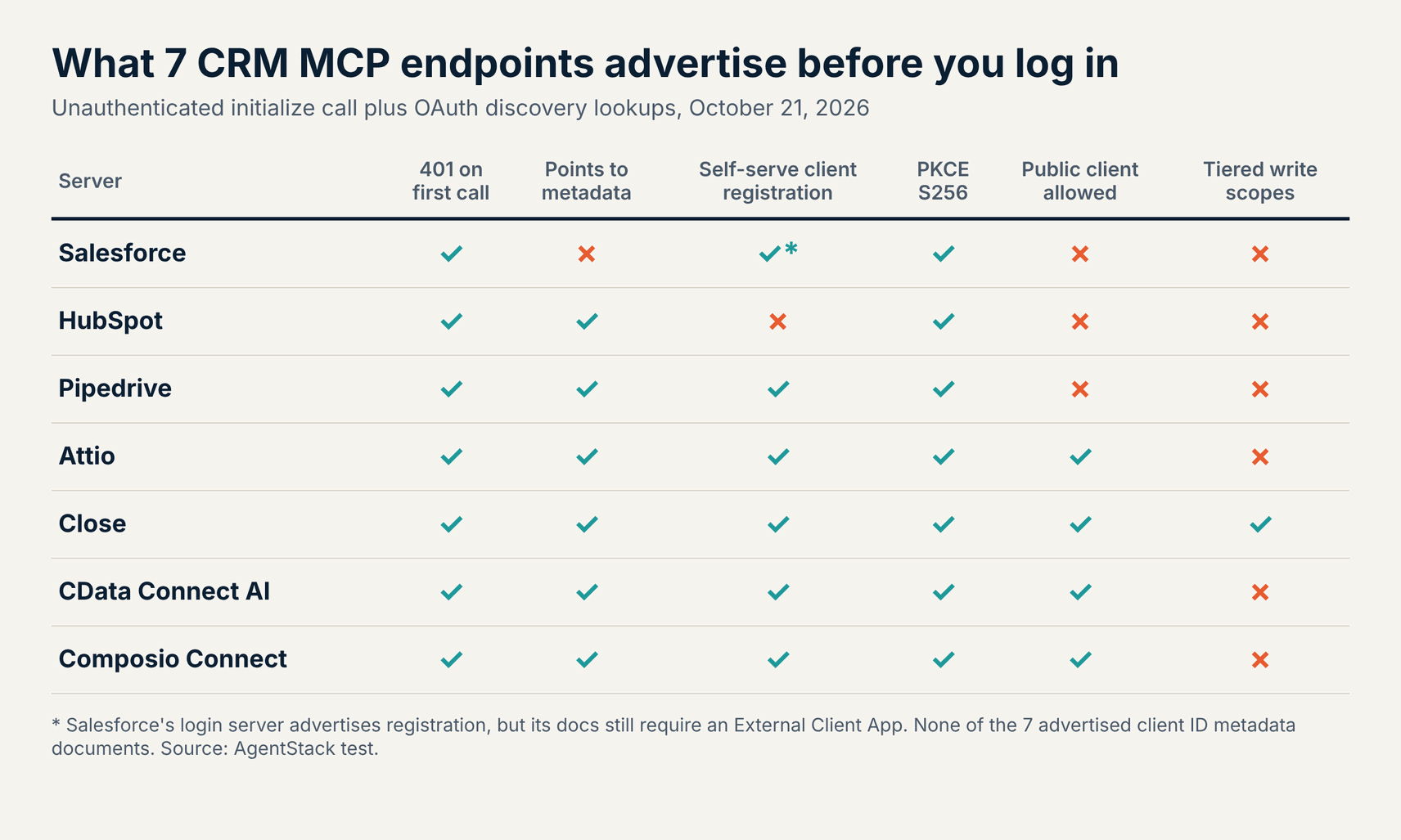
- Every endpoint returned 401. Salesforce, HubSpot, Pipedrive, Attio, Close, CData, and Composio all refused an anonymous initialize call, which is the expected first step of MCP OAuth.
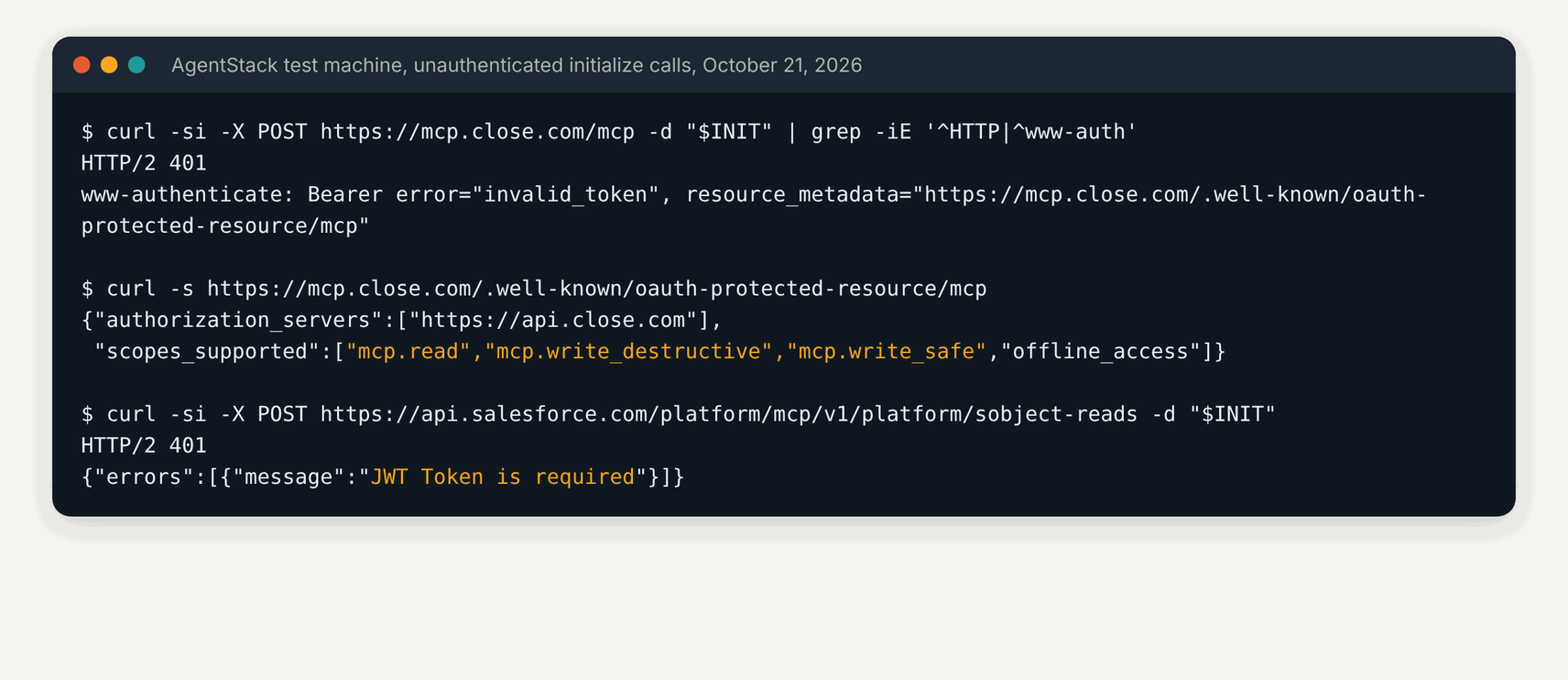
- Salesforce sent no pointer. Its 401 carried no
WWW-Authenticateheader, only the message JWT Token is required, although its protected resource metadata does exist at the well-known path. - HubSpot alone lacks self-serve registration. Its authorization server lists no registration endpoint, which matches its docs: you create an MCP connector in HubSpot first and paste the client ID into your agent.
- Pipedrive asks for broad access. Its challenge requests 15 scopes at once, including
adminandmail:full, and it is the only server that still accepts the weaker plain PKCE method. - Close tiers its writes. It advertises
mcp.read,mcp.write_safe, andmcp.write_destructive, so a client can request read-only access and nothing more. - Four allow public clients. Attio, Close, CData, and Composio accept clients with no secret, which suits desktop agents. None of the 7 advertised client ID metadata documents yet.
Scope design matters more than tool count, because an agent with one broad token can do anything its human user can. Microsoft Dataverse and Zoho use a separate URL for each tenant or user, so we did not probe them. Teams that need one policy across many servers can put an MCP gateway in front of them.
1. Salesforce Hosted MCP Servers: Best for Salesforce Orgs
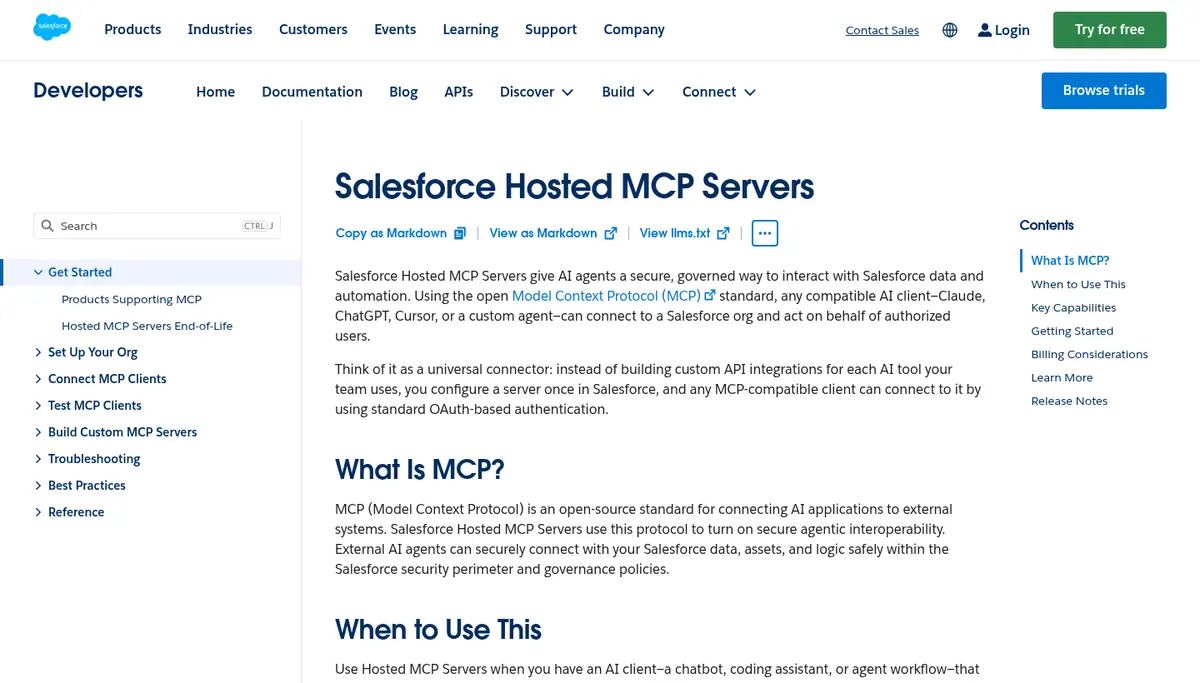
Salesforce Hosted MCP Servers are the right pick for Salesforce orgs, because each call runs as the signed-in user and respects field-level security and sharing rules. The servers reached general availability on April 29, 2026, per the developer documentation. Standard servers split the work into SObject All, Reads, Mutations, and Deletes, with more for Data 360, Tableau Next, and CRM Analytics in beta.
You can publish your own tools from Apex, Flows, and Named Queries, so an agent calls business logic you already trust instead of raw object writes. Setup still needs an External Client App and its consumer key, even though Salesforce’s login server advertises dynamic client registration. Each server has its own URL, such as /platform/mcp/v1/platform/sobject-reads.
- Best for: Salesforce teams that want agents bound by existing profiles, permission sets, and sharing.
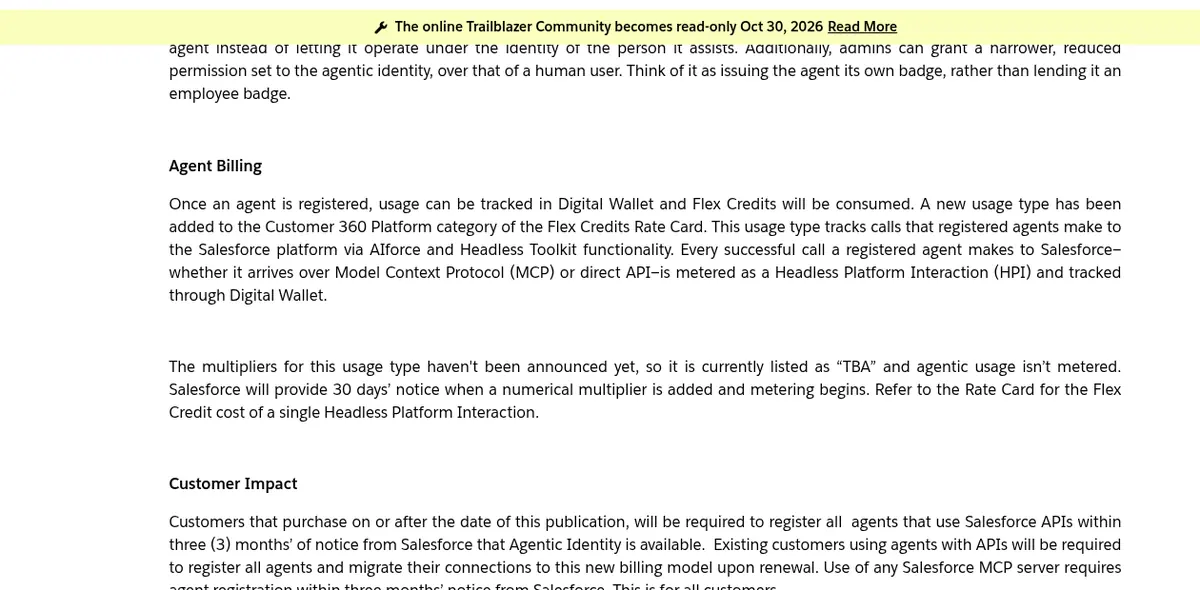
- Pricing (October 2026): Requires Flex Credits, which the $0 Salesforce Foundations offer turns on. Salesforce’s help article says each successful agent call will count as a Headless Platform Interaction; the multiplier is listed as TBA and metering starts after 30 days’ notice. Sandboxes are not metered.
- Watch out for: Agents must be registered within 3 months of notice, so budget for metering now and start with the Reads server.
2. HubSpot MCP Server: Best for HubSpot Portals
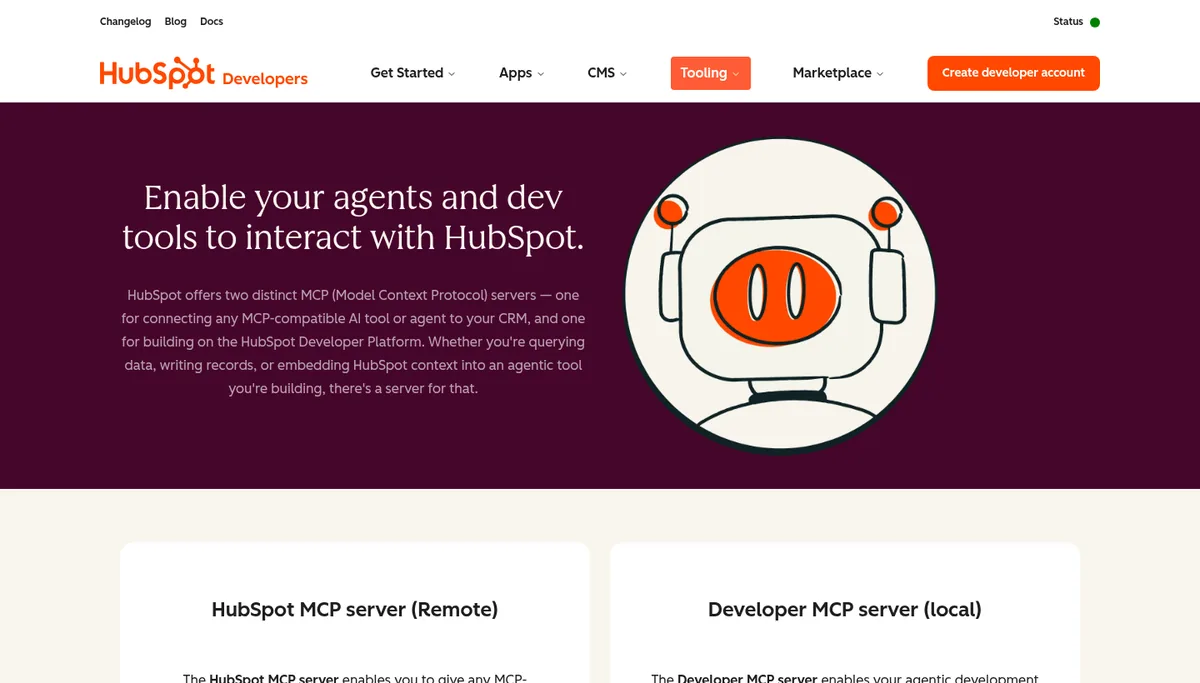
The HubSpot MCP server is the default choice for HubSpot customers, with 32 tools across CRM records, activities, content, analytics, and conversations at one URL. It reached general availability on April 13, 2026, at https://mcp.hubspot.com, per HubSpot’s integration guide. Every write asks the user to confirm before it runs.
Search uses HubSpot’s CRM search API, so it matches fields rather than meaning, and there is no vector search across notes. A separate local Developer MCP server helps build HubSpot apps and is a different product from the remote CRM server.
- Best for: HubSpot portals that want an official server with confirmation on every write.
- Pricing (October 2026): Included with HubSpot accounts; the tools available depend on your subscription.
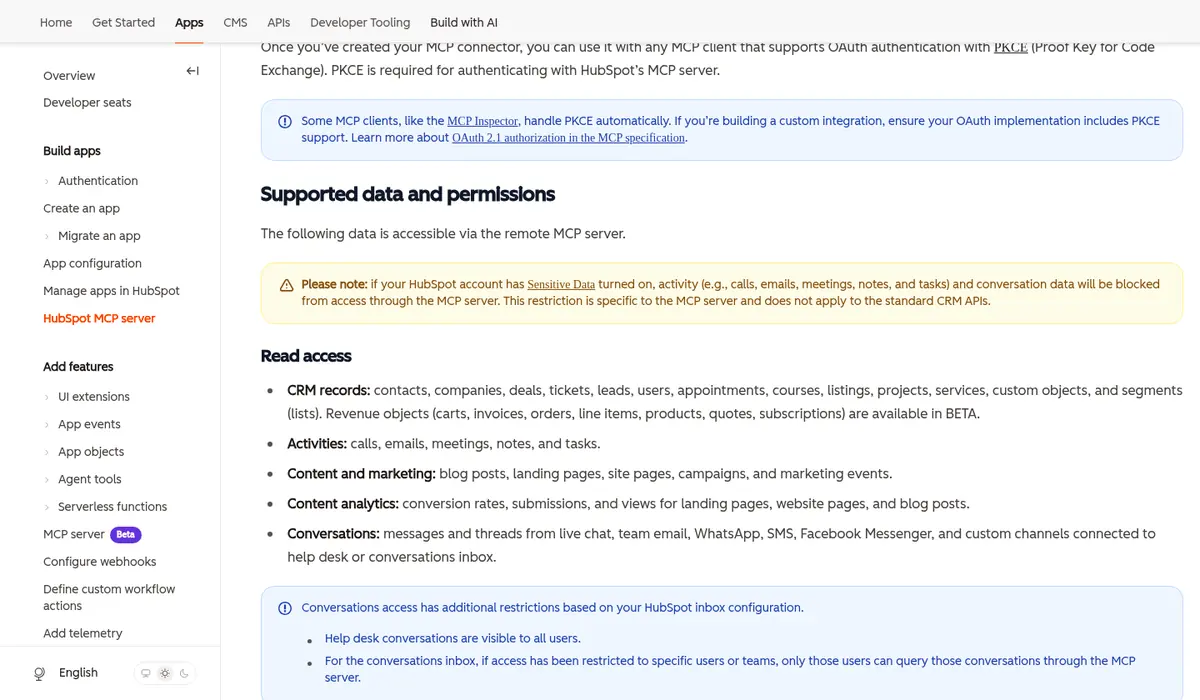
- Watch out for: Portals with Sensitive Data turned on lose activities and conversation data over MCP only, and you must create an MCP connector by hand because there is no self-serve client registration.
3. Microsoft Dataverse MCP: Best for Dynamics 365 and Power Platform
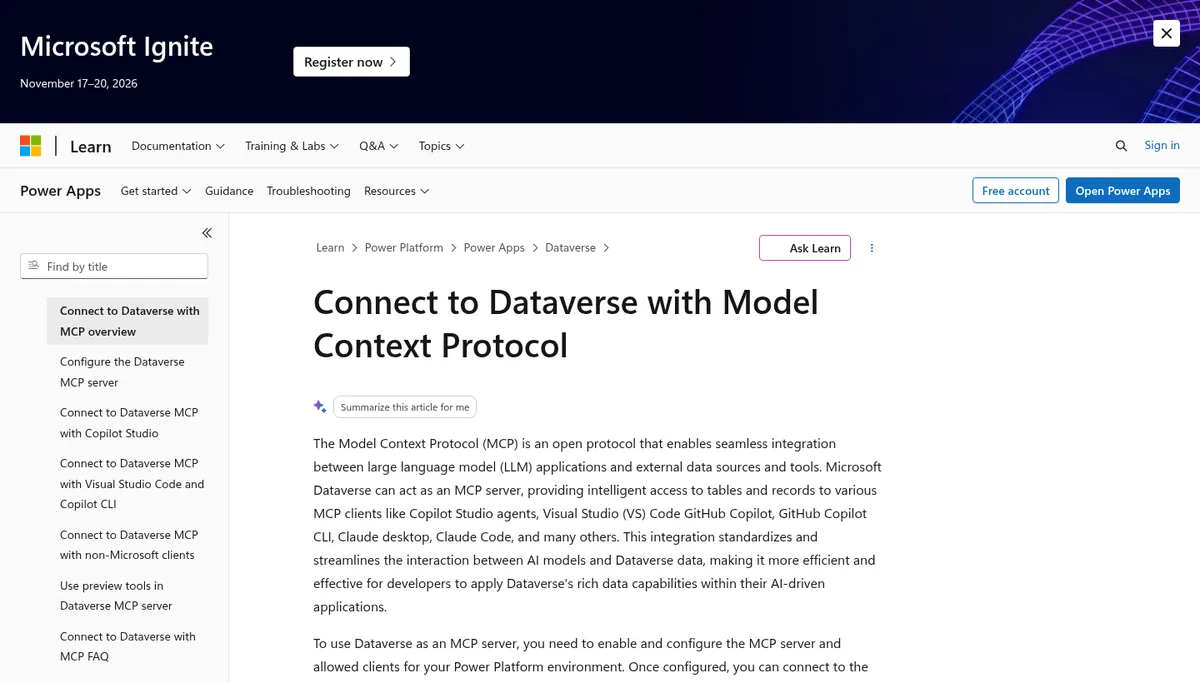
Microsoft Dataverse MCP is the pick for Dynamics 365 Sales and Power Platform teams, because it exposes the same tables your apps use through a per-environment URL. The endpoint follows the pattern https://{org}.crm.dynamics.com/api/mcp, and admins allow-list each client in the Power Platform admin center, per Microsoft’s documentation.
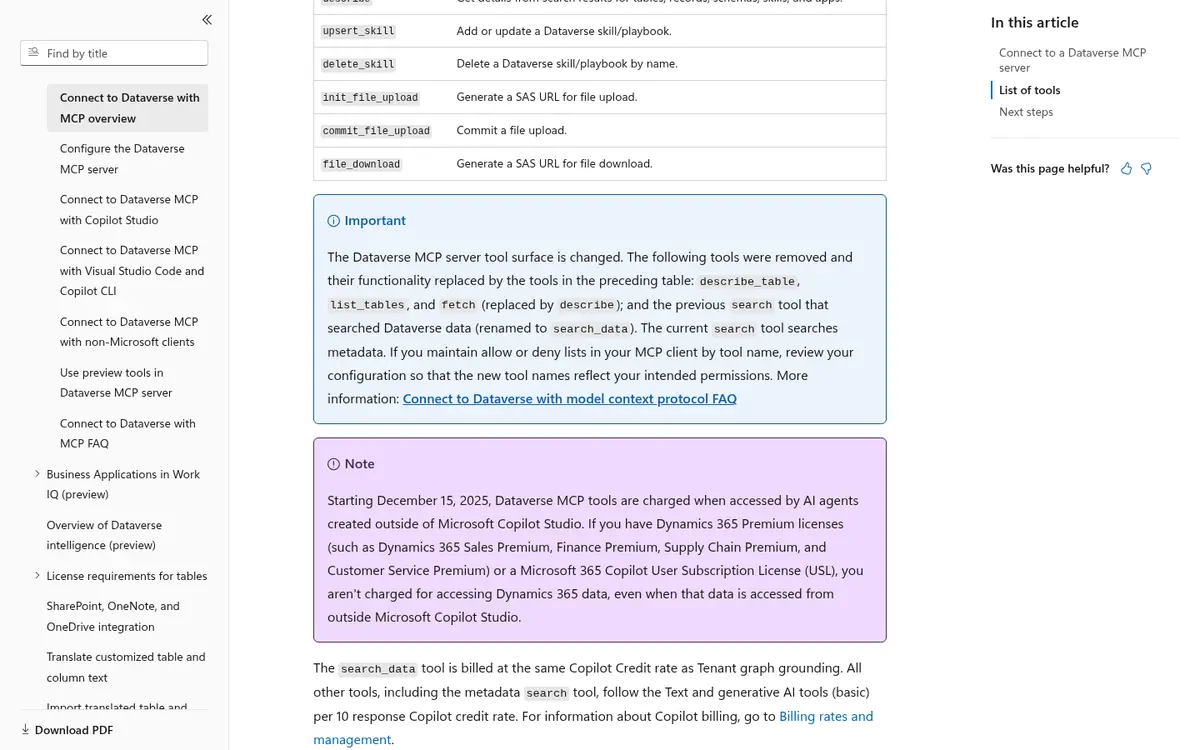
Microsoft restructured the tool surface to 12 tools at general availability on June 8, 2026. A search_data tool handles natural language search, and the rest cover reading, creating, and updating rows and tables.
- Best for: Organizations on Dynamics 365 or Dataverse that want admin approval for every MCP client.
- Pricing (October 2026): Since December 15, 2025, calls from agents outside Copilot Studio are billed in Copilot Credits, with
search_dataat the tenant graph grounding rate and other tools at the basic rate. Dynamics 365 Premium and Microsoft 365 Copilot user licenses are exempt. - Watch out for: Third-party agents like Claude or Cursor cost credits on standard licenses, so estimate call volume before rollout.
4. Zoho CRM MCP: Best for Zoho Teams That Want Split Servers
Zoho CRM MCP stands out for splitting access into four pre-built servers, so you can hand an analyst agent read-only data and keep configuration tools away from it. The servers cover Data Insights, which is read-only and uses COQL queries, Data Operations, Module Customization, and Workflow and Process Automation, per Zoho’s MCP page.
Each user generates a personal server URL under Setup, Developer Hub, MCP for AI Agents, which keeps actions tied to that user’s Zoho permissions.
- Best for: Zoho CRM teams that want separate servers for reporting, data changes, and admin work.
- Pricing (October 2026): Included with Zoho CRM; tool calls consume your organization’s API credits.
- Watch out for: Per-user URLs act like credentials, so treat them as secrets and revoke them when people leave.
5. Pipedrive MCP: Best for Small Sales Teams
Pipedrive MCP is the simplest option for small sales teams, because it ships on every plan and needs no developer setup beyond adding one URL to an AI client. Pipedrive launched it on June 30, 2026, at https://mcp.pipedrive.ai/mcp, per its feature page. Agents can find, create, and update deals, people, organizations, activities, and leads.
Admins can switch MCP off in Company Settings, and actions taken through it appear in the change log. Usage counts against your plan’s AI token limits.
- Best for: Small and midsize teams that want CRM access from ChatGPT or Claude with minimal setup.
- Pricing (October 2026): Included on all plans, which start at $14 per seat a month billed annually, per Pipedrive’s pricing page.
- Watch out for: The OAuth challenge requests 15 scopes, including admin and full mail access, so review consent screens with your admin.
6. Attio MCP: Best for Search Across Calls, Emails, and Notes
Attio MCP is the best choice for teams that want agents to answer questions from conversations, with semantic search over call recordings, emails, and notes. The server at https://mcp.attio.com/mcp offers 48 tools, per Attio’s MCP documentation. Reads run automatically, and writes ask for confirmation first.
Attio publishes rate limits for MCP: 100 reads and 25 writes per second, 300 searches per minute, and 2 per second for semantic search, reporting, and SQL queries. The query-particle-sql tool is not on every plan.
- Best for: Modern revenue teams that want agents to pull context from calls and emails, not just record fields.
- Pricing (October 2026): Plans from $0 for up to 3 seats, then Plus at $35 and Pro at $79 per user a month billed annually, per Attio’s pricing page.
- Watch out for: Semantic and SQL tools are capped at 2 calls per second, which can slow agents that loop through many searches.
7. Close MCP: Best for Strict, Tiered Write Permissions
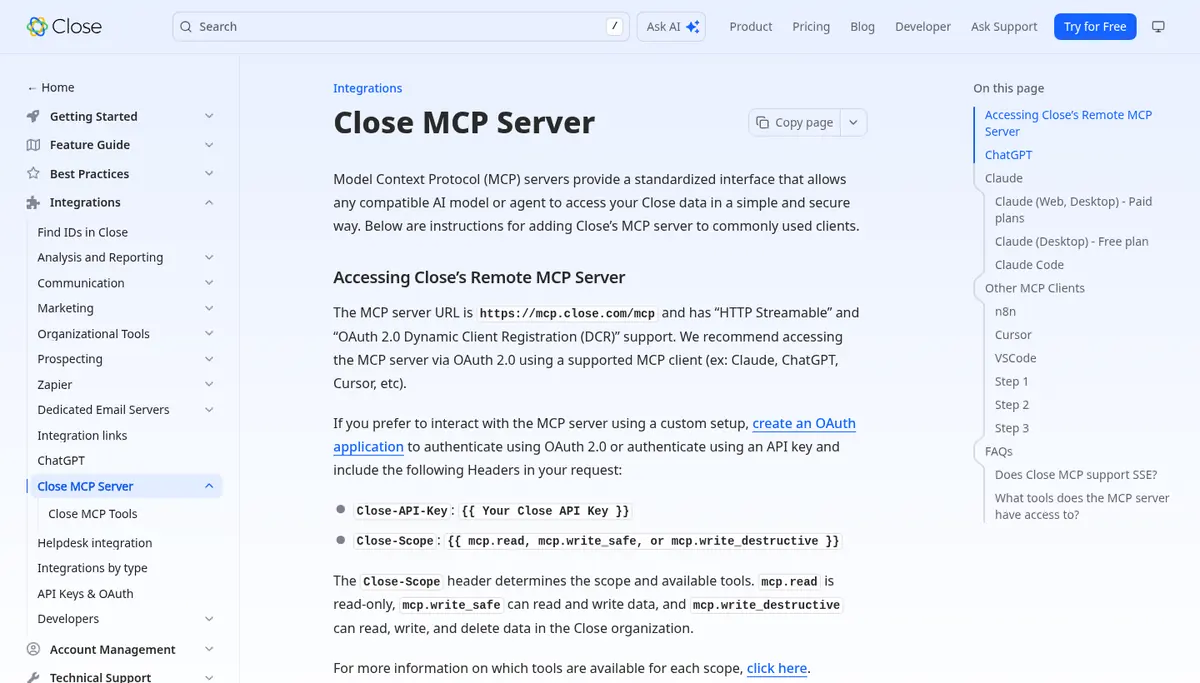
Close MCP has the most careful permission model of the nine, with 127 tools split across read, write safe, and write destructive scopes. The read scope unlocks 73 tools, write safe adds 17, and write destructive adds 37 more, per Close’s tool reference. Connect at https://mcp.close.com/mcp with OAuth, or with an API key and a Close-Scope header.
That split lets you give a research agent read-only access and keep deletes and bulk changes for a supervised workflow. Close dropped the older SSE transport and supports Streamable HTTP only.
- Best for: Sales teams that want to grant agents the least access possible.
- Pricing (October 2026): Included with Close plans, from $9 per user a month for Solo to $139 for Scale billed annually, per Close’s pricing page.
- Watch out for: API key connections bypass the OAuth consent screen, so set the scope header on every key you create.
8. CData Connect AI: Best for Querying Several CRMs With SQL
CData Connect AI suits teams whose agents need to query Salesforce, HubSpot, and other systems together through one SQL-style interface. The hosted server at https://mcp.cloud.cdata.com/mcp reaches live data without copying it into a separate store, per CData’s Salesforce page. Queries run through the source system’s permissions.
The Business plan adds passthrough identity, SCIM, and single sign-on, which larger teams need to tie agent queries to individual users.
- Best for: Data and RevOps teams that want cross-system reporting from agents.
- Pricing (October 2026): 14-day free trial with no card. Standard is $79 a month billed annually, or $99 monthly, for 1 user and 1 source, and Growth is $159, per CData’s pricing page.
- Watch out for: Write actions depend on each connector, so test updates in a sandbox before giving agents write access.
9. Composio Connect: Best for Agents Spanning Many SaaS Apps
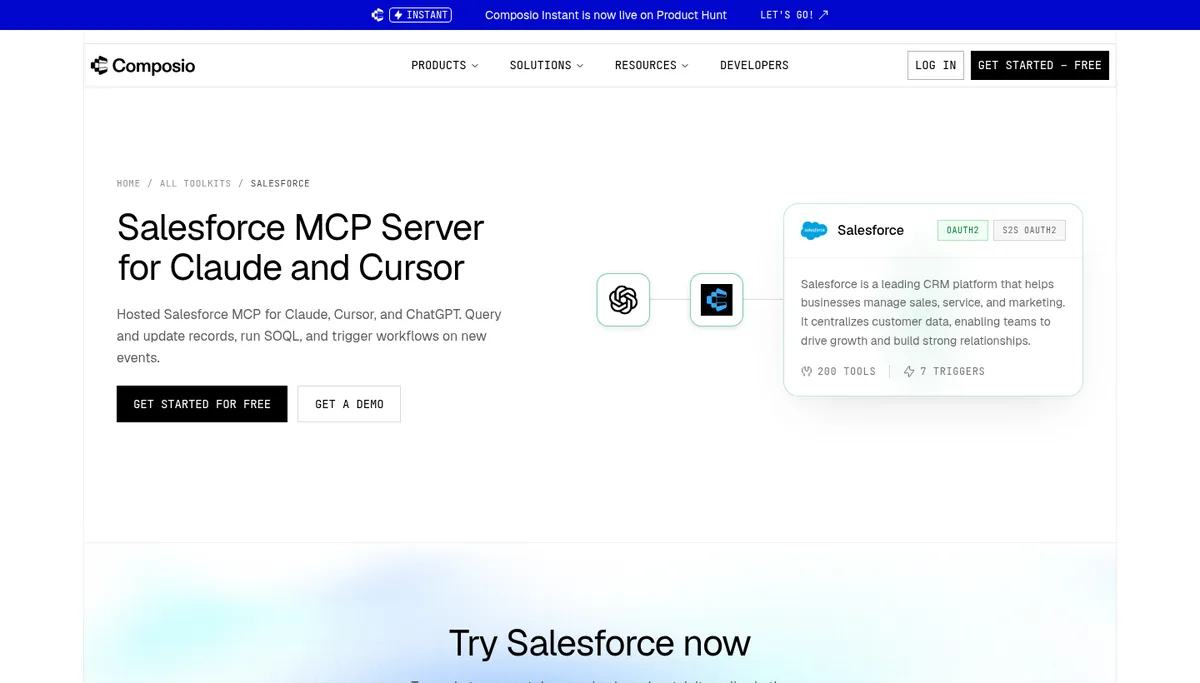
Composio Connect is the broker to pick when one agent works across a CRM and many other SaaS apps, with 240 Salesforce tools and 294 HubSpot tools in its catalog. The hosted server at https://connect.composio.dev/mcp handles OAuth for each app, per Composio’s Salesforce toolkit page. You choose which toolkits and tools each agent sees.
Composio also offers triggers, 7 for Salesforce and 2 for HubSpot, so agents can react to CRM events. Compare it with rivals in our Composio alternatives guide and Composio vs Arcade vs Nango comparison.
- Best for: Product teams building agents that touch a CRM alongside email, tickets, and docs.
- Pricing (October 2026): Hobby is $0 with 100,000 tool calls a month, then $0.0005 per call; Pro is $29 a month, then $0.0003 per call, under pricing in effect since August 15, 2026, per Composio’s pricing page.
- Watch out for: Hundreds of tools per toolkit can flood an agent’s context, so expose only the tools a workflow needs.
Salesforce DX MCP Server Ends on November 2, 2026
The local Salesforce DX MCP Server reaches end of life on November 2, 2026, so teams using @salesforce/mcp need a replacement within days. Salesforce announced the change in GitHub issue 46, opened October 5, 2026. Its repositories will be archived, and developer tooling moves to Salesforce skills.
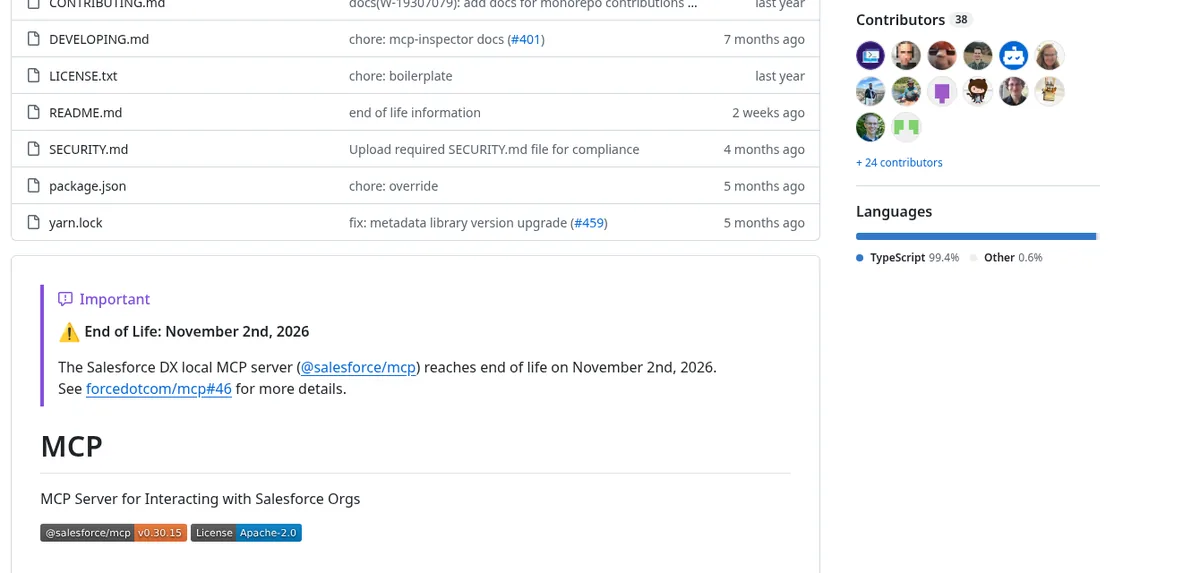
Why it matters: the package still drew 129,521 npm downloads between September 19 and October 18, 2026, and its last release is v0.30.15. Many agent setups that talk to Salesforce through it will stop receiving fixes.
What to do: move data access to Salesforce Hosted MCP Servers and metadata or deployment work to the Salesforce skills, then remove @salesforce/mcp from your client configs.
How to Connect a CRM MCP Server
Most CRM MCP servers connect the same way: add the remote URL to your AI client, sign in through the browser, and approve the scopes it requests. Pick the narrowest server or scope first, then widen access only after you watch what the agent does.
# Claude Code: add a read-only Close connection
claude mcp add --transport http close https://mcp.close.com/mcp

# Any client that reads a JSON config
{
  "mcpServers": {
    "hubspot": { "url": "https://mcp.hubspot.com" },
    "salesforce-reads": {
      "url": "https://api.salesforce.com/platform/mcp/v1/platform/sobject-reads"
    }
  }
}
HubSpot needs a client ID from an MCP connector you create in HubSpot, and Salesforce needs an External Client App. For servers that sit behind your own controls, an MCP gateway adds logging and policy, and our MintMCP vs Runlayer vs Lasso comparison covers managed options.
CRM MCP Scopes and Permissions Compared
The safest CRM MCP setup gives an agent only the records and actions its job needs, and nothing it could misuse unattended. Here is how each of the nine servers limits what an agent can see and change, based on vendor documentation and our October 21 endpoint check.
| Server | Respects CRM permissions | Read-only option | Admin control |
|---|---|---|---|
| Salesforce | Yes, field-level security and sharing | Yes, separate Reads server | External Client App and agent registration |
| HubSpot | Yes, user’s own access | No; writes need confirmation | MCP connector per app |
| Dataverse | Yes, security roles | Not as a separate server | Client allow-list per environment |
| Zoho CRM | Yes, user’s own access | Yes, Data Insights server | Per-user server URLs |
| Pipedrive | Yes, user’s own access | No | Company switch and change log |
| Attio | Yes, same as user account | No; writes need confirmation | Workspace settings |
| Close | Yes, user’s own access | Yes, mcp.read scope | Scope header on API keys |
| CData Connect AI | Yes, source permissions | Depends on connector | Passthrough identity on Business plan |
| Composio Connect | Yes, connected account | Yes, by tool selection | Per-agent toolkit choice |
Verdict: Close, Salesforce, and Zoho let you start with a true read-only connection, which is the best way to pilot an agent. HubSpot and Attio rely on confirmation prompts, which help in chat but not in unattended workflows.
What CRM MCP Servers Cost
Most vendor servers come with the CRM subscription at no extra charge, but agent calls are starting to carry their own fees through credits and metering. Here is what each of the nine costs to run an agent against, as published by each vendor in October 2026.
| Server | Access cost | Per-call charges |
|---|---|---|
| Salesforce | Flex Credits required | Headless Platform Interaction metering after notice |
| HubSpot | Included | None published |
| Dataverse | Included with Dataverse | Copilot Credits outside Copilot Studio, unless exempt |
| Zoho CRM | Included | Counts against API credits |
| Pipedrive | All plans, from $14 per seat a month | Counts against plan token limits |
| Attio | Plans from $0 | Rate limits, no published per-call fee |
| Close | Plans from $9 per user a month | None published |
| CData Connect AI | 14-day trial, then $79 a month | 100 million records a month fair use limit |
| Composio Connect | Free, then $29 a month | $0.0005 or $0.0003 per call over allowance |
Verdict: HubSpot, Close, and Attio are the cheapest to run today because agent calls carry no separate fee. Salesforce and Dataverse users should forecast call volume now, since both vendors have tied agent calls to credits.
CRM MCP Servers We Left Off, and Why
- Salesforce DX MCP Server: a capable local server for developers, but it reaches end of life on November 2, 2026.
- Community HubSpot and Salesforce servers on GitHub: the official remote servers now cover the same ground with vendor support and OAuth.
- Zapier MCP: a general automation bridge rather than a CRM server, so it falls outside this list.
- Integration platforms such as Arcade and Nango: they suit custom agent products, and we compare them in our agent integration platforms guide.
Which CRM MCP Server Should You Choose?
The right server depends on which CRM holds your records, whether agents run in chat or unattended, and how much write access they need. Find the profile below that matches your team, then pilot with read-only access before you allow any writes.
Teams on one CRM
- Choose Salesforce Hosted MCP Servers on Salesforce, starting with the Reads server.
- Choose the HubSpot MCP server on HubSpot, and check whether Sensitive Data is on.
- Choose Dataverse MCP on Dynamics 365, and confirm your license exemption for Copilot Credits.
Small sales teams
- Choose Pipedrive MCP or Close MCP for quick setup inside ChatGPT or Claude.
- Choose Attio MCP when answers live in calls and emails rather than fields.
- Use Close’s read scope for any agent that only researches accounts.
Teams with several systems
- Choose CData Connect AI for cross-system queries and reporting.
- Choose Composio Connect when the agent also works in email, tickets, and docs.
- Compare brokers in our agent integration platforms guide before you commit.
Security and platform teams
- Route CRM servers through an MCP gateway for central logging and policy.
- Review risks with our MCP security tools guide and the ToFu study of MCP tool bugs.
- Trace agent actions with our AI agent observability tools roundup.
Frequently Asked Questions
What is a CRM MCP server?
A CRM MCP server is a Model Context Protocol endpoint that lets an AI agent search, read, and update CRM records such as contacts, companies, deals, and activities. Salesforce, HubSpot, Microsoft, Zoho, Pipedrive, Attio, and Close all run official remote servers that connect through OAuth in clients like Claude and ChatGPT.
Does Salesforce have an official MCP server?
Yes. Salesforce Hosted MCP Servers reached general availability on April 29, 2026, with separate servers for reading, changing, and deleting records. Calls respect field-level security and sharing rules. The older local Salesforce DX MCP Server reaches end of life on November 2, 2026, so new projects should use the hosted servers.
Is the HubSpot MCP server free?
The HubSpot MCP server is included with HubSpot accounts at no extra charge, as of October 2026, and the tools you can use depend on your subscription. It offers 32 tools at mcp.hubspot.com. You must create an MCP connector in HubSpot first, because it does not support self-serve client registration.
Which CRM MCP server has the safest permissions?
Close MCP has the most granular permissions of the servers we checked, with separate read, write safe, and write destructive scopes across 127 tools. Salesforce offers a separate read-only server that respects sharing rules, and Zoho offers a read-only Data Insights server. All three suit read-only agent pilots well.
Can one MCP server connect to several CRMs?
Yes. CData Connect AI queries Salesforce, HubSpot, and other sources through one SQL-style MCP interface, and Composio Connect offers 240 Salesforce and 294 HubSpot tools alongside many other apps. CData offers a 14-day trial and Composio a free tier, with paid plans from $79 and $29 a month, as of October 2026.
Related Guides
CRM servers are one workflow among many. Our MCP servers for Claude Code guide covers 12 servers for coding, docs, testing and data work.
For actions beyond the CRM, our 8 best Zapier MCP alternatives compares workflow platforms that expose thousands of app actions to agents over MCP.
For related coverage, see our MCP registries.
Read the MCP hub, agent protocols coverage, MCP explained, best MCP servers, MCP gateways, MCP security tools, MintMCP vs Runlayer vs Lasso, Kong vs AWS AgentCore vs Docker, Red Hat MCP Gateway GA, agent integration platforms, Composio alternatives, Composio vs Arcade vs Nango, ToFu MCP tool security bugs, FastMCP client RCE advisories, agent security coverage, and AI agent frameworks. Notes on how we work sit on editorial standards, disclosure, and contact.
The Bottom Line
Use the official MCP server for the CRM you already run, start every agent on read-only access, and add a broker like CData or Composio only when one agent spans several systems. Close and Salesforce make that read-only start easiest, and HubSpot is the simplest to switch on for HubSpot portals.
Before rollout, check two things: how your vendor meters agent calls, and which scopes the consent screen requests. Salesforce DX MCP users should migrate before November 2, 2026. Send corrections or server suggestions through our contact page.