

Last updated October 15, 2026. Catalog sizes, authorization models, MCP endpoints, and list prices were checked against each vendor’s docs and pricing pages on that date.
Composio vs Arcade vs Nango is the agent integration layer decision for product teams that need models to call real SaaS tools on behalf of users, not just route prompts through an LLM gateway.
An agent integration layer handles OAuth, token refresh, tool schemas, and execution so an agent can act in Gmail, Salesforce, or Jira without pasting credentials into the prompt. This guide sits in the MCP and Agent Protocols hub under the MCP topic. Placement is unpaid, per our editorial standards and disclosure policy.
We compare the three on whose accounts the agent uses, how tightly tools can be scoped, whether you own the tool code, MCP access, and published pricing. For the broader catalog shortlist see the sibling roundup planned on this hub; for model routing rather than tool auth, start with LLM gateways and Portkey vs LiteLLM vs OpenRouter.
TL;DR
- Composio wins for catalog breadth and a fast hosted path: 1,600+ toolkits, session-based tool discovery, Hobby free with 100,000 own-app tool calls a month, Pro at $29 a month, and $0.0003 per extra own-app call.
- Arcade wins when every call must run as the requesting user with tokens kept out of the model: permission intersection at runtime, MCP runtime plus MIT custom-server framework, Free with 2,000 calls and auth events, Team at $25 a month plus $0.01 per call and $0.10 per auth event.
- Nango wins when integrations are product code you own: TypeScript functions, 1,000+ APIs and MCP servers, 7k prebuilt tools, scoped agent sessions as MCP URLs, Free hard caps, pay as you go at $50 a month with connection and compute metering, self-host options.
- Auth filter: pick Arcade when security review leads with delegated per-user authorization. Pick Composio when connected accounts plus a huge prebuilt catalog are enough. Pick Nango when white-label OAuth and custom tool logic must live in your repo.
- Cost filter: published overage runs from $0.0003 per Composio own-app call to $0.01 on Arcade Team, while Nango meters connections ($0.29) and compute hours ($0.72) instead of a flat per-call fee.
- Security note: every layer still needs allowlists and outbound credential vaulting; the {il(TOFU, ‘ToFu MCP security study’)} found 253 verified bugs across 118 MCP servers.
Composio vs Arcade vs Nango: The Short Answer
Pick Composio when you need the widest prebuilt SaaS catalog behind a hosted session MCP URL. Pick Arcade when production agents must act with per-user delegated authorization and no OAuth token in the model. Pick Nango when tool logic, syncs, and webhooks are part of your product and should ship as code you review.
| Composio | Arcade | Nango | |
|---|---|---|---|
| Center of gravity | Hosted toolkit catalog + sessions | MCP runtime with per-user auth | Code-first integration platform |
| Catalog (vendor claim) | 1,600+ toolkits | 8,000+ tools / ~80 first-party MCP servers | 1,000+ APIs and MCPs, 7k tools |
| Auth model | Connected accounts, managed or BYO OAuth apps | Tokens injected at runtime; agent+user intersection | Per-connection OAuth/API keys; white-label UI |
| Custom tools | Custom tools and MCP alongside catalog; no full code-owned runtime like Nango | MIT arcade-mcp for custom servers | TypeScript functions you author and deploy |
| MCP access | Hosted session MCP URL | MCP runtime; custom servers via framework | Agent session as MCP server URL |
| Entry list price (Oct 2026) | Hobby $0 (100k calls); Pro $29/mo | Free (2k calls + 2k auth); Team $25/mo + usage | Free hard caps; PAYG $50/mo credits |
| Best fit | Fast product agents on a broad catalog | Governed multi-user agent actions | Embedded product integrations + owned tools |
Verdict: Composio is the default when speed and catalog size decide the build. Arcade is the default when a security review will ask how every call is authorized and logged. Nango is the default when the integration layer is product infrastructure you intend to own for years.
How We Compared These Three Layers
We read each vendor’s product docs, pricing page, and primary agent or MCP guides on October 15, 2026, and captured the pages we cite. The lens is operational: authorization model, catalog shape, code ownership, MCP access, and published fee shape before custom Enterprise quotes.
- Primary sources only: claims come from Composio toolkits, Composio pricing, Arcade authorized tool calling, Arcade pricing, Nango agent sessions, and Nango pricing.
- No paid bake-off: we did not load-test p99 tool latency or judge tool quality, so there are no star ratings.
- Estimates are labeled: fee examples use published list prices and stated allowances.
- Related reading: AgentOps tools, LLM gateways, Portkey vs LiteLLM vs OpenRouter, observability tools, and AI agent frameworks.
What an Agent Integration Layer Must Do in 2026
An agent integration layer is the auth, schema, and execution plane between an agent and third-party APIs or MCP servers. Clients should see stable tool definitions; the layer handles OAuth consent, token refresh, scoping, and audit so models never hold long-lived provider credentials.
MCP made discovery and calling more portable, but vendors still differ sharply on whose identity the call runs under and whether tools are prebuilt catalogs or code you ship. That split is why Composio, Arcade, and Nango keep showing up on the same shortlist even though their architectures are not interchangeable.
Security pressure is rising in parallel. The ToFu MCP tool security study fuzzed hundreds of servers and verified hundreds of bugs, which is why allowlists, outbound credential vaulting, and short-lived sessions belong on the same shortlist as catalog size. Pair tool routing with agent security controls and the AgentOps stack you already run for traces.
Composio: Widest Hosted Catalog With Session Discovery
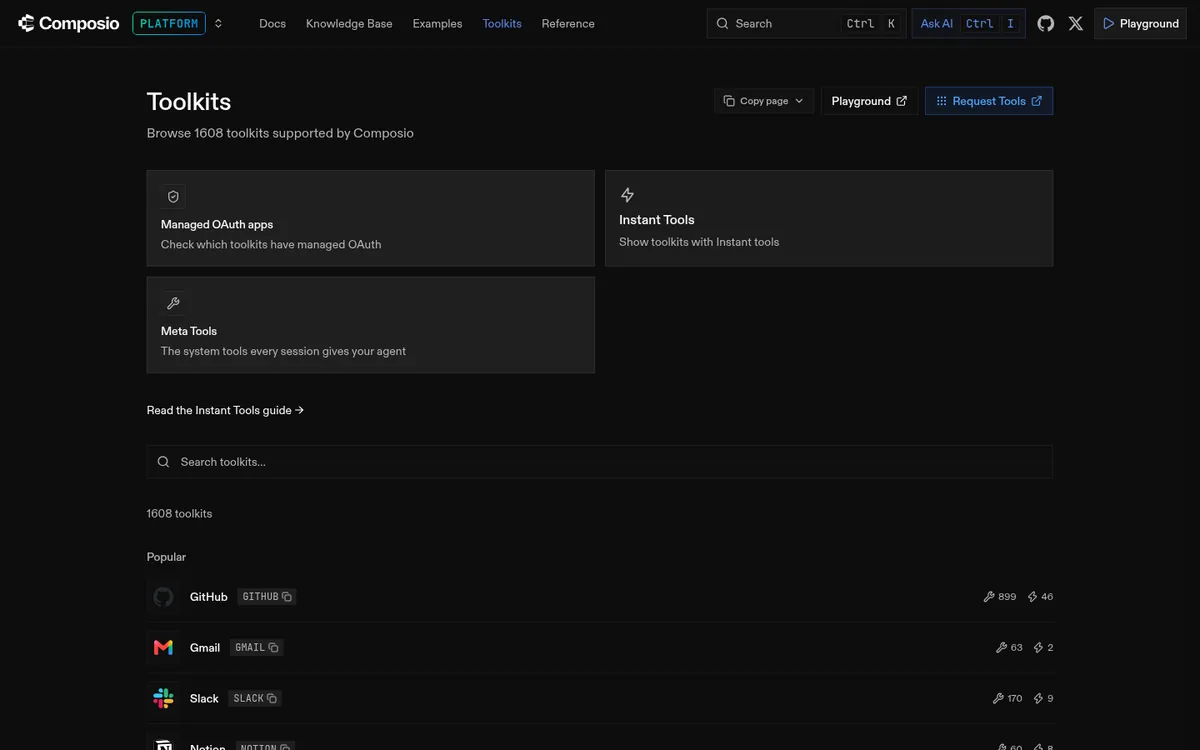
Composio is the strongest pick when you need the widest prebuilt SaaS catalog and a hosted session path into MCP. Its docs list more than 1,600 toolkits, each a set of tools for one app such as GitHub, Gmail, or Slack, per the Composio toolkits catalog.
Sessions are the recommended execution context: free to create, scoped to a user, and able to expose tools through a hosted MCP URL, per Composio session docs. You can bring custom tools and MCP servers alongside the catalog, use Composio-managed OAuth apps to skip setup, or bring your own OAuth app for full allowances as you scale.
Pricing shape
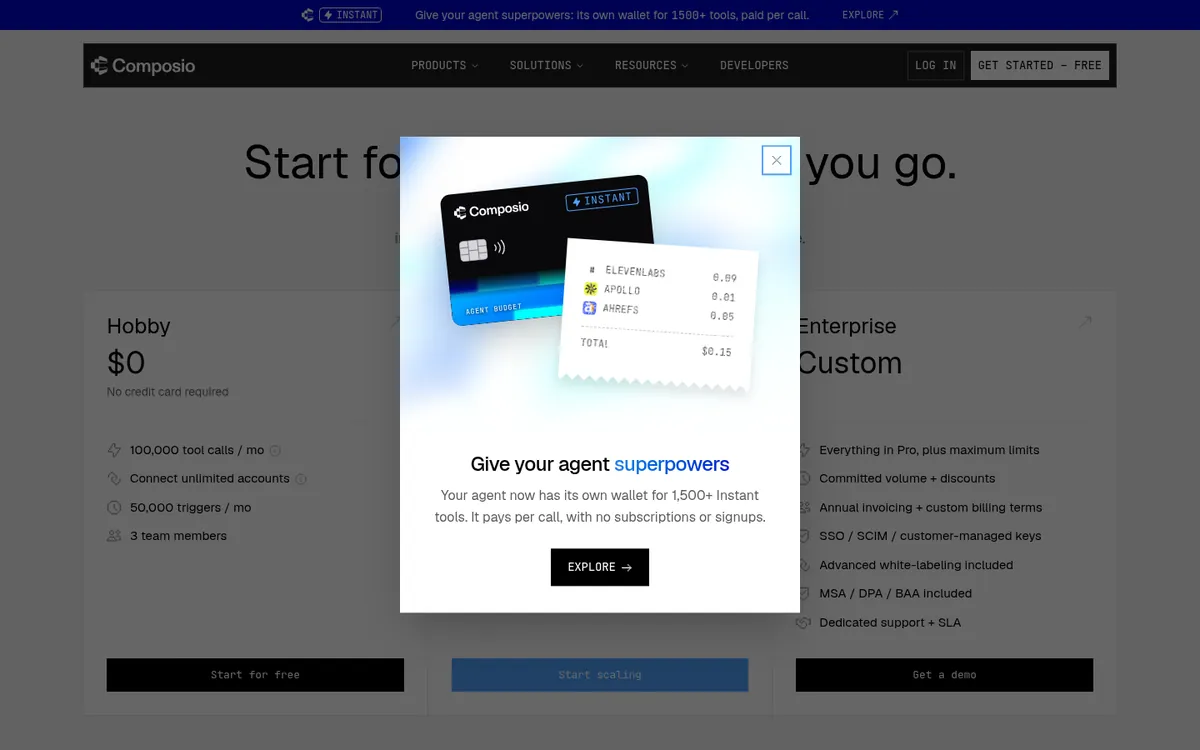
Hobby is $0 with 100,000 own-app tool calls and 50,000 trigger events a month; Pro is $29 a month with a $29 usage credit and $0.0003 per extra own-app tool call. Composio-managed shared OAuth apps cap at 20,000 of the free calls and cost $0.0005 per call after that, and Composio itself recommends bringing your own OAuth app as you scale, per the Composio pricing page.
Enterprise adds SSO, SCIM, customer-managed keys, and committed volume. Add-ons on Pro include BAA, IP allowlists, and zero data retention as usage surcharges. Treat published own-app rates as the public list price for pilots, and model Instant Tool provider charges separately when you use Composio-hosted provider accounts.
Arcade: Per-User Authorization for Production Agents
Arcade is the strongest pick when security reviewers need every tool call to run with the requesting user credentials and no token in the model. Arcade brokers OAuth 2.0 and API keys, then injects them at runtime, so neither the client nor the large language model (LLM) sees them, per the Arcade authorized tool calling docs.
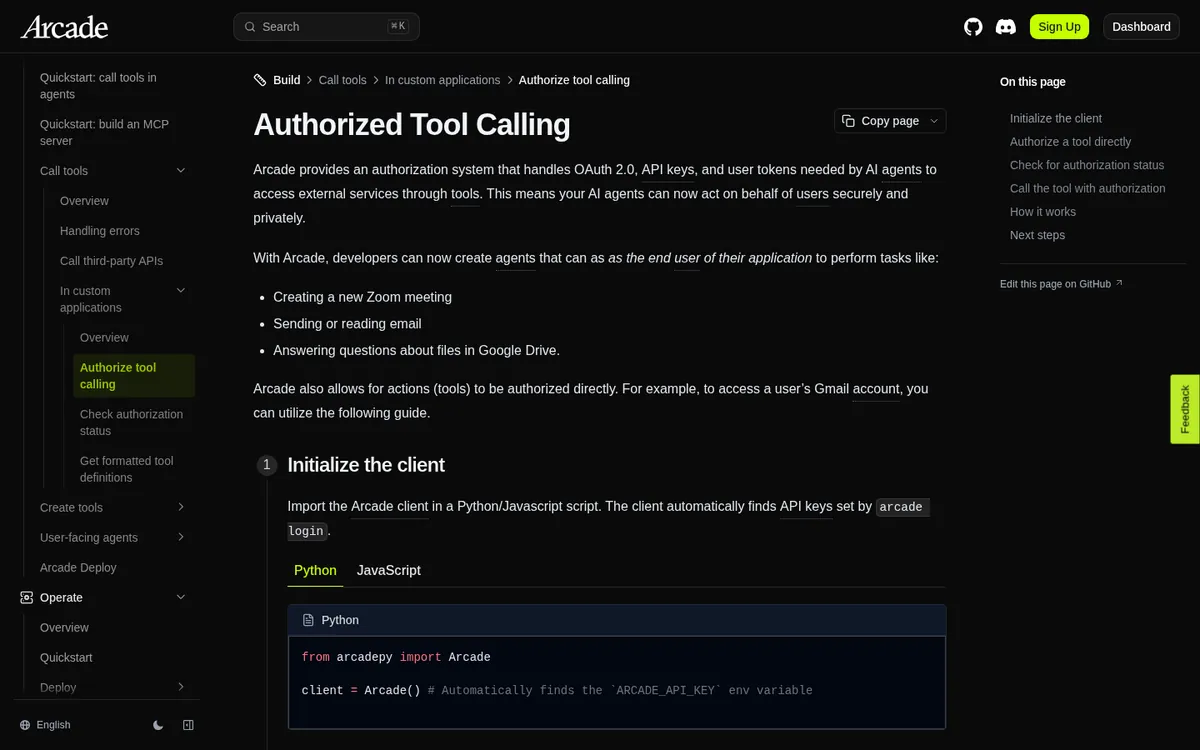
Arcade describes itself as an MCP runtime. Each request carries a project key and a user identity, and Arcade evaluates the intersection of agent and user permissions at execution time, per its runtime guide. The vendor reports a hosted catalog of more than 8,000 agent-optimized tools, and the arcade-mcp framework for custom servers is MIT-licensed.
Pricing shape
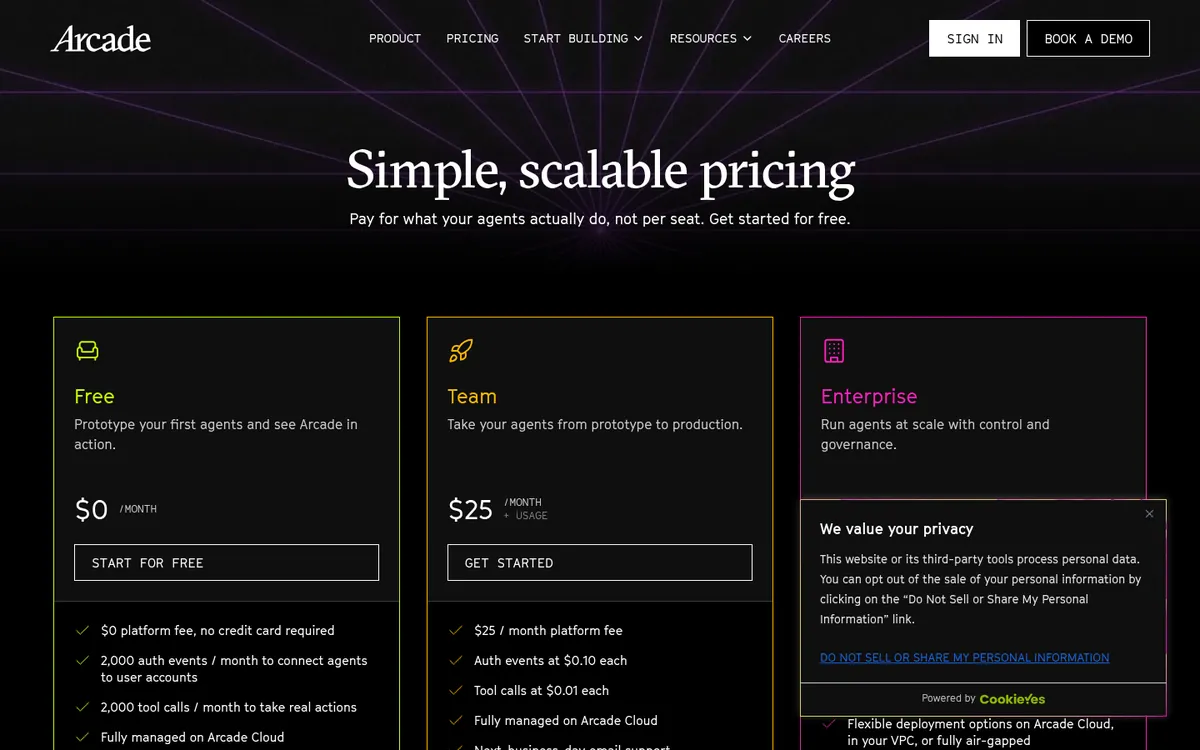
Free includes 2,000 tool calls and 2,000 auth events a month; Team is $25 a month plus $0.01 per tool call and $0.10 per auth event. Enterprise adds VPC, air-gapped deployment, SSO, RBAC, audit logs, and private registry access under custom bundles, per the Arcade pricing page.
At $0.01 per call, Arcade Team costs about 33 times Composio’s published own-app overage rate, so volume modeling matters. The first call to a tool that needs OAuth stops for user consent before it can be re-run, which is the intended security trade-off rather than a hidden failure mode.
Nango: Code-Owned Tools, Syncs, and Agent Sessions
Nango is the best fit when integrations are product code you own, rather than a prebuilt tool catalog you only consume. It is open source under the Elastic License, runs integration logic as TypeScript functions on a managed runtime, and works with MCP and common agent frameworks, per the Nango GitHub repository.
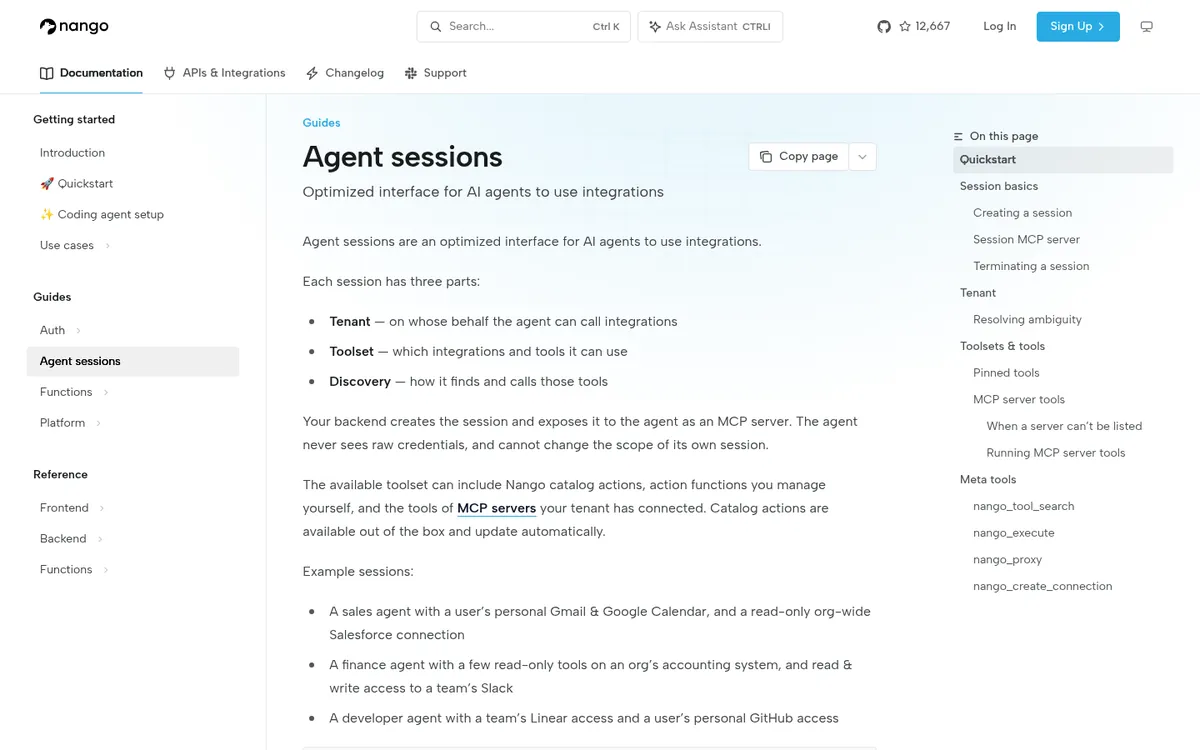
Agent sessions expose a scoped, expiring MCP server URL with pinned connections and allow or deny lists, per Nango agent sessions. Beyond tool calls, Nango covers durable syncs, webhooks, white-label auth UI, and OpenTelemetry log export, which is why product teams use it when RAG context and background syncs matter as much as one-shot actions.
Pricing shape
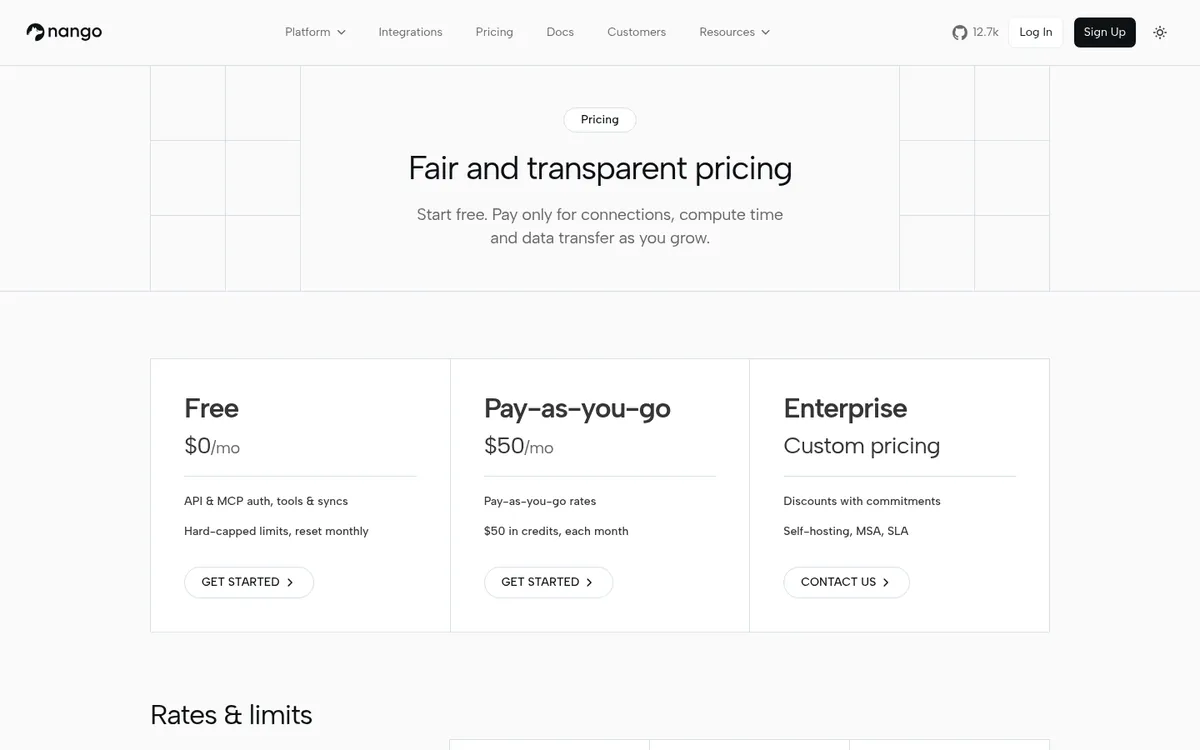
Free covers 10 connections, 10 compute hours, and 10 GB a month; pay as you go is $50 a month with $50 in credits, then $0.29 per connection and $0.72 per compute hour. Enterprise adds commitment discounts, self-hosting or bring-your-own-cloud, SAML SSO, HIPAA BAA options, and SLAs, per the Nango pricing page.
Nango meters connections and compute rather than a flat per-call fee, so a chatty agent that retries often looks different on the bill than the same agent on Composio or Arcade. Model both tool-call volume and sync frequency before you pick a primary meter.
Side-by-Side: Auth, Ownership, and Fee Shape
| Dimension | Composio | Arcade | Nango |
|---|---|---|---|
| Who owns tool logic | Vendor catalog (+ custom tools/MCP) | Vendor catalog + MIT custom servers | Your TypeScript functions in repo |
| Per-user auth | Connected accounts / sessions | Runtime token injection + permission intersection | Per-connection OAuth; session MCP scoping |
| Syncs and webhooks | Triggers billed per delivered event | Out of primary scope (tool calling focus) | First-class syncs and webhook processing |
| Deployment choice | Hosted SaaS; Enterprise compliance add-ons | Cloud; VPC or air-gapped on Enterprise | Cloud; self-host / BYOC on Enterprise |
| Fee driver | Tool calls (+ triggers, Instant Tools) | Tool calls + auth events | Connections + compute hours + data transfer |
| Published unit cost signal | $0.0003 / own-app call (Pro overage) | $0.01 / call + $0.10 / auth (Team) | $0.29 / connection + $0.72 / compute hour |
Verdict: Composio optimizes for catalog dollars and session speed. Arcade optimizes for delegated authorization and runtime governance. Nango optimizes for code ownership plus sync and webhook surface area that a pure tool catalog never covers.
Budget tip: model tokens, integration-layer meters, and upstream SaaS API costs are three separate lines. Composio’s Instant Tools add provider usage from your Composio balance. Arcade auth events fire when users connect accounts. Nango compute rounds each run up to the nearest second.
Code Shape: Session vs Authorize-Then-Execute
Both snippets below come from vendor quickstart patterns and show the practical split: Composio opens a session for one user so tools can be discovered and executed in that context, while Arcade calls tools.authorize first so consent completes before tools.execute runs. That authorize-then-execute loop is the price of keeping OAuth tokens out of the model.
# Composio: one session per end user (Python SDK)
from composio import Composio
composio = Composio()
session = composio.create(user_id="user_123")
tools = session.tools()  # discover, then execute via session

# Arcade: authorize, wait for consent, then execute
from arcadepy import Arcade
client = Arcade()
auth = client.tools.authorize(tool_name="Gmail.SendEmail", user_id="user_123")
# wait until auth.status == "completed", then:
result = client.tools.execute(tool_name="Gmail.SendEmail", user_id="user_123", input={...})
Nango’s equivalent path is to author a typed TypeScript action, deploy it, then hand the agent a session MCP URL that only sees the allowed toolset and connections. That is more setup than Composio’s catalog session, and it is the point when the integration is part of the product rather than a borrowed toolkit.
Risks Shared by All Three Layers
Every agent integration layer widens what a model can do with real accounts, so the main risks are over-broad scopes, prompt injection in tool responses, and proxy paths that skip your allow list. Pair the layer with agent security controls, short session lifetimes, and the same observability habits you use for LLM routes in observability tools.
- Scope each session: one user, a few tools, and a short lifetime.
- Prefer least privilege OAuth scopes: send-email should not imply full mailbox delete rights.
- Log tool name, user, and outcome: so an incident review can reconstruct who acted where.
- Re-read the ToFu findings: catalog tools and custom MCP servers both need supply-chain and fuzz discipline.
When Each Layer Wins
Choose Composio when
- Catalog first: you need hundreds of SaaS apps behind one session MCP URL this quarter.
- Hosted speed: a small team wants managed OAuth and tool schemas without owning TypeScript integration code.
- Call economics: published own-app overage at $0.0003 per call fits a high-volume prototype better than $0.01 per call.
Choose Arcade when
- Delegated auth: every production call must run as the end user, with tokens isolated from the model.
- Governance review: you need permission intersection, audit posture, and later VPC or air-gapped options.
- MCP runtime: you want an MCP-native execution plane and may extend it with MIT custom servers.
Choose Nango when
- Product integrations: customers connect their accounts inside your app, and tools must match your product intent.
- Code ownership: engineering wants TypeScript functions, reviews, and the option to self-host.
- Beyond tool calls: durable syncs, webhooks, and OpenTelemetry export matter as much as one-shot actions.
Migration Paths Between the Three
Most teams do not jump straight to a forever choice. A common path is Composio for a catalog prototype, then Arcade when multi-user production auth hardens, or Nango when the same connectors must become owned product code with syncs. Keep tool names and OAuth scopes stable across the move so agents do not need a second prompt rewrite.
Whatever you pick, keep LLM routing and tool routing as related but separate control planes. Compare LLM gateways and Portkey vs LiteLLM vs OpenRouter for model traffic, and keep tool auth on the integration layer that matches your identity model. For runtime visibility, pair either path with observability tools or open source LLM observability.
Related Guides
For how Composio pricing compares with dedicated MCP gateways, see our MCP gateway pricing comparison, which covers tool-call, seat, and request meters as of October 2026.
Leaving Composio but not sold on Arcade or Nango? Our Composio alternatives guide ranks nine replacements, including Pipedream Connect, Merge Agent Handler, StackOne, and Zapier MCP, with pricing and one limitation each.
- MCP and agent protocols hub
- MCP category
- AgentOps tools map
- 9 best LLM gateways
- Portkey vs LiteLLM vs OpenRouter
- ToFu MCP tool security bugs
- Agent security topic
- Best AI agent observability tools
- Open source LLM observability
- AI agent frameworks
- AI agent evaluation tools
- Claude managed agents dynamic workflows
- AgentOps hub
- Editorial standards · Disclosure · Contact
Frequently Asked Questions
What is the difference between Composio and Arcade?
Composio is a hosted toolkit catalog with connected accounts and session-based MCP access, optimized for breadth and low per-call list prices. Arcade is an MCP runtime that injects OAuth tokens at execution time and evaluates agent and user permissions together. Choose Composio for catalog speed; choose Arcade when delegated per-user authorization is the hard requirement.
When should I pick Nango instead of Composio?
Pick Nango when integrations are part of your product and must live as TypeScript you review, with white-label OAuth, durable syncs, and webhooks on the same platform. Composio is faster when a prebuilt catalog and hosted sessions are enough. Nango’s own comparison stresses code-owned tools versus a closed catalog for production agents.
Which option is cheapest per tool call?
On published October 2026 rates, Composio own-app overage is $0.0003 per tool call after 100,000 free Hobby calls, while Arcade Team lists $0.01 per call plus auth events. Nango does not publish a flat per-call fee; it meters connections and compute hours, so chatty agents and heavy syncs need a different cost model.
Do these platforms keep OAuth tokens out of the model?
Arcade is explicit that tokens are injected at runtime so the client and model never see them. Nango agent sessions hand the agent a scoped session token rather than provider credentials. Composio sessions and managed auth also keep provider tokens off the prompt path when you use the recommended session APIs instead of pasting secrets into tools.
Can I self-host any of the three?
Nango is open source and supports self-hosting or bring-your-own-cloud on Enterprise. Arcade offers VPC and air-gapped deployment on Enterprise. Composio is primarily a hosted SaaS with Enterprise compliance controls such as customer-managed keys rather than a first-class self-host path on the public pricing page.