
Last updated: October 22, 2026
The best shadow AI detection tools in 2026 are Netskope One for inline network discovery, Microsoft Defender for Cloud Apps with Purview for Microsoft 365 shops, and Harmonic Security for prompt-level visibility in the browser and on endpoints. Akamai Workforce Protector and Push Security work as browser extensions, Nudge Security and Reco find AI through email and SaaS signals, and Cloudflare One gives small teams a free start.
Shadow AI is any AI app, account, extension, or agent that employees use without security review. Each tool here sees shadow AI from one vantage point, so the real buying question is which signal your company can collect: network traffic, browser activity, endpoint processes, or identity and email records. We checked the sign-in options of 23 popular AI apps on October 22, 2026 to show what each signal can miss.
For the wider program, start with our AI governance hub and the governance and compliance section. Shadow AI covers people using AI; if your worry is what deployed agents can reach, our agent security hub and MCP security tools guide cover that side.
TL;DR
- Pick by signal: network tools see traffic, browser extensions see prompts, and email or OAuth tools see signups made outside the office network.
- Our test: 22 of 23 AI apps offered Sign in with Google, but only six offered Sign in with Microsoft.
- Blind spot: 19 of 23 apps accepted a plain email or phone signup, which leaves no identity provider record.
- Cheapest start: Cloudflare One is free for up to 50 users, and Microsoft 365 E3 already includes basic shadow IT discovery.
- Most teams need two layers: one discovery source for the inventory and one inline control in the browser or network.
Shadow AI Detection Tools at a Glance
The table compares all eight tools by the signal they use, whether they can see prompt content, how they deploy, and what they cost. Prompt visibility matters because a list of AI app names tells you who uses ChatGPT, while prompt inspection tells you whether customer data went into it.
| Tool | Main signal | Sees prompts | Deploys as | Price (October 2026) |
|---|---|---|---|---|
| Netskope One | Inline network traffic plus endpoint scan | Yes, with inline DLP | SSE client and cloud proxy | Quote only |
| Microsoft Defender for Cloud Apps + Purview | Traffic logs and Defender for Endpoint | Yes, in Edge and on endpoints | Part of Microsoft 365 | Included in E5 ($60 per user a month) |
| Cloudflare One | Gateway DNS and HTTP traffic | With DLP and TLS inspection | WARP client and gateway | Free to 50 users; $7 per user a month |
| Harmonic Security | Browser extension and endpoint agent | Yes | Extension plus desktop agent | $163 per user a year on AWS, 200 user minimum |
| Akamai Workforce Protector | Browser extension | Yes | Extension in existing browsers | Quote only |
| Push Security | Browser extension | Yes, for DLP rules | Extension | $5 per employee a month, annual |
| Nudge Security | Email metadata and OAuth grants | AI conversation monitoring | Read-only Google or Microsoft API | $750 a month to 150 users |
| Reco | SaaS APIs and identity graph | No, focuses on access | API connectors | $18,000 a year on AWS |
Verdict: Start with the signal you already own: a Microsoft E5 tenant, an SSE proxy, or a managed browser fleet, then add one tool that covers the signal you lack. Teams with no proxy and many remote staff get the fastest inventory from an email or browser based tool.
How We Picked These Tools
We picked tools that a security team can buy today to find unsanctioned AI use, then checked each against its vendor docs, pricing pages, and marketplace listings on October 22, 2026. Every pick covers discovery and at least one response step, such as coaching a user, tagging an app, or blocking a risky upload.
- Discovery signal: we grouped tools by where they look, since that decides what they can miss.
- Prompt and data context: we noted which tools can read what users type or upload, and which only see app names.
- Account awareness: we checked whether a tool can tell a personal ChatGPT account from a company one.
- Coverage beyond chat apps: desktop apps, coding tools, browser extensions, and agents running on laptops.
- Public evidence only: we used logged-out pages and public docs, per our editorial standards.
What Our October 22 Sign-In Test Found
Sign in with Google appeared on 22 of 23 AI app login pages, while Sign in with Microsoft appeared on only six. We loaded each login page logged out in headless Chrome, recorded every sign-in button on the first screen, and counted the domains each page contacted. HeyGen returned a 403 error to our browser, so we excluded it.
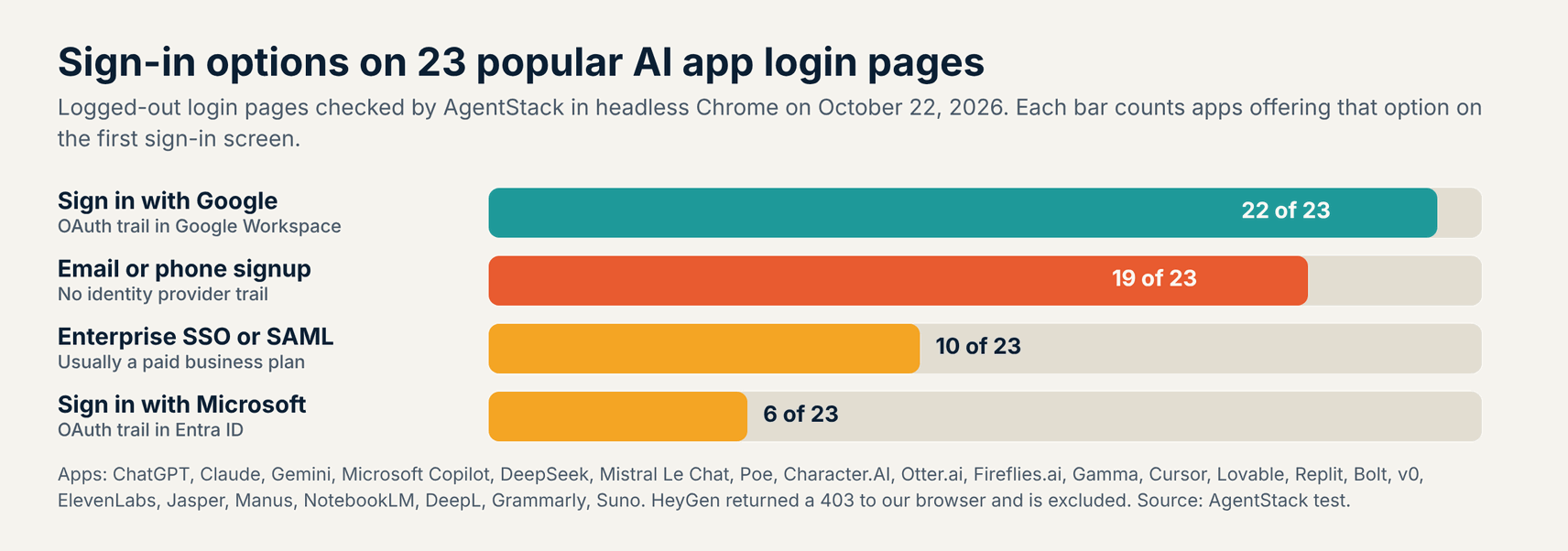
- Google sign-in: every app except Microsoft Copilot offered it, so Google Workspace admins can see many signups as OAuth grants.
- Microsoft sign-in: only Copilot, Mistral Le Chat, Otter.ai, Fireflies.ai, Manus, and Suno offered it.
- Email or phone signup: 19 apps accepted one, and those signups leave no record in Google Workspace or Entra ID.
- Enterprise SSO: 10 apps showed an SSO or SAML option, which usually signals a paid team plan you can sanction.
Microsoft 365 shops get far less from identity logs alone, because most AI apps never ask employees to sign in with a work Microsoft account. An employee on an Entra tenant who signs up with a work email and password leaves a welcome email, browser activity, and network traffic, but no consent record in Entra ID.
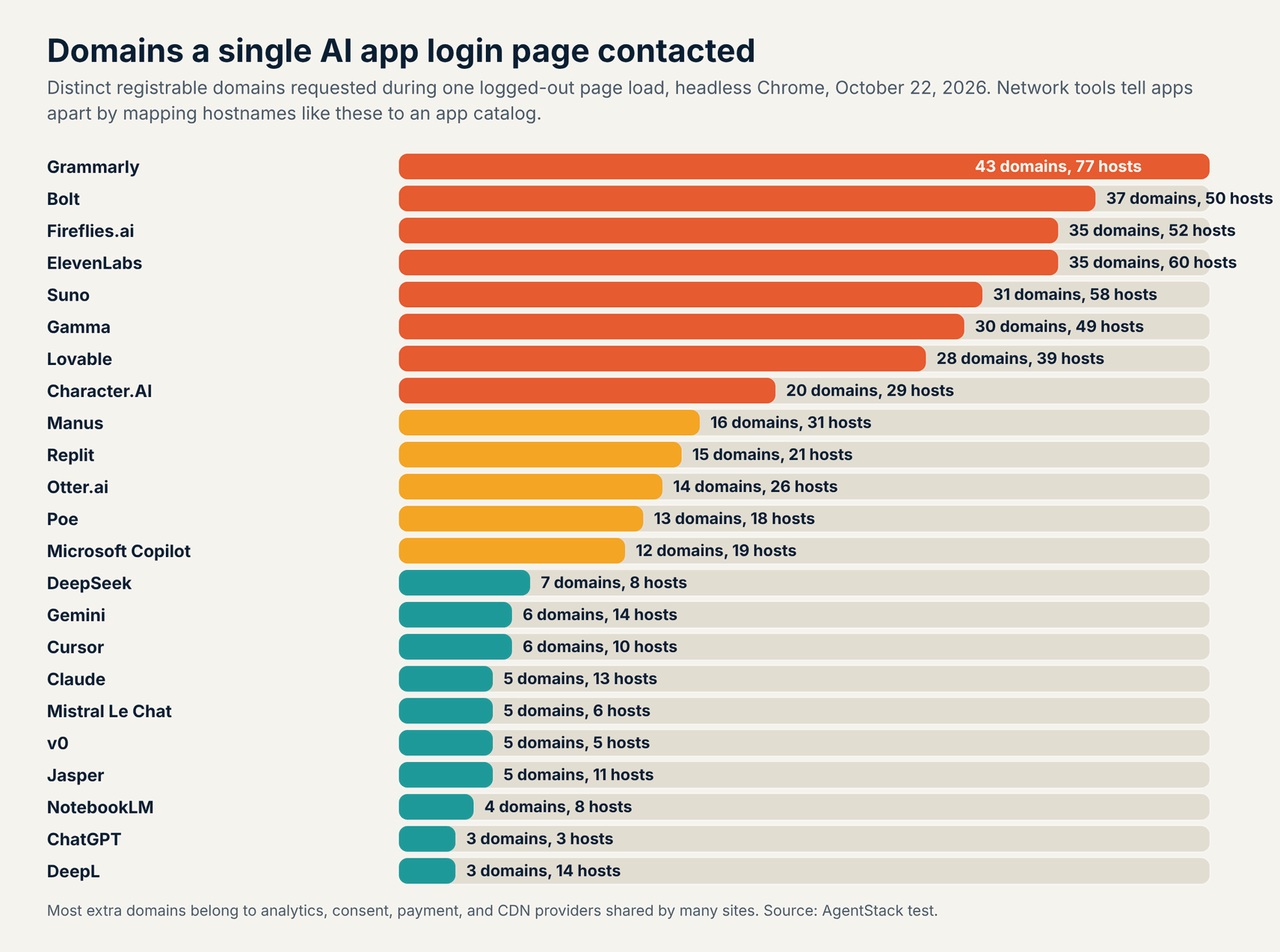
Login pages contacted a median of 13 domains and 19 hostnames, from three domains for ChatGPT and DeepL to 43 for Grammarly. Most of the extras belong to shared analytics, consent, and payment providers. That is why network tools rely on curated app catalogs instead of raw domain lists, and why a catalog gap becomes a detection gap.
{
  "app": "Fireflies.ai",
  "google": 1, "microsoft": 1, "sso": 1, "email_or_phone": 0,
  "hostnames": 52, "domains": 35
}
{
  "app": "DeepSeek",
  "google": 1, "microsoft": 0, "sso": 0, "email_or_phone": 1,
  "hostnames": 8, "domains": 7
}
The two records above come straight from our test file, where email_or_phone marks a signup path with no identity provider behind it. Fireflies.ai would show up in Google Workspace or Entra ID logs whenever an employee signs in with a work account. A DeepSeek account made with an email and password shows up only in email, browser, or network data.
1. Netskope One
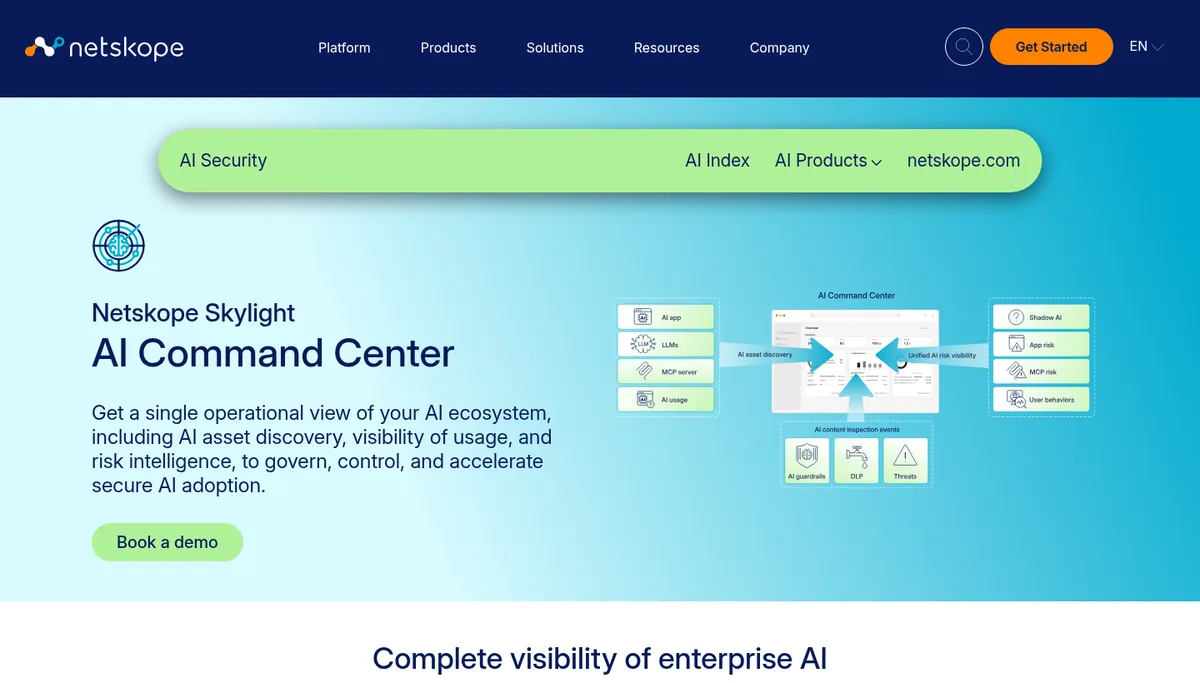
Netskope One is the strongest pick for companies that already route traffic through a security service edge, since its inline proxy sees every AI app a user reaches. Its Cloud Confidence Index rates more than 85,000 SaaS and AI apps and can tell a personal account from a corporate one on the same app.
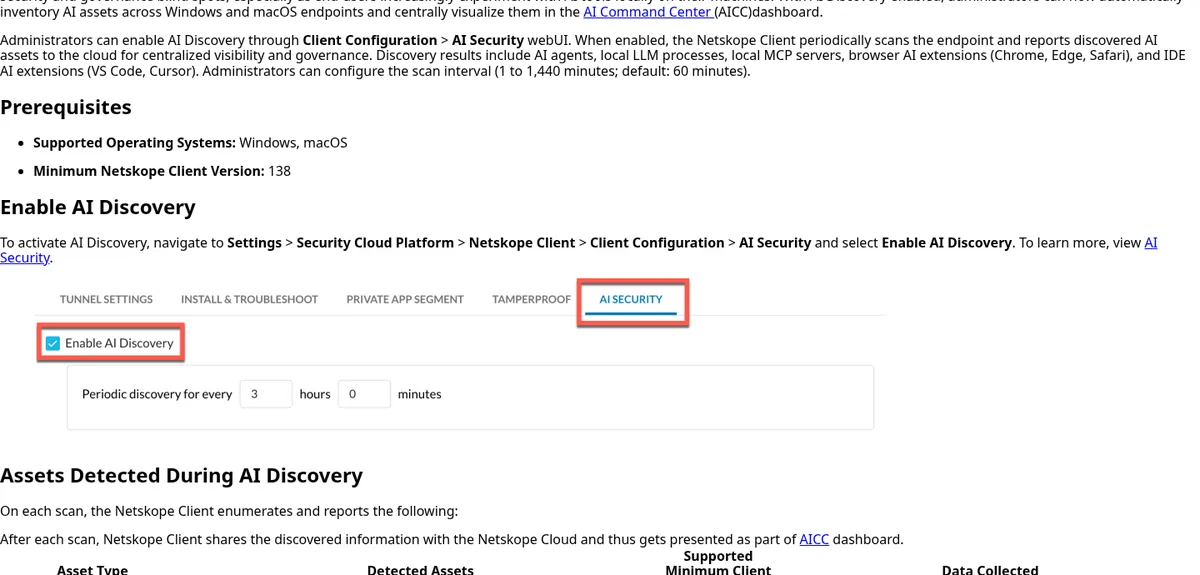
Netskope launched its AI Command Center on June 2, 2026, and the Netskope Client now runs an AI Discovery scan on Windows and macOS laptops. The endpoint scan finds AI agents, local models such as Ollama and LM Studio, local MCP servers, and AI extensions in browsers and code editors.
- Best for: Enterprises with traffic already steered through Netskope that want discovery, coaching, and blocking in one place.
- How it detects: Inline inspection of SaaS and AI traffic, plus scheduled endpoint scans every 1 to 1,440 minutes, 60 by default.
- Pricing (October 2026): Quote only.
- Watch out for: Endpoint AI Discovery covers Windows and macOS only, and agents inside virtual machines or containers can escape the scan.
2. Microsoft Defender for Cloud Apps and Purview
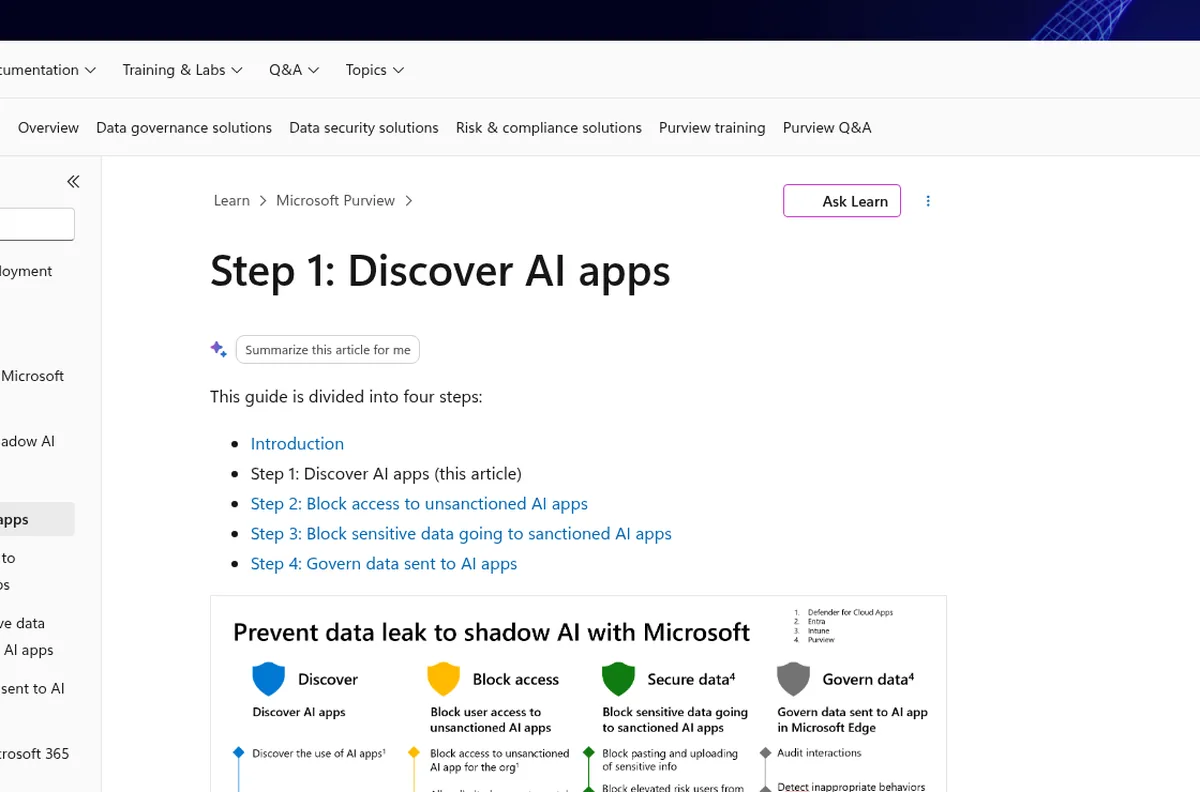
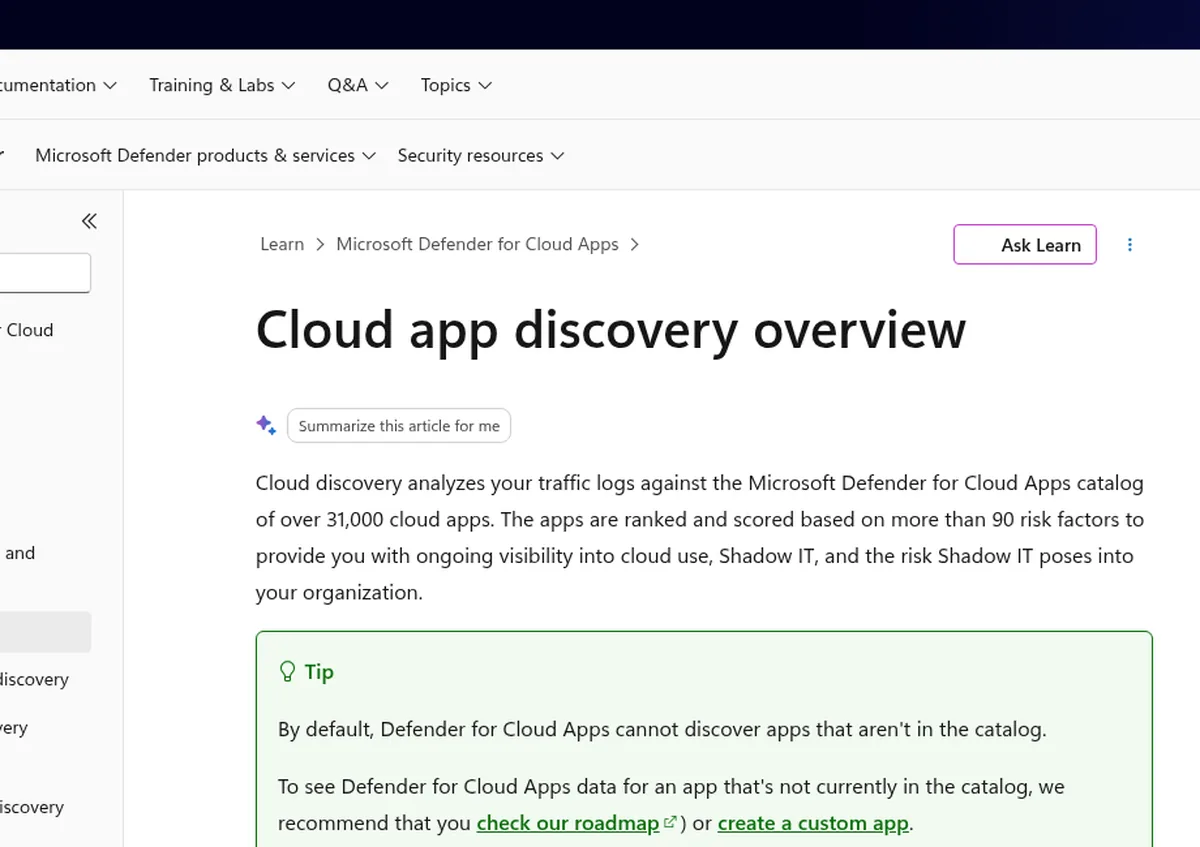
Microsoft’s answer splits across two products. Defender for Cloud Apps finds AI apps by matching traffic logs against a catalog of over 31,000 cloud apps scored on more than 90 risk factors, and you filter it to the Generative AI category. Purview DSPM for AI then shows what users typed into those apps.
Microsoft cannot discover an app that is missing from its catalog by default, which matters in a market where new AI tools launch every week. You can request additions or define a custom app, but that is manual work. Prompt inspection for outside AI apps runs through Purview browser data security in Edge and endpoint DLP, per Microsoft’s shadow AI guide.
- Best for: Microsoft 365 E5 tenants that want shadow AI discovery and blocking inside tools they already pay for.
- How it detects: Firewall and proxy logs or the Defender for Endpoint integration on Windows, plus Purview DLP in Edge and on endpoints.
- Pricing (October 2026): Microsoft 365 E5 lists at $60 per user a month on the Microsoft pricing page; E3 includes basic shadow IT discovery, and Purview Suite adds $12 per user a month.
- Watch out for: Prompt controls for non-Microsoft AI apps work best in Edge, so Chrome or Firefox users need extra policy.
3. Cloudflare One
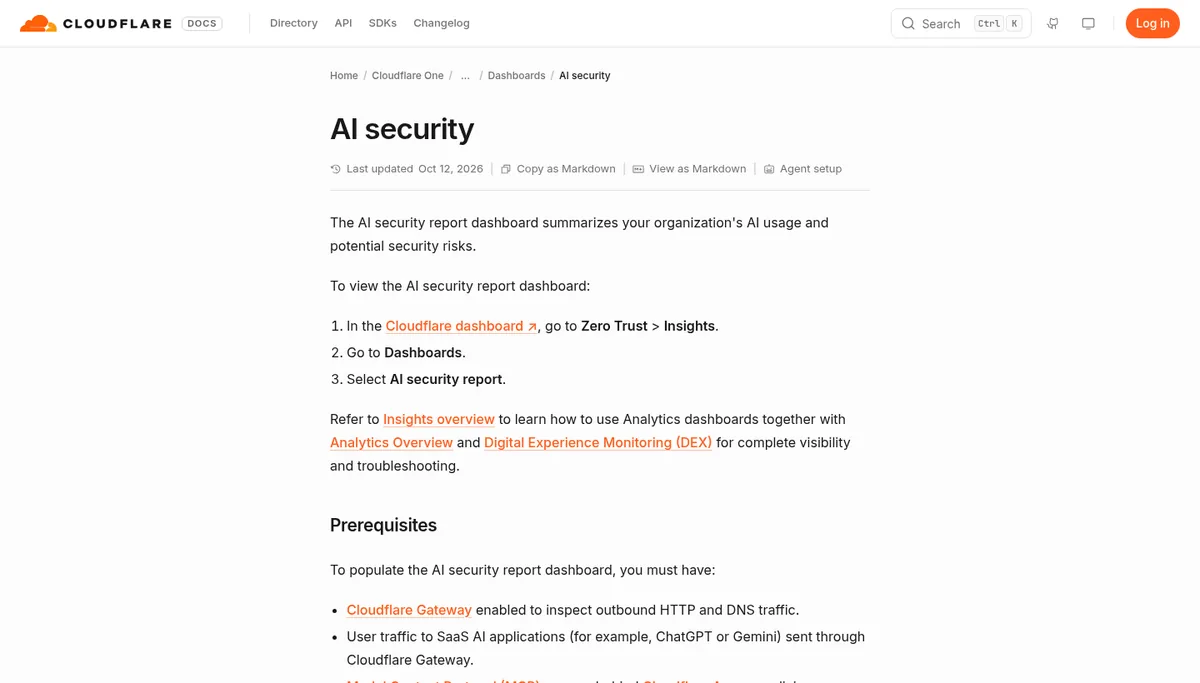
Cloudflare One is the cheapest way to get a first shadow AI report, since its free plan covers up to 50 users. Its Gateway proxy maps traffic to app definitions, and the AI security report shows the top AI apps by user count, data uploaded to AI apps, and MCP servers behind Cloudflare Access.
Each app gets a review status of Unreviewed, In Review, Unapproved, or Approved, which gives a small team a simple sanctioning workflow. Cloudflare’s shadow AI post notes that TLS inspection is optional for Gateway in general, but required for the Shadow IT analytics.
- Best for: Small teams and proofs of concept that want a free network view of AI use before buying anything bigger.
- How it detects: Cloudflare Gateway inspection of outbound DNS and HTTP traffic, with app statuses and upload volumes by status.
- Pricing (October 2026): Free for up to 50 users; pay as you go at $7 per user a month; contract plans by quote.
- Watch out for: Traffic must pass through Gateway with TLS inspection, so devices without the WARP client stay invisible.
4. Harmonic Security
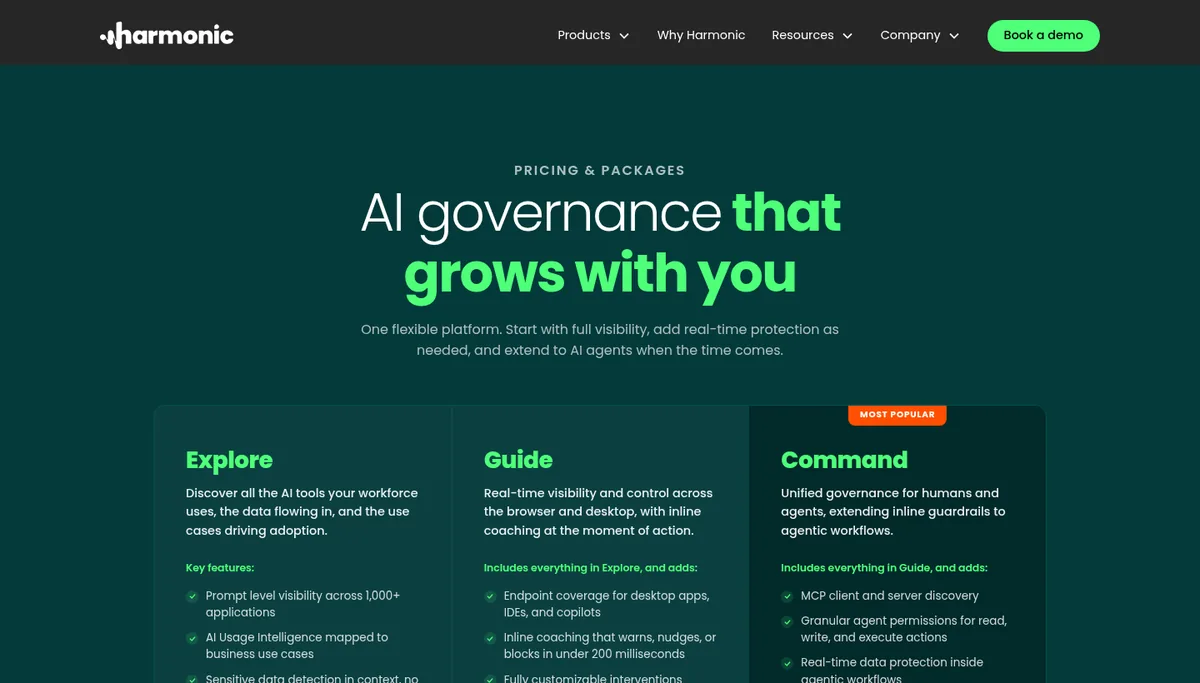
Harmonic Security is the most focused employee AI tool on this list. Its browser extension and endpoint agent give prompt-level visibility across more than 1,000 AI apps, tell personal accounts from company ones, and coach, warn, or block in under 200 milliseconds using small language models.
Harmonic raised a $50 million Series B on October 14, 2026. Its endpoint agent also detects personal AI agents running on employee laptops, a category that network tools often see only as generic API traffic. The Guide package adds desktop apps, code editors, and copilots, and Command extends controls to AI agents and MCP.
- Best for: Browser-heavy workforces that want discovery and inline coaching without a network project.
- How it detects: Browser extension plus endpoint agent, deployed through Intune, Jamf, or Kandji.
- Pricing (October 2026): The Explore package lists at $163 per user a year on AWS Marketplace, with a 200 user minimum.
- Watch out for: It centers on AI interactions, so pair it with an identity or SaaS tool if you also need to review OAuth grants across your wider SaaS estate.
5. Akamai Workforce Protector
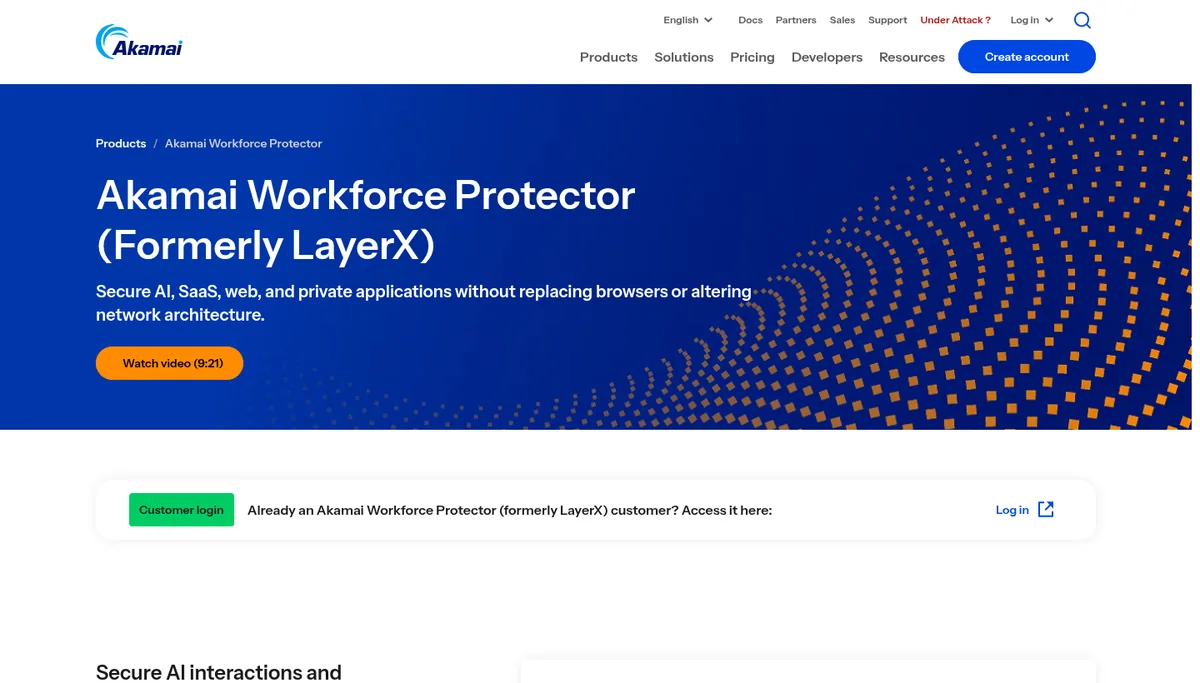
Akamai Workforce Protector is the former LayerX browser extension, which Akamai bought for about $205 million in July 2026, per its SEC filing. It runs inside the browsers people already use and discovers AI apps, AI browsers, desktop tools, and agents.
Workforce Protector suits contractor and personal devices, since it can force read-only sessions and watermarks without full device management. It captures prompts and uploads, ties each action to a person or agent identity, and can warn, redact, or block. It also scores installed browser extensions and blocks risky ones, per Akamai’s product page.
- Best for: Companies with many unmanaged or contractor devices, and existing Akamai Zero Trust customers.
- How it detects: Browser extension that observes prompts, uploads, and logins at the point of use.
- Pricing (October 2026): Quote only.
- Watch out for: The product is mid-transition from the LayerX brand, so confirm roadmap and support terms; SecurityWeek reported Akamai would keep the LayerX name only for a short period.
6. Push Security
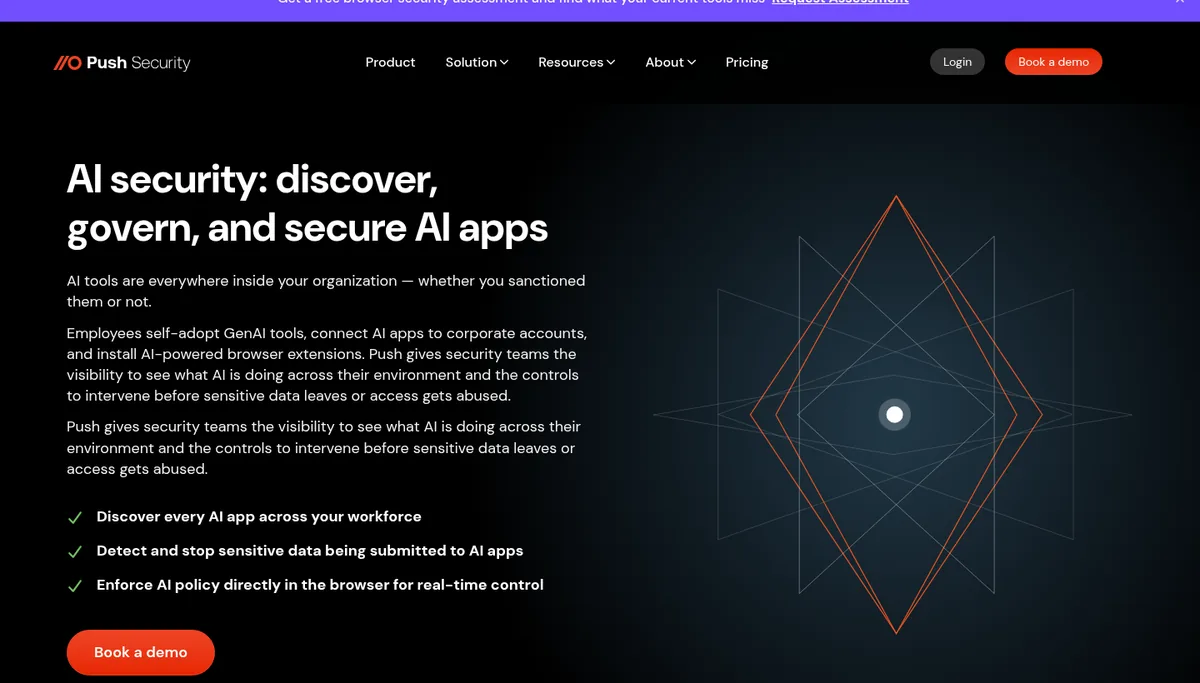
Push Security is a browser extension built around identity, so it records how each employee signed in to an AI app as well as which app they used. That sign-in detail fills the gap our test found, because it catches email and password signups that leave no identity provider record.
Push also lists the OAuth permissions employees grant to AI apps and inventories AI-powered browser extensions with their permissions. Its help center lists Chrome, Edge, Firefox, Brave, Opera, Arc, and Island as supported for extension visibility, with Safari unsupported.
- Best for: Mid-sized companies that want AI discovery, phishing defense, and browser DLP from one extension.
- How it detects: Browser telemetry on app logins, authentication method, OAuth grants, extensions, and data submitted to AI apps.
- Pricing (October 2026): $5 per employee a month on an annual contract, or $6 monthly, up to 500 employees, per its pricing page; larger companies get a quote.
- Watch out for: No Safari support, and anything outside the browser, such as desktop AI apps or coding CLIs, needs another tool.
7. Nudge Security
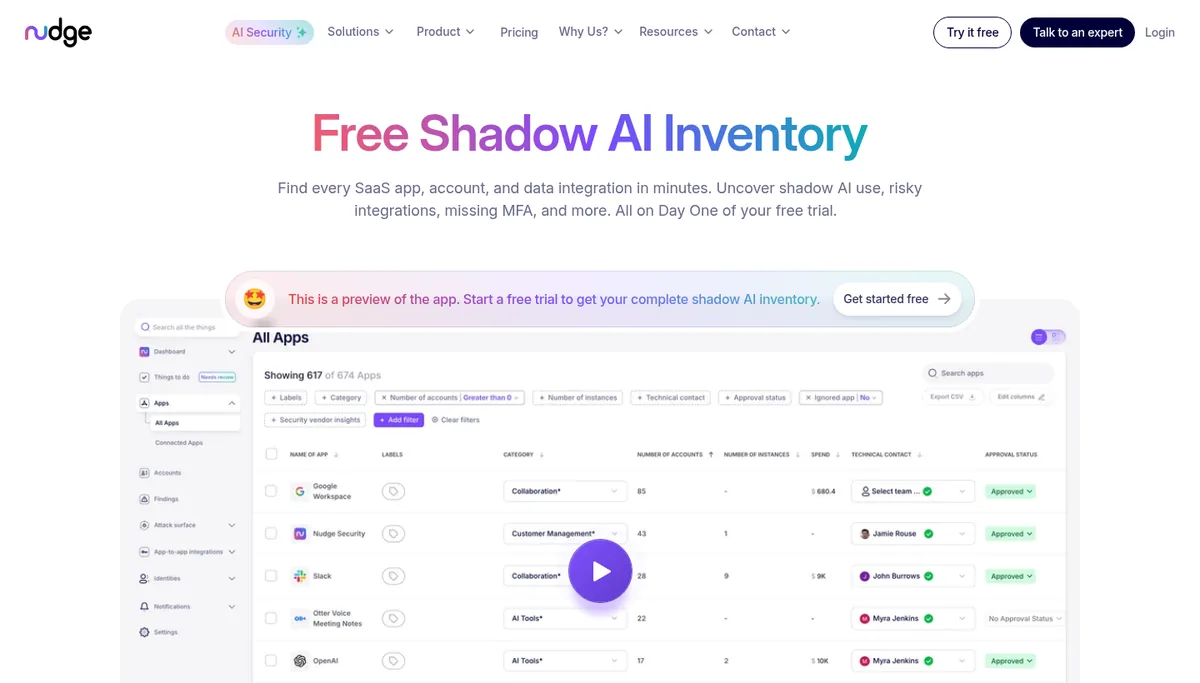
Nudge Security finds AI tools by reading email metadata through read-only API access to Google Workspace or Microsoft 365. Email based discovery finds signups made off the network, on personal devices, and before you bought the tool, so day one shows historical AI use.
Every plan includes AI agent discovery, AI conversation monitoring, and OAuth risk management, per the Nudge pricing page. An optional browser extension adds real login data and lets Nudge send in-browser nudges that steer people toward approved tools.
- Best for: IT and security teams without a proxy that want a full SaaS and AI inventory in a day.
- How it detects: Machine learning over email metadata, plus OAuth grants and an optional browser extension.
- Pricing (October 2026): $750 a month billed annually for up to 150 users; $5 per user a month for 150 to 1,500 users; custom above that.
- Watch out for: It sees only accounts tied to company email, so a personal Gmail signup on a work laptop needs a browser or network tool.
8. Reco
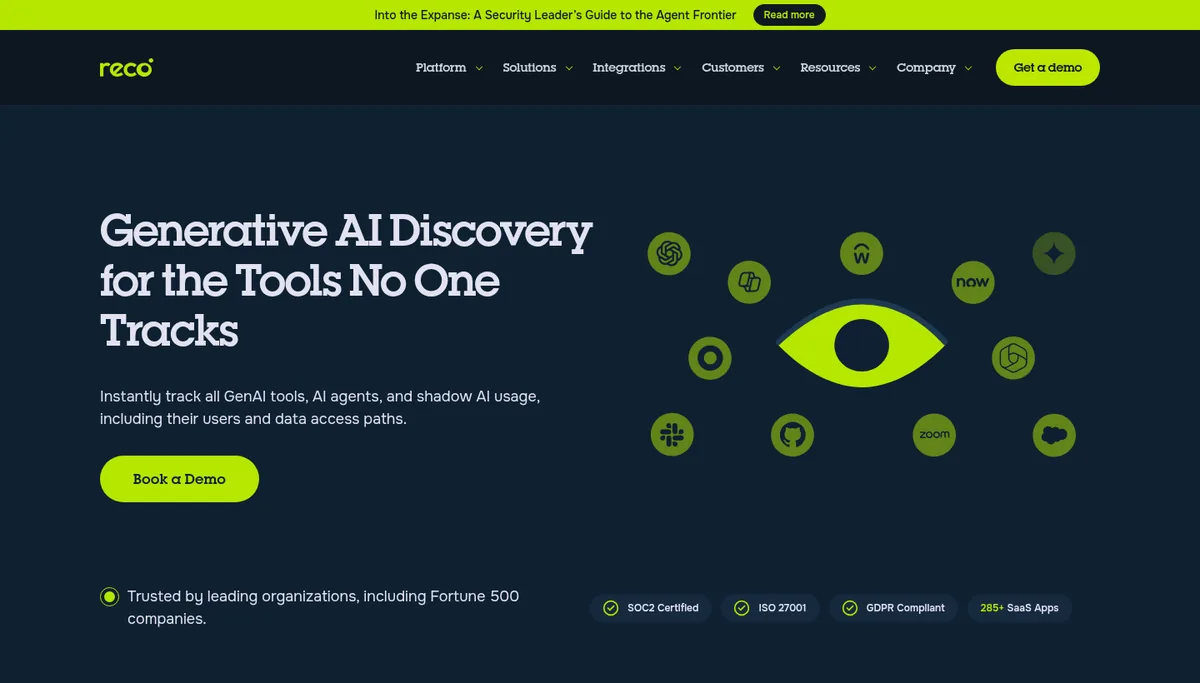
Reco approaches shadow AI from the SaaS security side. Its generative AI discovery maps AI tools and agents to users and data access paths through API connectors to more than 285 SaaS apps, which suits teams worried about AI features inside approved apps.
Reco is the right pick when the risk is an AI agent or integration holding broad SaaS permissions, more than an employee pasting text into a chat app. Its identity graph ties each AI connection to the person who granted it and the data it can reach.
- Best for: Companies with a large sanctioned SaaS estate that want AI features, agents, and integrations mapped to identities.
- How it detects: API connectors and an identity graph across SaaS apps, plus OAuth and behavioral signals.
- Pricing (October 2026): $18,000 a year for the entry plan and $90,000 a year for Advanced on AWS Marketplace.
- Watch out for: It reads SaaS configuration and access, so it will not show prompt content typed into a browser chat app.
Which Detection Method Catches Which Shadow AI?
Each detection method catches a different slice of shadow AI, and our test shows where the gaps sit. The table maps the four methods to what they see, what they miss, and the tools on this list that use them, so you can check which slice your current stack leaves uncovered.
| Method | Catches | Misses | Tools here |
|---|---|---|---|
| Network or SSE proxy | Any AI app reached through the proxy, with upload volume | Apps missing from the catalog, devices off the proxy | Netskope, Microsoft, Cloudflare |
| Browser extension | Prompts, uploads, logins, and AI extensions | Desktop apps, CLIs, and unsupported browsers | Harmonic, Akamai, Push |
| Endpoint agent | Desktop AI apps, local models, coding agents | Unmanaged and personal devices | Netskope, Harmonic, Microsoft |
| Email and SaaS APIs | Signups with work email, OAuth grants, history | Personal accounts and prompt content | Nudge, Reco |
Verdict: Pair one inventory source, either email and SaaS APIs or a network proxy, with one inline control in the browser or on the endpoint. That pairing catches both the work email signups and the personal accounts that our test showed slip past identity logs.
How to Run a 30-Day Shadow AI Discovery Pilot
Run a 30 day pilot in monitor mode before you block anything, since a blocked tool with no approved alternative pushes people to personal phones. Pick two tools with different signals, deploy them to the same group of 50 to 200 users, and compare what each finds over the month.
- Week 1: connect the inventory source and pull history, then list every AI app with a user count.
- Week 2: deploy the browser or endpoint control in monitor mode and tag apps as approved, in review, or unapproved.
- Week 3: turn on coaching for unapproved apps and for sensitive data such as customer records and source code.
- Week 4: compare findings, publish an approved AI list, and feed incidents into the response plan from our NIST and CISA coverage.
Shadow AI Tools We Left Off
We left off several capable products because they overlap with a pick above, focus on a different buyer, or matter mainly to existing customers of a larger platform. Each one is worth a look if you already run that vendor’s stack, and most offer shadow AI discovery as one feature among many.
- Zscaler and Palo Alto Networks: strong shadow AI controls for their SSE customers, and best judged alongside Netskope during a proxy decision.
- Prompt Security: now part of SentinelOne, and the natural fit for teams that already run SentinelOne on endpoints.
- Cyberhaven and Nightfall: data loss tools where shadow AI is one channel among many.
- Island: an enterprise browser with AI controls, a bigger change than adding an extension.
- MCP and agent gateways: these govern tools that agents call; see our MCP gateways and MintMCP vs Runlayer vs Lasso comparisons.
Which Shadow AI Detection Tool Should You Pick?
Match the tool to the stack and devices you already manage instead of chasing the longest feature list. Find the profile below that fits your company, start with the tool it names, and plan a second layer only after the pilot shows which signal your first tool missed in practice.
You run Microsoft 365 E5
- Turn on Defender for Cloud Apps discovery and filter the catalog to Generative AI.
- Add Purview DSPM for AI policies and Edge browser DLP for prompt inspection.
- Add Push or Harmonic if many people use Chrome, since our test found few AI apps use Microsoft sign-in.
You already route traffic through an SSE
- Use your SSE’s AI app catalog first; Netskope adds endpoint AI discovery on top.
- Add Nudge for signups made off the proxy and on personal devices.
You have no proxy and a remote team
- Start with Nudge for a same-day inventory from email metadata.
- Add Harmonic or Push for prompt-level coaching in the browser.
You are a small team on a tight budget
- Use Cloudflare One’s free plan for up to 50 users and tag apps by review status.
- Publish an approved AI list and an acceptable use policy before buying more tools.
Frequently Asked Questions
What are the best shadow AI detection tools in 2026?
Netskope One, Microsoft Defender for Cloud Apps with Purview, and Harmonic Security lead for most enterprises. Akamai Workforce Protector and Push Security cover the browser, Nudge Security and Reco cover email, OAuth, and SaaS signals, and Cloudflare One offers a free plan for teams of up to 50 users.
How do you detect shadow AI in your organization?
Combine an inventory source with an inline control. Email metadata, SaaS APIs, or proxy logs list which AI apps people use, and a browser extension or endpoint agent shows what they type or upload. Start in monitor mode for 30 days, then coach or block based on the data involved.
Can identity provider logs alone find shadow AI?
No. In our test of 23 AI apps on October 22, 2026, 19 accepted a plain email or phone signup and only six offered Sign in with Microsoft. Those signups leave no consent record in Entra ID or Google Workspace, so you need email, browser, or network data as well.
What is the difference between shadow AI and shadow IT?
Shadow IT is any unapproved software or service. Shadow AI is the subset involving AI apps, AI features inside approved apps, browser extensions, and agents. It carries extra risk because prompts can contain sensitive data and some free AI plans may use that data for model training.
Should you block shadow AI tools?
Block only high risk apps and sensitive data, and coach users on the rest. Blanket blocks push people to personal phones and accounts that no tool can see. Most teams publish an approved AI list, offer a sanctioned option, and use inline coaching to steer people toward it.
Related Guides
Shadow AI discovery covers what employees use; AI security posture management covers the models, agents and MCP servers your teams deploy. Our AI-SPM tools comparison ranks 8 platforms on inventory coverage and price.
If you already run Prompt Security and are reconsidering it after the SentinelOne deal, our Prompt Security alternatives guide compares 7 alternatives.
For related coverage, see our AI agent governance buyer’s guide, AI agent governance platforms, AI agent security tools and non-human identity tools.
Read our MCP security tools guide, MintMCP vs Runlayer vs Lasso, MCP gateways, LLM gateways, LLM cost monitoring tools, Microsoft Dynamic Agent Risk news, NIST and CISA incident response practices, LiteLLM supply chain compromise, and OpenAI misalignment monitoring report. Our disclosure page explains how we fund testing.
The Bottom Line
Pick the shadow AI detection tool that matches the signal you already control, then add a second layer for the signal you lack. Microsoft E5 shops should start with Defender for Cloud Apps and Purview, SSE customers with Netskope or their proxy, and remote teams with Nudge plus Harmonic or Push.
AI apps change their sign-in options and domains often, so we will rerun this test each quarter. Send corrections or your own findings through our contact page.