


Last updated October 31, 2026. Versions, licenses, and pricing were checked against each project’s docs, package registry, and GitHub repo, and every tool was run against the same buggy test server on that date.
The best MCP testing tools in 2026 are MCPJam for debugging across AI clients, MCP Server Tester for Playwright regression tests, and toolproof for fuzzing tools with no tests written. The official MCP Conformance suite, Promptfoo, Postman, Microsoft MCP Interviewer, and MCP Tools cover spec checks, evals, GUI work, and the shell.
MCP Inspector is where most server authors start, and it stays the best way to poke at a server by hand. This guide covers what to add next. It sits in our MCP hub and the wider agent protocols coverage, and our MCP explainer covers servers, clients, and tools if you are new to the protocol.
We wrote one FastMCP server with six planted bugs on October 31, 2026 and pointed every tool at it. No vendor paid for placement or reviewed this page, per our editorial standards and disclosure policy.
TL;DR
- MCPJam is the best overall pick. It wraps an inspector, chat in many AI clients, an OAuth debugger, evals, and a CLI that told us our server was not ready for the Claude directory.
- toolproof found the most bugs on its own. With no tests written, it caught four of our six planted bugs, including a crash it shrank to an empty order ID.
- MCP Server Tester is the strongest regression framework. Six Playwright tests caught four bugs in 12 seconds, with matchers for tool errors and response size.
- No tool caught the vague description without a model. Our
do_ittool, described only as “Does stuff.”, passed every rule-based check. - Most of these tools are free and open source. MCPJam hosted features use credits, and Postman’s MCP client is on every plan, including Free.
Best MCP Testing Tools: Quick Picks
Use one tool for hands-on debugging and one for automated tests that run on every pull request, because no single tool did both well in our test. The list below is ranked by how many real problems each tool found, how easily it fits into CI, and how current the project is.
- MCPJam: best overall, for debugging across AI clients and running evals.
- MCP Server Tester: best for Playwright regression tests in CI.
- toolproof: best for fuzzing every tool with no tests written.
- MCP Conformance: best for checking a server against the MCP spec.
- Promptfoo: best for teams that already run LLM evals and red teaming.
- Postman MCP client: best for API teams that live in Postman.
- Microsoft MCP Interviewer: best for LLM-judged reports on tool design.
- MCP Tools: best for quick calls and mocks from the shell.
MCP Testing Tools Compared at a Glance
Six of the eight run in CI without a person in the loop, and only toolproof and MCP Conformance flagged planted bugs without us writing a single test. The table sums up each tool from its docs, package registry, and the runs we did on October 31, 2026.
| Tool | Type | Latest version | Runs in CI | License |
|---|---|---|---|---|
| MCPJam | Inspector, evals, CLI | Inspector 3.18.0, CLI 6.0.1 (Oct 28, 2026) | Yes | Apache 2.0 core |
| MCP Server Tester | Playwright tests and evals | 1.1.1 (Oct 23, 2026) | Yes | MIT |
| toolproof | Static checks, fuzzing, YAML tests | 0.3.1 (Oct 15, 2026) | Yes | MIT |
| MCP Conformance | Official spec test suite | 0.1.16 (Oct 1, 2026) | Yes, with a GitHub Action | MIT, moving to Apache 2.0 |
| Promptfoo | Evals and red teaming | 0.125.1 (Oct 25, 2026) | Yes | MIT |
| Postman MCP client | GUI client | Desktop and web app | Through collections | Commercial, free plan |
| Microsoft MCP Interviewer | Constraint checks and LLM reports | 0.0.12 (Oct 11, 2025) | Yes | MIT |
| MCP Tools | Shell CLI, mock, proxy | 0.7.1 (May 5, 2025) | Scripts only | MIT |
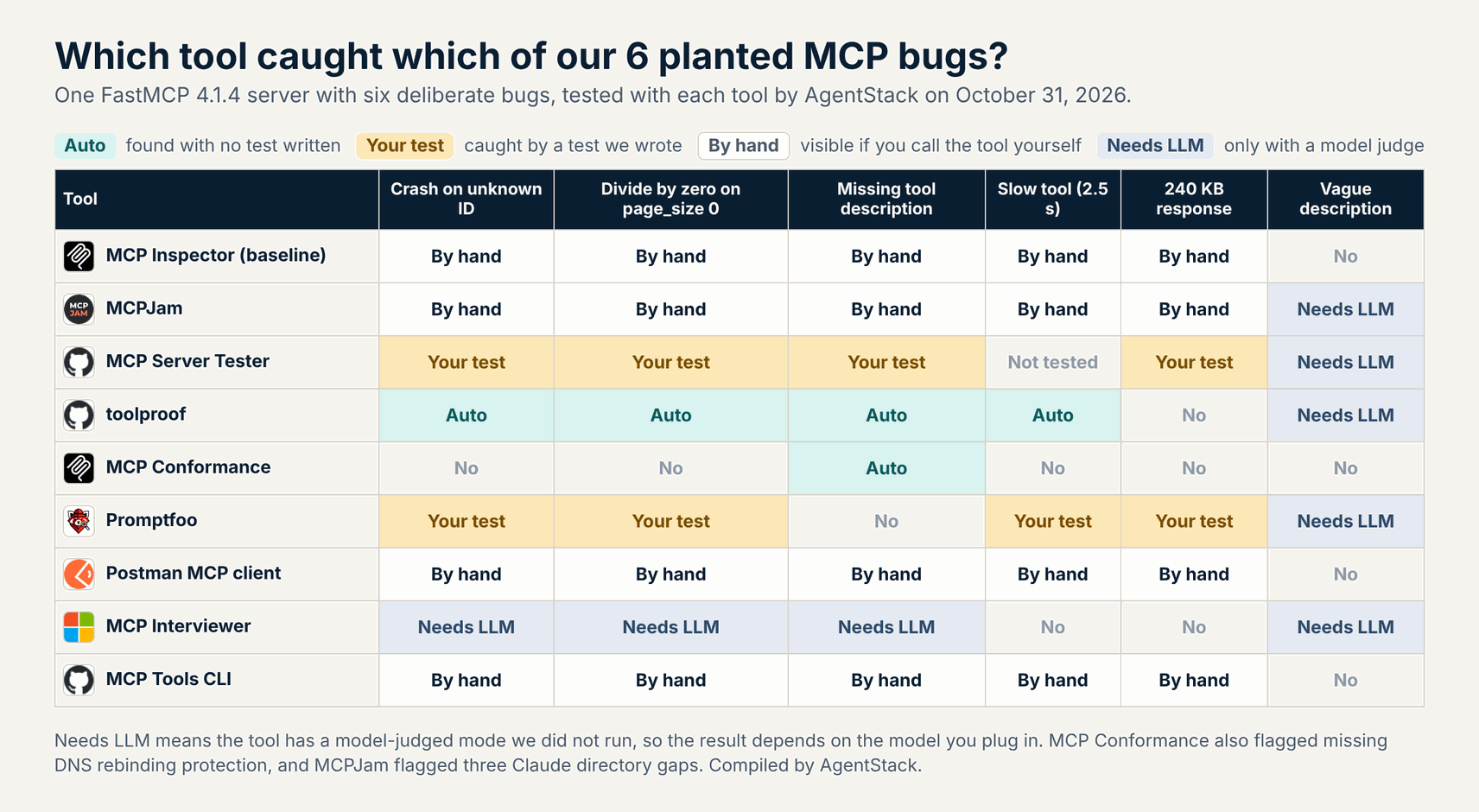
Verdict: fuzzing and written tests found the most, inspectors showed every bug only when a person went looking, and the vague description slipped past everything that runs without a model.
How We Tested These MCP Testing Tools
We built one small order server with FastMCP 4.1.4 and planted six bugs that real MCP servers ship with, from crashes to tool descriptions a model cannot use. Each tool then got the same server over stdio, or over Streamable HTTP on a local port where the tool needed a URL.
# FastMCP 4.1.4 on mcp 2.3.0, Python 3.12
@mcp.tool
def lookup_order(order_id: str) -> dict:
    """Look up an order by its ID, such as o-17."""
    return ORDERS[order_id]            # bug 1: unknown ID raises KeyError

@mcp.tool
def search_orders(query: str, page_size: int = 10) -> list:
    pages = len(ORDERS) // page_size   # bug 2: page_size=0 divides by zero
    ...

@mcp.tool
def get_customer(customer_id: str) -> dict:   # bug 3: no description
    ...

@mcp.tool
def monthly_report(month: str) -> str:
    time.sleep(2.5)                    # bug 4: slow tool
    return "x" * 120_000               # bug 5: oversized result

@mcp.tool
def do_it(thing: str) -> str:
    """Does stuff."""                  # bug 6: vague name and description
We counted a bug as caught only when the tool reported it as a failure or warning. Where a tool needs written tests, we wrote the obvious ones a developer would add and recorded that. We did not run any mode that sends prompts to an LLM, so model-judged results are not in our counts.
| Tool | What we ran | Run time | What it reported |
|---|---|---|---|
| MCP Inspector 2.13.0 | CLI tools/list and tools/call | 8.4 s for the slow tool | Error text for bad calls, exit code 5, no pass or fail rules |
| MCPJam CLI 6.0.1 | server doctor, readiness check, tools call | 1.9 s doctor | Ready over stdio; not ready for the Claude directory |
| MCP Server Tester 1.1.1 | 6 Playwright tests | 12.0 s | 4 failures, all planted bugs |
| toolproof 0.3.1 | inspect, then fuzz with 50 examples per tool | 1.7 s and 62.6 s | Missing description, 2 crashes, a hang, a loose schema |
| MCP Conformance 0.1.16 | All server scenarios over HTTP | About 1 s | 10 passed, 22 failed, 2 real findings |
| Promptfoo 0.125.1 | 4 YAML tests with the MCP provider | 16.9 s | 3 failed tests covering 4 bugs |
| MCP Interviewer 0.0.12 | Constraint checks without an LLM | 7.6 s | All 5 constraints passed |
| MCP Tools 0.7.1 | tools list and call | 0.85 s | Error text, no pass or fail rules |
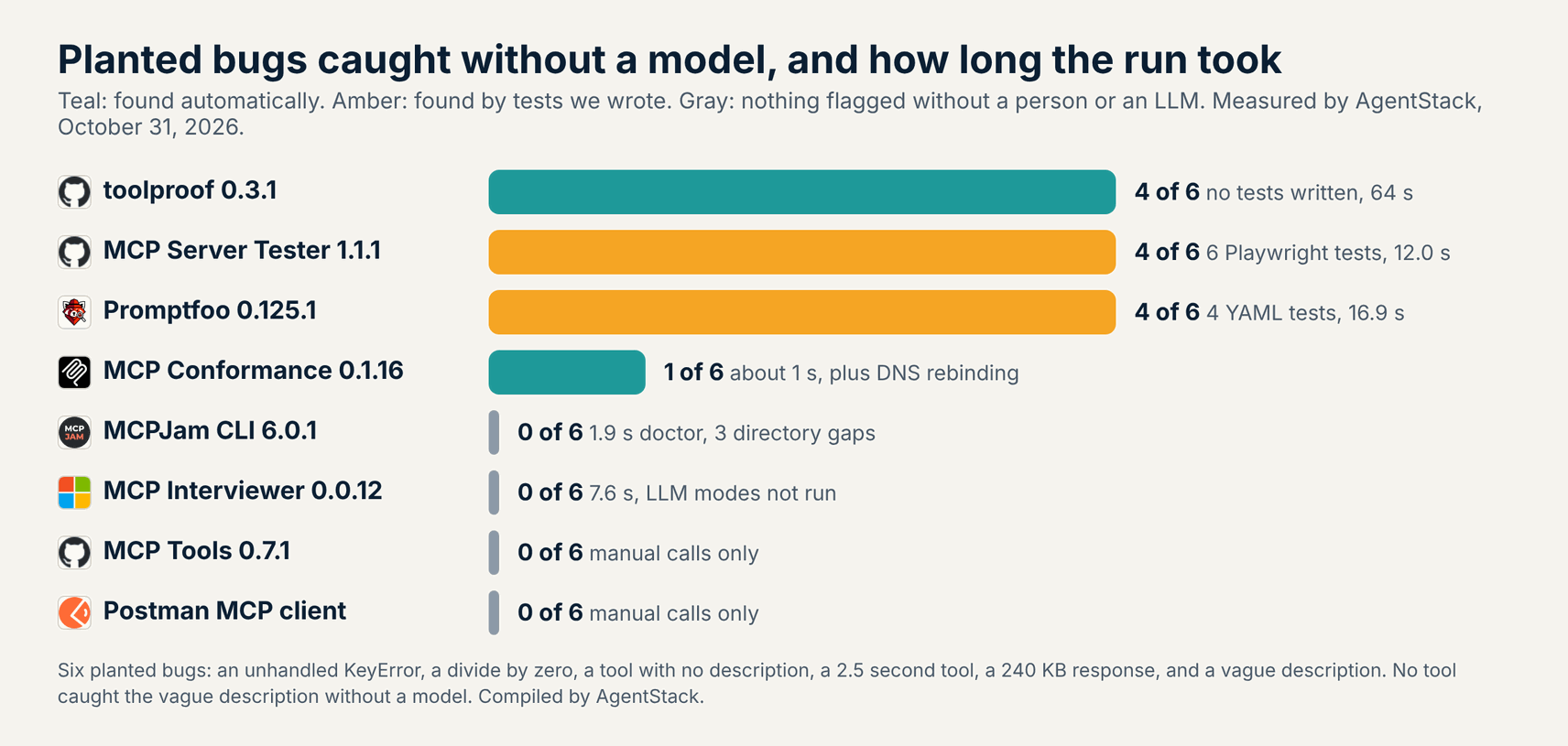
The 240 KB response is the bug most worth testing for, since one call to that tool would push tens of thousands of tokens into the model context. FastMCP sent the 120,000-character report twice, once as text and once as structured content, so the reply was 240,143 bytes. Only tests that checked size caught it.
The Baseline: What MCP Inspector Does and Does Not Do
MCP Inspector is the official, free debugger from the MCP project, and version 2 runs as a web app, a CLI, and a terminal UI from one package. The Inspector repo had about 11,200 GitHub stars on October 31, 2026, and version 2.13.0 shipped on October 28. It keeps saved secrets in the system keychain.
In our run, the CLI listed all five tools and returned the KeyError as tool error text with exit code 5, which a script can check. It has no assertions, saved suites, or fuzzing, so it shows a bug only when you think to call the tool with the bad input. Keep it for development and add one of the tools below for releases.
1. MCPJam: Best Overall MCP Testing and Debugging Tool
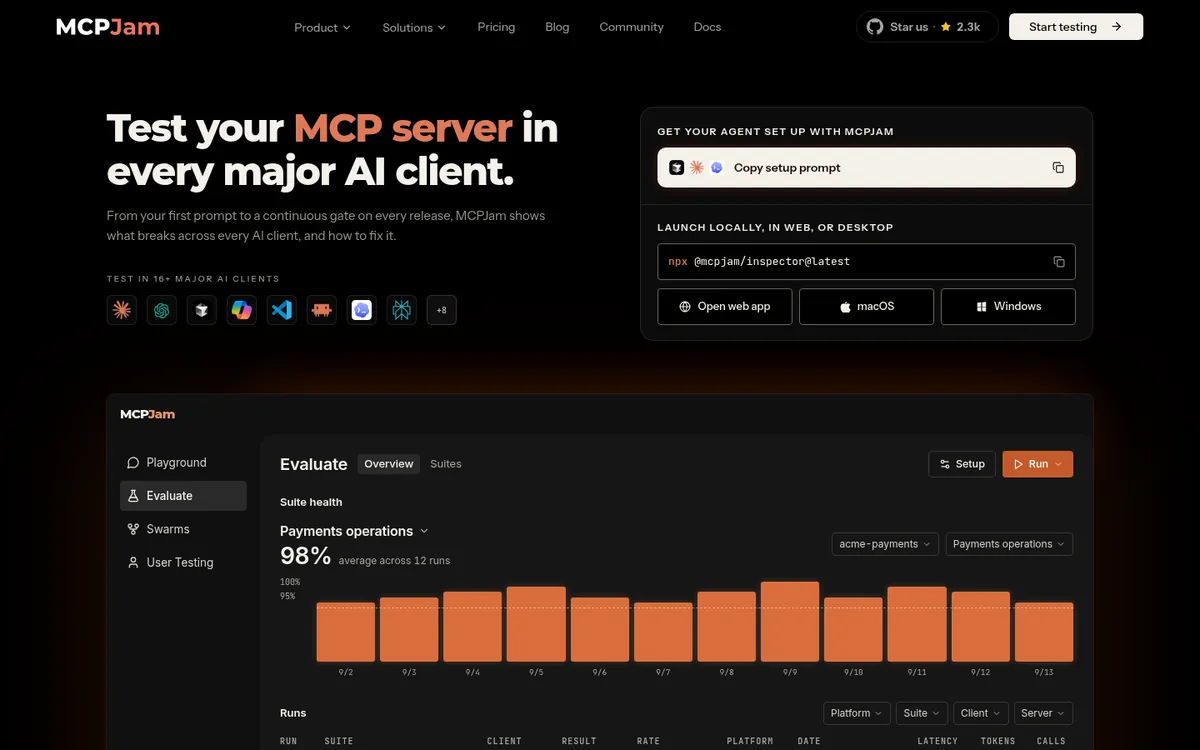
MCPJam is the best overall MCP testing tool, because it covers hands-on debugging, multi-client checks, OAuth flows, and evals in one open-source project. The MCPJam Inspector repo had about 2,300 GitHub stars on October 31, 2026, and Inspector 3.18.0 and CLI 6.0.1 both shipped on October 28.
The MCPJam site says you can test a server in 16 or more AI clients, run eval suites, and send agent personas through user journeys. Its OAuth debugger steps through each auth flow for the 2025-03-26, 2025-06-18, 2025-11-25, and 2026-07-28 protocol revisions. That covers the part of remote servers that breaks most often.
The CLI server doctor command connected over stdio in 1.9 seconds and reported the 2026-07-28 protocol. Its readiness check said our HTTP server was not ready for the Claude directory, flagging a plain HTTP endpoint and missing tool annotations for titles and behavior hints. A tool call returned our KeyError as a tool error with a 203 millisecond duration.
- Best for: teams that want one tool from first prompt to release checks
- Install and runtime:
npx @mcpjam/inspector@latest, a desktop app, a web app, a CLI, and an SDK - Pricing (October 2026): the inspector is free and open source; hosted model usage uses credits, with plans on the MCPJam pricing page
- Watch out for: none of our six planted bugs were flagged automatically, since its evals need a model
2. MCP Server Tester: Best for Playwright Regression Tests
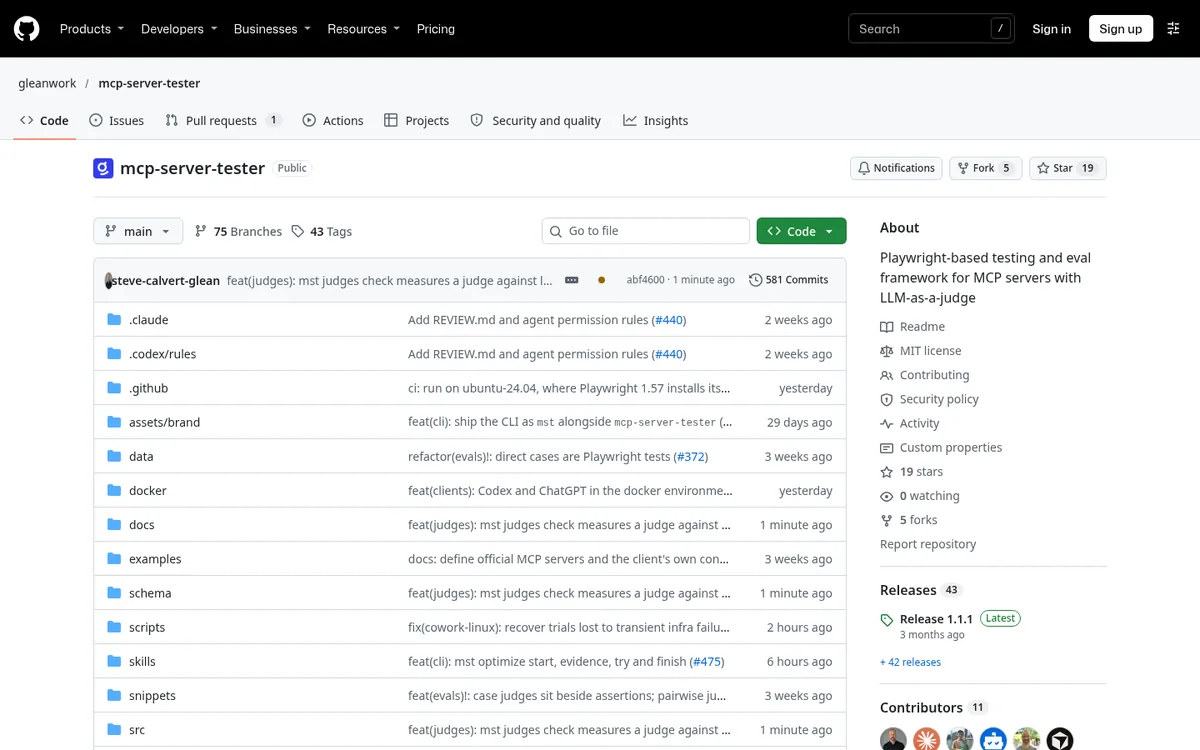
MCP Server Tester is the best framework for regression tests, because it brings Playwright fixtures and readable matchers to MCP tool calls. Glean maintains the MCP Server Tester repo, which ships as @gleanwork/mcp-server-tester under MIT, and version 1.1.1 came out on October 23.
Our six tests took 12.0 seconds, and four failed exactly where we planted bugs: the unknown order, the zero page size, the 234.6 KB response against a 25 KB limit, and the missing description. Its built-in runConformanceChecks helper passed all eight checks and missed the missing description, so write that test yourself.
test('monthly report stays small', async ({ mcp }) => {
  const r = await mcp.callTool('monthly_report', { month: '2026-10' });
  expect(r).toHaveToolResponseSize({ maxBytes: 25000 });
});
It also runs data-driven eval datasets, including LLM-judged checks of whether a model picks the right tool. The first run failed with a module export error until we set "type": "module" in package.json.
- Best for: TypeScript teams that already run Playwright in CI
- Install and runtime: npm package with a Playwright fixture, matchers, and the
mstCLI on Node.js 22 - Pricing (October 2026): free and open source under MIT
- Watch out for: a young project with about 19 GitHub stars, and you write every assertion
3. toolproof: Best for Fuzzing MCP Tools With No Tests Written
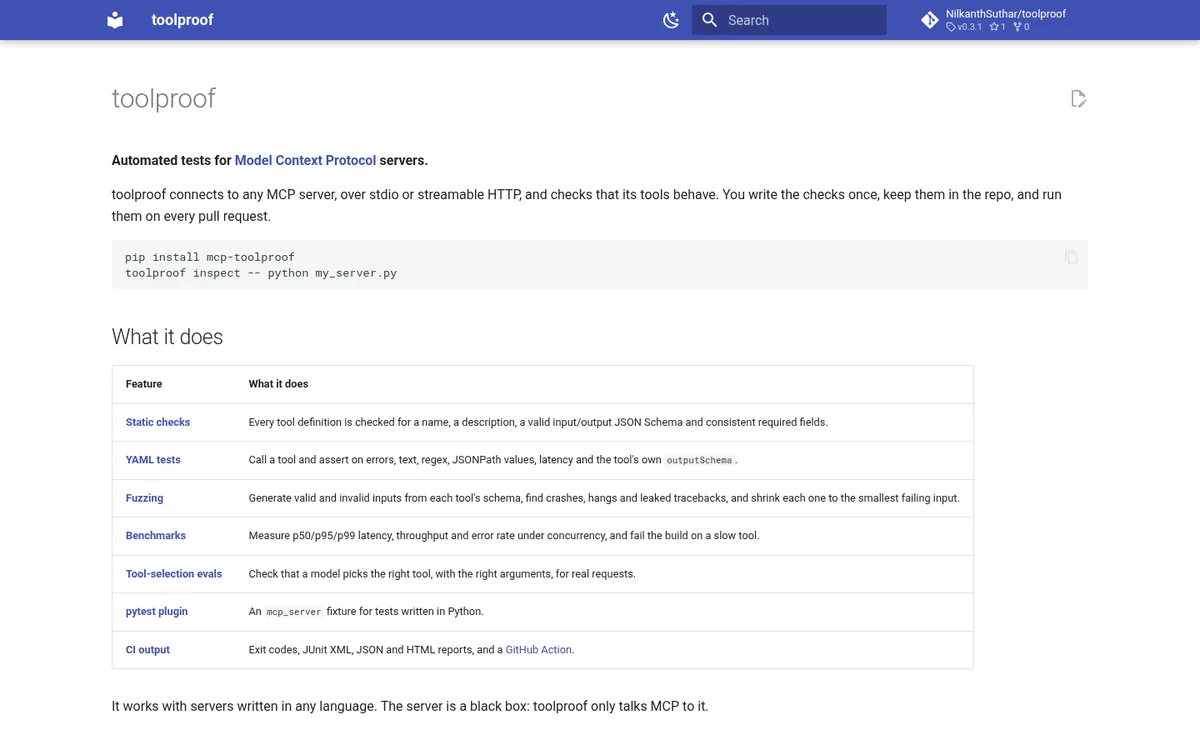
toolproof found more bugs on its own than any other tool, because it generates valid and invalid inputs from each tool schema and shrinks every failure. It installs as mcp-toolproof from PyPI, version 0.3.1 shipped on October 15, and the toolproof docs add YAML tests, benchmarks, and a pytest plugin.
The inspect command flagged the tool with no description in 1.7 seconds. A fuzz run with 50 examples per tool caught the slow report as a hang and showed that search_orders accepted true as a page size. With valid inputs required to succeed, it reduced the crashes to an empty order ID and a zero page size.
pip install mcp-toolproof
toolproof inspect -- python server.py
toolproof fuzz --examples 50 --seed 42 --timeout-ms 4000 \
--valid-must-succeed -- python server.py- Best for: teams that want a bug hunt on every pull request with almost no setup
- Install and runtime: Python package that talks to any server over stdio or Streamable HTTP, with JUnit and HTML reports
- Pricing (October 2026): free and open source under MIT
- Watch out for: one maintainer and a repo created in October 2026, and it did not check response size
4. MCP Conformance: Best for Checking a Server Against the Spec
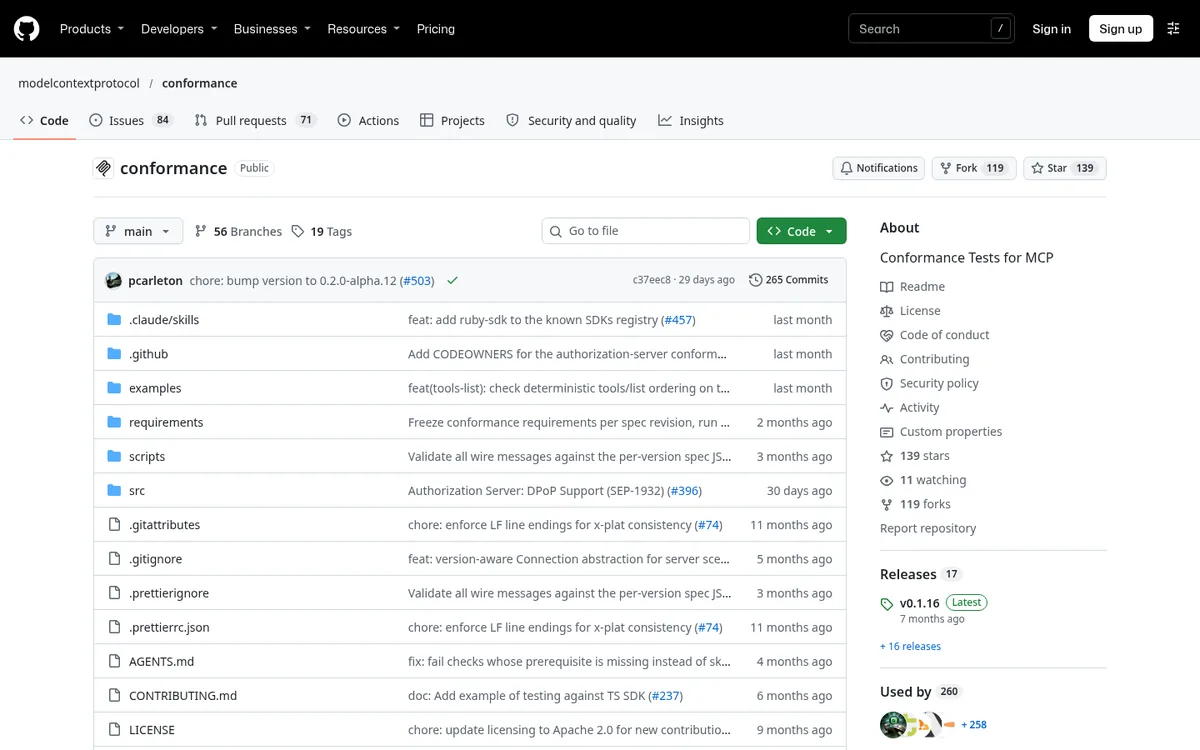
The MCP Conformance suite is the official way to check that a server or client follows the spec, and it ran all its server scenarios in about one second. The conformance repo had about 140 stars on October 31, 2026, npm version 0.1.16 dates from October 1, and the repo includes a GitHub Action.
Against our server, 10 scenarios passed and 22 failed, but 20 failures came from fixture tools, prompts, and resources the suite expects from a reference test server. The two real findings were the missing tool description and missing DNS rebinding protection, since requests with a foreign Host and Origin got a 200 reply.
- Best for: SDK authors and teams that ship remote servers
- Install and runtime:
npx @modelcontextprotocol/conformance server --url ...on Node.js - Pricing (October 2026): free and open source; the MCP project is moving from MIT to Apache 2.0
- Watch out for: pick scenarios with
--scenario, or fixture failures will bury real ones
5. Promptfoo: Best for Teams Already Running LLM Evals
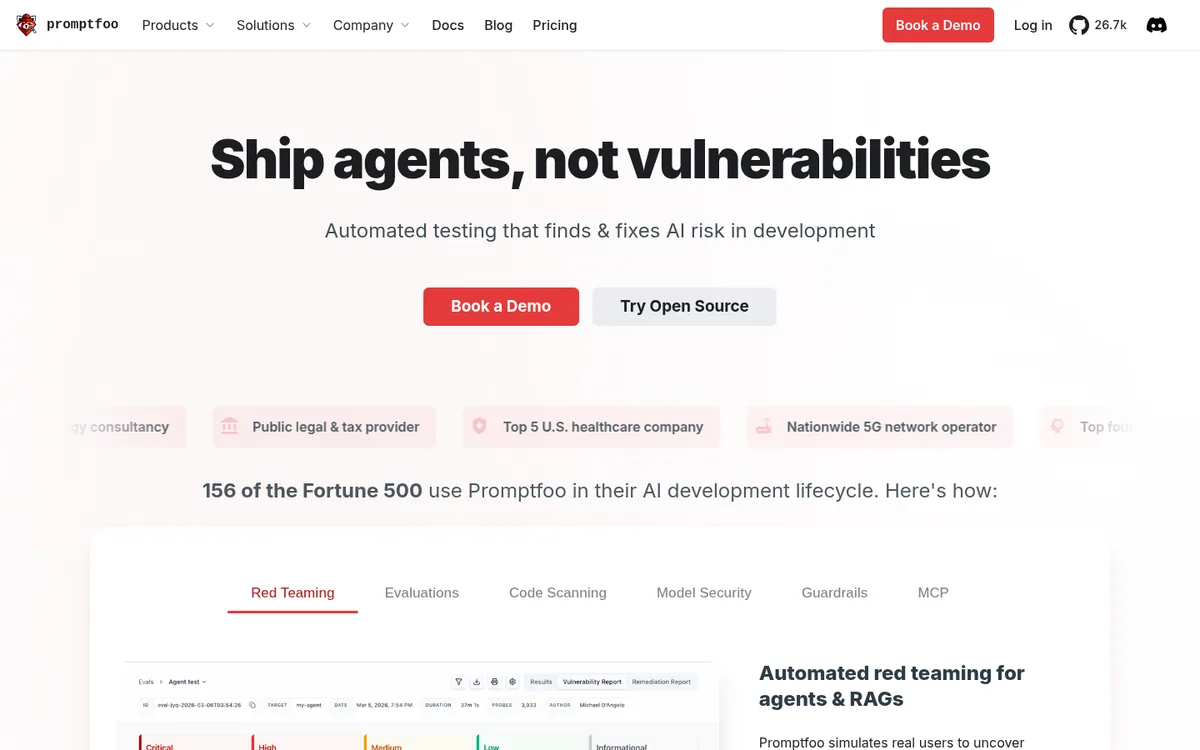
Promptfoo suits teams that already test prompts and agents, because its MCP provider turns tool calls into the same YAML test cases and assertions. OpenAI announced its acquisition of Promptfoo on March 9, 2026, and the Promptfoo repo says it remains open source under MIT, with about 26,600 stars on October 31, 2026.
Our four tests ran in 16.9 seconds, and three failed on purpose: the unknown order, the zero page size, and the report that broke both a 1,000 millisecond latency limit and a 25,000 character size limit. Version 0.125.1 needs Node.js 22.22 or later, so our first run stopped until we upgraded Node.
providers:
  - id: mcp
    config:
      enabled: true
      server: { command: python, args: [server.py] }
tests:
  - vars: {call: '{"tool":"monthly_report","args":{"month":"2026-10"}}'}
assert: [{type: latency, threshold: 1000}]- Best for: eval and AI security teams that want MCP checks next to red teaming
- Install and runtime: npm, Homebrew, or pip, with a web viewer for results
- Pricing (October 2026): the CLI is free and open source; enterprise plans are priced on request
- Watch out for: no built-in checks for tool descriptions or schemas, so you write each test
6. Postman MCP Client: Best for API Teams Already in Postman
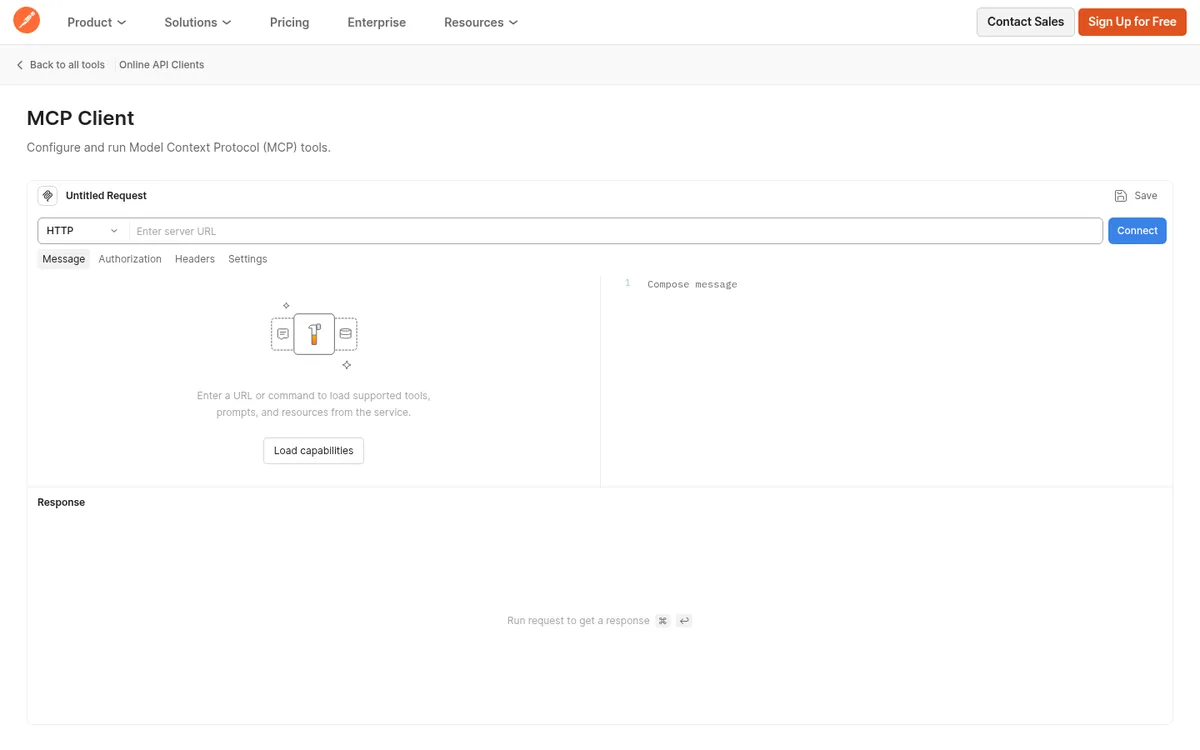
Postman is the easiest choice for teams whose API work already lives in Postman, since MCP requests sit next to REST and GraphQL requests in the same collections. The Postman MCP client connects over stdio or Streamable HTTP, loads tools, prompts, and resources, and shows server notifications.
The web client works on public HTTP servers without signing in, while local stdio servers need the desktop app. We checked its features against the web client and docs, and did not script it against our server. Per Postman pricing, the MCP client is on every plan, including Free.
- Best for: API and QA teams that want MCP calls saved and shared with other requests
- Install and runtime: desktop app for stdio and HTTP servers, plus a web client for public HTTP servers
- Pricing (October 2026): free plan; Solo is $9 a month and Team is $19 per user a month, billed annually
- Watch out for: no MCP-specific checks, so tests are manual or written as collection scripts
7. Microsoft MCP Interviewer: Best for LLM-Judged Tool Design Reports
Microsoft MCP Interviewer is the best fit when you want a written report on how well a model can use your tools, since it plans and judges tests with an LLM you supply. The MCP Interviewer repo lists constraint checks, LLM functional tests with --test, LLM evaluation with --judge, and Markdown and JSON reports.
The current PyPI release, 0.0.12, dates from October 2025 and crashed with an import error on mcp 2.3.0. After we pinned mcp<2, the run without a model took 7.6 seconds and passed all five constraints, such as OpenAI’s limits on tool names and tool counts. Those checks look at limits, so none of our planted bugs showed up without the LLM modes.
- Best for: teams that want a model’s view of tool names, descriptions, and behavior
- Install and runtime: Python CLI; pin
mcp<2in its virtual environment - Pricing (October 2026): free and open source under MIT; model calls are billed by your provider
- Watch out for: LLM-judged results need manual review, which its own README advises
8. MCP Tools: Best for Quick Calls and Mocks From the Shell
MCP Tools is a handy Go command-line client for listing and calling tools from scripts, with mock, proxy, and guard modes that the other tools lack. The MCP Tools repo had about 1,600 stars on October 31, 2026 and includes an interactive shell, a web interface, and project scaffolding.
It listed our tools in 0.85 seconds, and a bad call printed the error text, which is enough for quick shell checks. Version 0.7.1 dates from May 2025 and the repo has seen little work since December 2025, so check newer protocol features before you rely on it.
- Best for: developers who want MCP calls inside shell scripts and mock servers for client work
- Install and runtime: Homebrew or
go install, one binary - Pricing (October 2026): free and open source under MIT
- Watch out for: no release since May 2025 and no pass or fail rules
Other MCP Testing Tools Worth Knowing
A few smaller projects cover LLM-driven MCP evals, though both had few stars and slow activity when we checked them, so we did not rank them. The table lists only facts from each repo on October 31, 2026, and our AI agent evaluation tools guide covers broader eval platforms.
| Tool | Focus | GitHub stars | Note |
|---|---|---|---|
| mcp-eval | LLM-driven MCP server evals | about 40 | No commits since November 2025 |
| testmcpy | LLM tool-calling tests | about 4 | Early project from Preset |
How to Choose an MCP Testing Tool
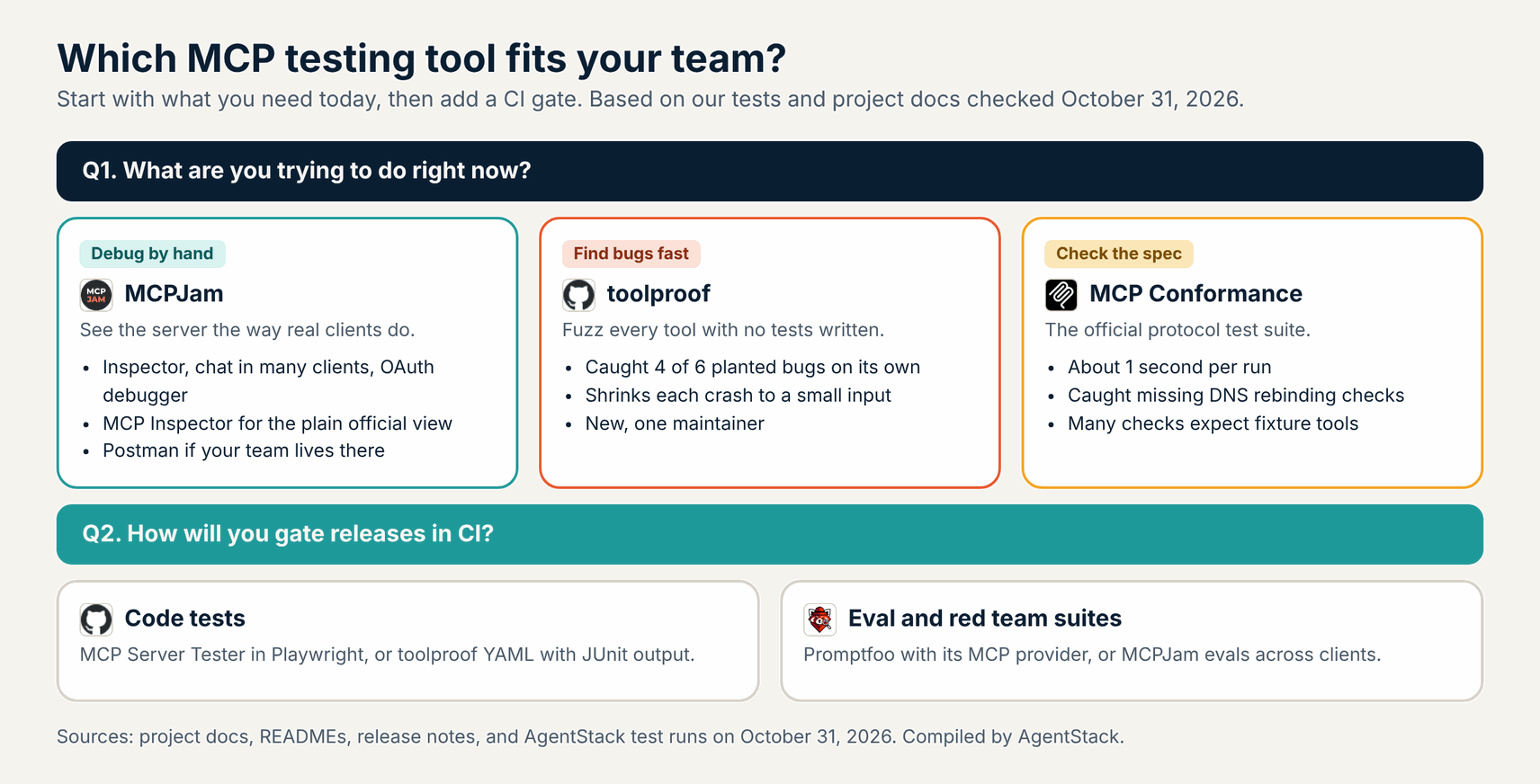
Pick one tool for the work you do by hand today, then add one that fails the build, since the bugs that reach users are the ones nobody thought to click on. The guide below turns that into two questions, and the personas after it give each type of team a short starting plan.
You maintain one internal MCP server
- Debug with MCP Inspector or MCPJam while you build.
- Add
toolproof inspectand a short fuzz run to CI. - Check your setup against the best MCP servers we reviewed.
You ship a public or remote MCP server
- Run MCP Conformance on every release and fix DNS rebinding first.
- Use the MCPJam readiness check before you list in a client directory.
- Add a size test, then list the server through our MCP registries guide.
You run an AI platform or eval team
- Keep MCP tests in Promptfoo or MCP Server Tester next to your prompt evals.
- Add LLM-judged checks for tool descriptions, since rules miss vague ones.
- Compare eval platforms in Braintrust vs Maxim vs Galileo.
Security Checks to Add to Your MCP Test Suite
Functional tests catch broken tools, but a server that works can still leak data, so add security checks to the same suite before you ship. Our MCP tool security bugs report shows how often shipped servers carry flaws that a short test would catch.
- Check Host and Origin headers: MCP Conformance flagged our server for answering a foreign origin, which opens it to DNS rebinding.
- Patch the framework: FastMCP fixed 14 advisories in October, as our FastMCP security advisories report explains.
- Scan before you publish: run new servers through the MCP security tools in our roundup.
- Test the whole agent: pair server tests with the suites in our AI agent testing tools guide.
Frequently Asked Questions
What is the best MCP testing tool?
MCPJam is the best overall MCP testing tool in our test, since it covers debugging across AI clients, OAuth flows, evals, and a CLI. For automated tests, toolproof found four of our six planted bugs with no tests written, and MCP Server Tester caught four with six short Playwright tests.
Is MCP Inspector enough for testing an MCP server?
MCP Inspector is enough for debugging by hand while you build, but it has no assertions, saved suites, or fuzzing. It showed every planted bug only when we called the tool with the bad input ourselves. Add toolproof, MCP Server Tester, or MCP Conformance to catch problems automatically in CI.
How do I test an MCP server in CI?
Run a static check and a fuzz pass with toolproof, add the MCP Conformance scenarios that apply to your server, and keep regression tests in MCP Server Tester or Promptfoo. All of them return exit codes, and toolproof and MCP Server Tester write JUnit reports that most CI systems read.
Can MCP testing tools check tool descriptions?
Rule-based tools check that a description exists. toolproof, MCP Conformance, and our own MCP Server Tester test all flagged the missing one. None of them caught the vague description “Does stuff.” without a model, so use LLM-judged checks from MCP Interviewer, MCPJam evals, or Promptfoo for that.
Are MCP testing tools free?
Yes, mostly. MCP Inspector, MCPJam Inspector, MCP Server Tester, toolproof, MCP Conformance, Promptfoo, MCP Interviewer, and MCP Tools are free and open source. MCPJam hosted model usage uses credits, Postman’s MCP client is on its free plan, and LLM-judged tests cost whatever your model provider charges.
Related Guides
Add elicitation to your test plan. Our MCP Tasks and Elicitation test lists six cases worth scripting, from pre-seeded answers to API key fields in form mode.
Keep going with the MCP hub, our MCP explainer, the best MCP servers list, and the MCP gateways roundup. Each one covers a layer around the server you test, from ready-made servers to the gateway that sits in front of them in production.
More context sits in MCP hosting platforms, Smithery vs Glama vs the official MCP Registry, and our report on Skills over MCP in the TypeScript SDK.
The Bottom Line
Debug with MCPJam or MCP Inspector, gate releases with toolproof and MCP Server Tester, and run MCP Conformance before any server goes public. Add a size limit and a description check to every suite, since those were the bugs our planted server got furthest with. These tools matter most once you have a client in daily use. Our MCP clients guide compares the options for developers and enterprise teams. Browser servers are a common test target, and our Playwright MCP vs Chrome DevTools MCP vs Browserbase comparison covers that category. Database servers are a common place these tools get used, and our database MCP servers guide covers Postgres, Snowflake and other options.
These projects ship releases every week or two, so recheck the linked docs before you set them up, and try them on a small server with known bugs first. Send corrections or your own results through our contact page.