
Published November 2, 2026 (IST) by the AgentStack News Desk. Facts were checked against Google’s October 28 announcement, the Connected Apps developer documentation, and our own test of 39 live MCP servers on November 2.
Google has opened a preview of its Connected Apps Platform, which lets developers plug a remote MCP server into the Gemini app and Search AI Mode, Google announced on October 28. Developers register, test and submit the app in a new Google Connected Console and choose whether it appears in Search, Gemini, or both. Access is opening in phases.
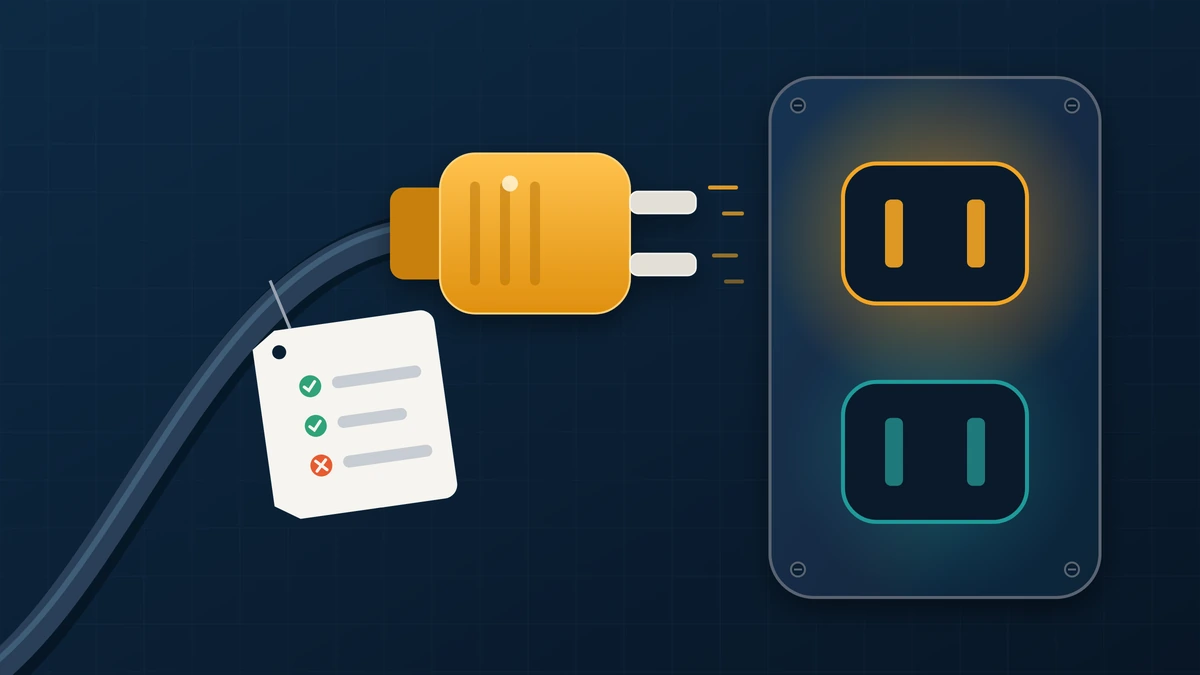
The bigger story sits in the documentation. Google caps support at MCP version 2025-11-25, rejects the old SSE transport, snapshots your tool schema at review time, and lets your tool annotations decide when users see a confirmation prompt.
We checked 13 public MCP servers against those rules. Only Exa and LangChain Docs passed all seven of our checks. We also probed 26 OAuth servers from SaaS vendors. This piece follows our editorial standards, and the test method is described below.
TL;DR
- What launched: a preview of Google’s Connected Apps Platform on October 28, 2026, so one remote MCP server can reach the Gemini app and Search AI Mode.
- Hard rules: MCP up to version 2025-11-25, Streamable HTTP only, JSON returned as text, and no schema changes after review without a new versioned endpoint.
- Safety model: destructiveHint and openWorldHint trigger user confirmation prompts, and a tool without readOnlyHint is treated as destructive.
- Our test: 2 of 13 public servers passed all seven checks; 25 of 26 OAuth servers publish discovery metadata, but 4 lack dynamic client registration.
- What to do: audit annotations, descriptions and schemas now, then version your endpoint before you submit.
What Google Launched on October 28
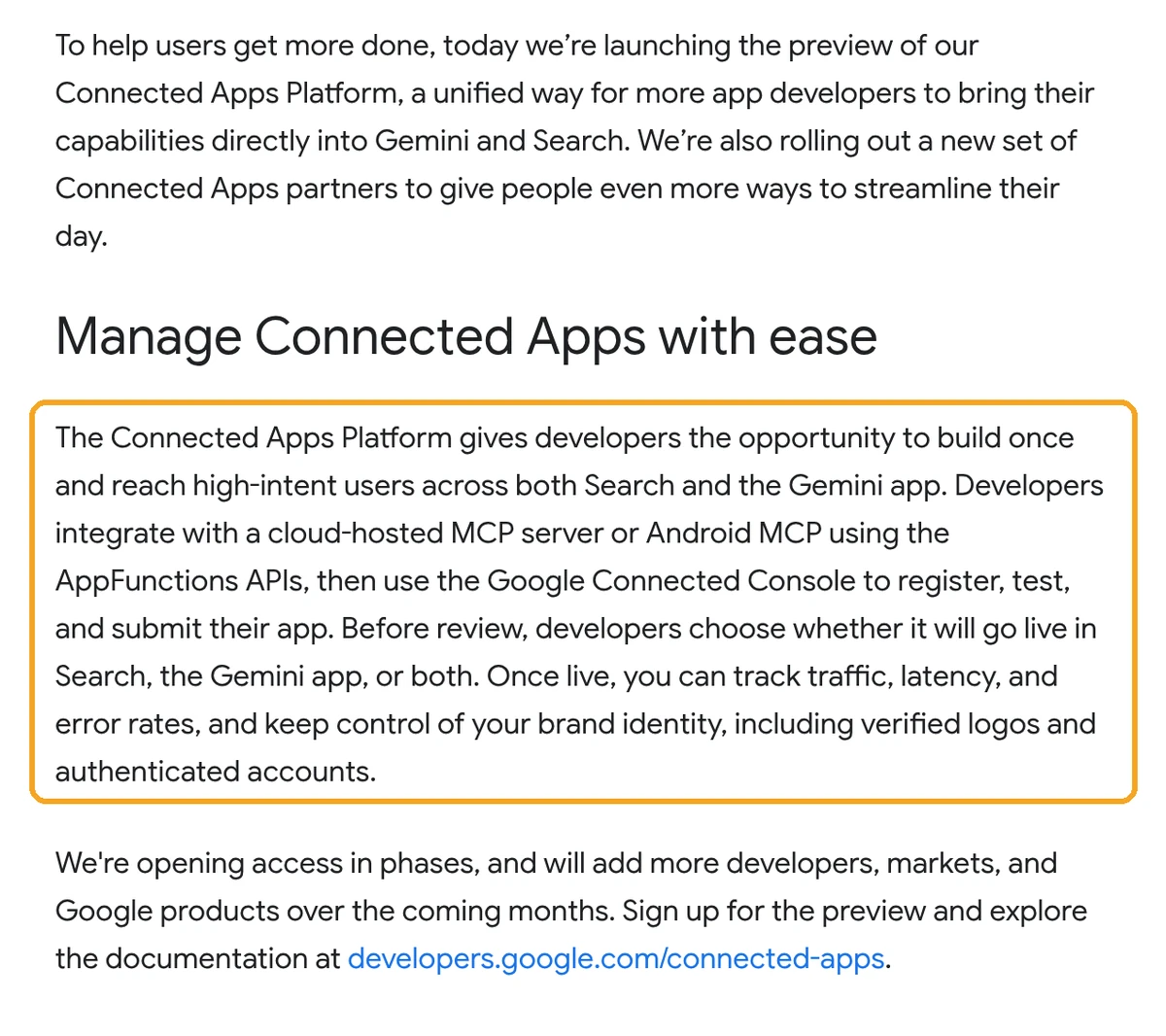
Google launched a preview of the Connected Apps Platform, a single place to build apps for Gemini and Search. Developers connect a cloud hosted MCP server or an Android app built on AppFunctions, then register, test and submit it in the Google Connected Console. After review, the app can appear in Search AI Mode, the Gemini app, or both.
Google says it has launched more than 50 Connected Apps across the two surfaces. Partners such as Adobe, Experian, Localiza and Peloton are live in Gemini and will reach Search in the coming weeks, and a Calm integration is coming to both. Live apps get a dashboard for traffic, latency and error rates, plus verified logos.
The MCP developer guide calls the remote server the recommended default because it covers Android, iOS and the web. AppFunctions is the deeper Android path. If MCP is new to you, our MCP explainer covers the protocol basics first.
What Google Requires From an MCP Server
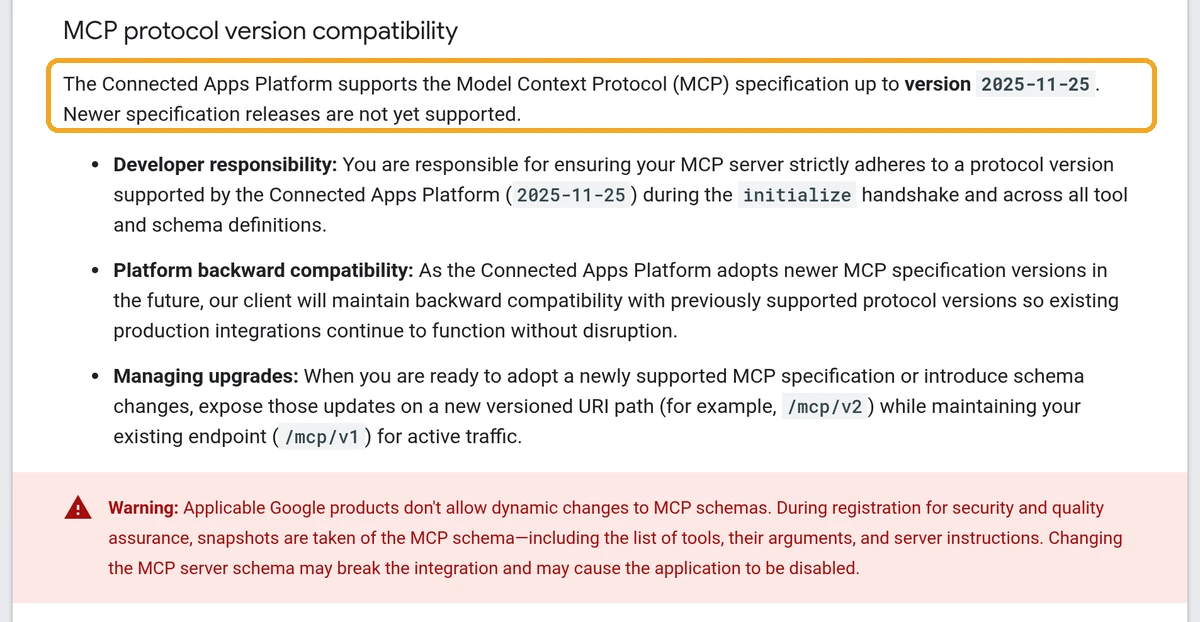
Google requires a public HTTPS server that speaks MCP up to version 2025-11-25 over Streamable HTTP, with one POST endpoint. Tools need explicit safety annotations, flat input schemas, plain descriptions and JSON returned as text. Schemas are frozen at review, so changes go out on a new versioned path such as /mcp/v2.
| Area | Google’s rule | Why it matters |
|---|---|---|
| Protocol version | MCP up to 2025-11-25; newer versions not yet supported | Servers pinned to the 2026-07-28 spec must also accept the older version |
| Transport | Streamable HTTP (2025-03-26 and later); legacy HTTP with SSE rejected | Old SSE only servers need a migration before submission |
| Schema changes | Tools, arguments and server instructions are snapshotted at review | Changing tools in place may break or disable the app; ship /mcp/v2 instead |
| Annotations | destructiveHint and openWorldHint trigger confirmation; missing readOnlyHint means destructive | Unannotated read tools will interrupt users with prompts |
| Descriptions | No MUST or CRITICAL behavior directives, no references to other apps’ tools | Prompt style instructions are flagged as injection |
| Responses | structuredContent not yet supported; serialize JSON into text | Servers that only send structured output return nothing usable |
| Tool count | Dozens of tools or nested mega tools are flagged in review | Split broad tools; drop admin and debug helpers |
| Network | Allowlist seven Google CIDR blocks on port 443 | Firewalled servers will time out during review |
Google also bans third party ads inside apps and apps that wrap APIs the developer does not own, according to its Connected Apps policy. The version cap matters because the current MCP spec moved on in July, while Google pins to the 2025-11-25 specification.
How Tool Annotations Change What Users See
Tool annotations decide when Gemini or Search stops to ask the user for confirmation. Google uses destructiveHint and openWorldHint as the triggers, and it follows the MCP default that a tool without readOnlyHint is not read only and may be destructive. A search tool with no annotations will therefore act like a delete button.
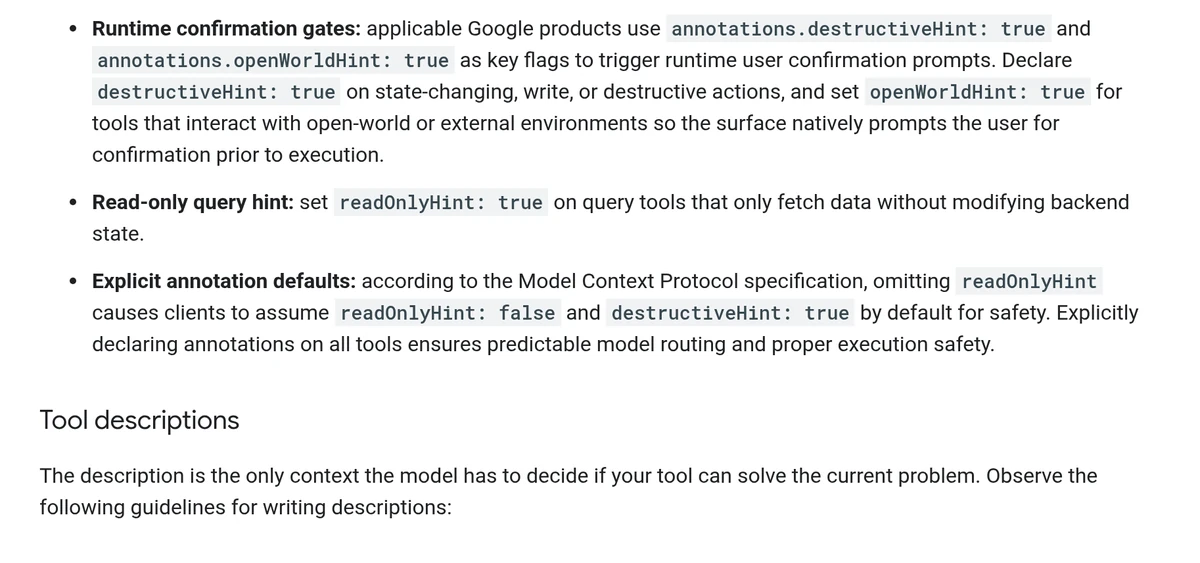
This turns a metadata field into a product decision. Mark every query tool with readOnlyHint set to true, mark writes and deletes with destructiveHint, and set openWorldHint on tools that reach the open web or other systems. Our MCP security tools guide covers scanners that can lint these fields in CI.
We Tested How Ready Today’s MCP Servers Are
Most public MCP servers are close but not ready. In our November 2 test, all 13 reachable public servers negotiated an MCP version Google accepts, yet only Exa and LangChain Docs passed all seven checks we built from Google’s guide. Missing annotations and missing server instructions were the most common gaps.
How we tested: we sent initialize and tools/list requests to 18 public, no login MCP servers on November 2, 2026 (around 12:18 PM IST). Thirteen answered over Streamable HTTP; five failed for reasons such as authentication, a 404 or an HTML page. We then scored each server’s live tool list against seven checks taken from Google’s server optimization guide.
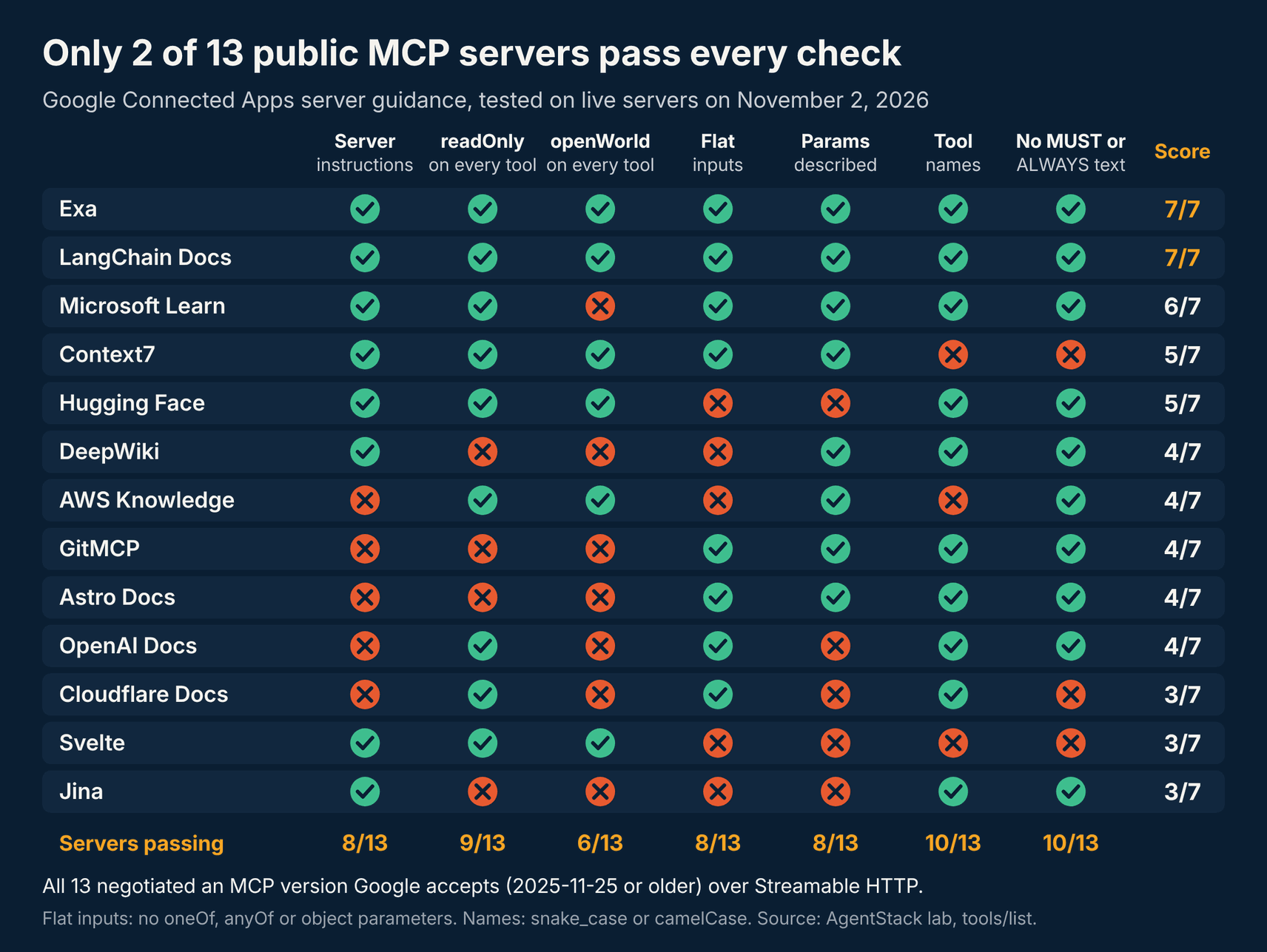
- Server instructions: 8 of 13 send them. Cloudflare Docs, AWS Knowledge, GitMCP, Astro Docs and OpenAI Docs send none, and Google uses instructions to route requests.
- Annotations: 9 of 13 set readOnlyHint on every tool, but only 6 set openWorldHint. DeepWiki, GitMCP, Astro Docs and Jina leave readOnlyHint off, so Google would treat their read tools as destructive.
- Descriptions: Context7, Cloudflare Docs and Svelte use MUST, ALWAYS or NEVER directives that Google’s security rules flag. Context7 and Svelte also use kebab case tool names.
- Schemas: DeepWiki, Svelte and Jina use oneOf or anyOf unions, and AWS Knowledge and Hugging Face take object parameters. OpenAI Docs describes none of its 10 parameters.
Output was less of a problem than we expected. Five servers declare an outputSchema, and every one of them also returned text in our tool calls, which satisfies Google’s text only rule. Payload size is the next risk: a single Svelte list call returned about 39,000 characters, and Cloudflare’s search returned about 33,000, where Google asks for pre aggregation.
Public servers are a narrow sample, mostly documentation tools. For business tools, our best MCP servers for enterprise teams guide ranks the servers buyers ask about, and our CRM MCP servers roundup covers sales stacks.
How OAuth MCP Servers Handle Google Account Linking
Most can start the flow today. Of 26 OAuth protected MCP servers we checked, 25 publish protected resource metadata and 25 support PKCE with S256. Google’s OAuth guide says Gemini currently needs a registration endpoint, so the four servers without dynamic client registration need a client ID and secret entered by hand.
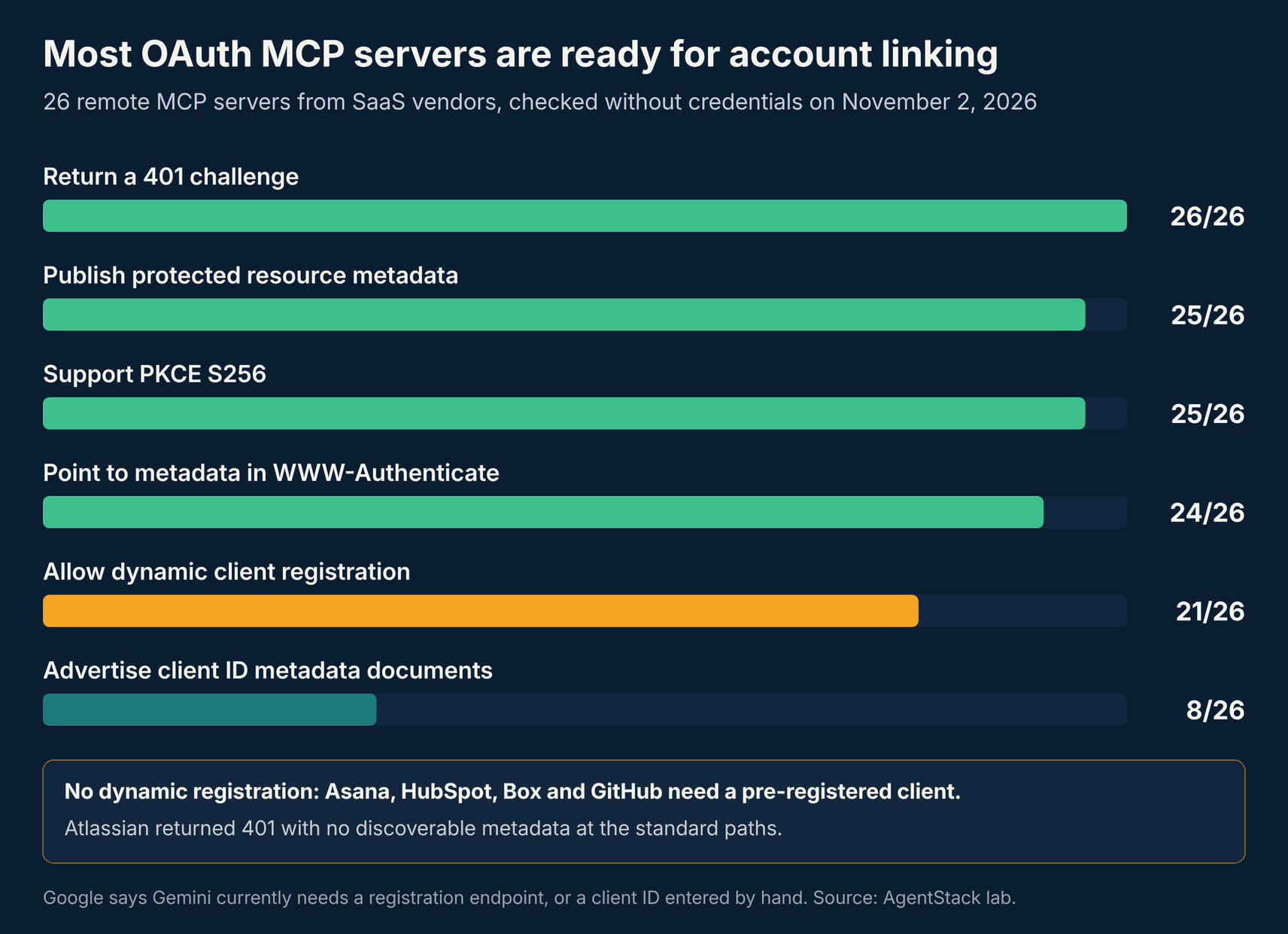
Asana, HubSpot, Box and GitHub do not advertise dynamic registration, so their teams would use the pre registered client path. Atlassian returned a 401 with no metadata at the standard paths. Eight servers advertise client ID metadata documents, but the Google OAuth guide says that alone is not enough yet.
Developers can also use no auth or machine to machine client credentials. For user data, Google Account Linking handles consent, and reviewers need seeded test accounts with two factor sign in turned off.
What MCP Teams Should Do Before Applying
Teams should fix annotations, descriptions and schemas first, because Google freezes them at review. Then pin a 2025-11-25 compatible endpoint under a versioned path, confirm Streamable HTTP, and test in Gemini Developer Mode. Teams on a gateway or hosting platform should check the platform’s version and transport settings too.
- Annotate every tool: set readOnlyHint, destructiveHint and openWorldHint explicitly, so read tools do not trigger confirmation prompts.
- Rewrite descriptions: remove MUST, ALWAYS and NEVER directives aimed at the model, and keep imperative words for parameter rules only.
- Flatten inputs: split tools that need oneOf or object parameters, describe every parameter, and use snake_case or camelCase names.
- Return text: serialize JSON into the text content and trim large payloads before they leave your server.
- Version the endpoint: serve the reviewed schema on /mcp/v1 and ship changes on /mcp/v2. Our MCP hosting platforms and MCP gateways guides cover where to run both.
- Test in Developer Mode: Google’s Gemini Apps Developer Mode has event logs, tool schemas and auth tabs for live checks.
Teams publishing to registries as well should keep listings in sync; our MCP registries guide and Smithery vs Glama vs the official registry comparison explain the options.
Frequently Asked Questions
What is the Google Connected Apps Platform?
It is Google’s developer program, opened in preview on October 28, 2026, for bringing app features into the Gemini app and Search AI Mode. Developers connect a remote MCP server or an Android AppFunctions app, then register, test and submit it in the Google Connected Console. Google reviews each app before it goes live.
Which MCP version does Google Connected Apps support?
Google supports the Model Context Protocol up to version 2025-11-25, and newer releases are not yet supported. Servers must use the Streamable HTTP transport from version 2025-03-26 or later. The legacy HTTP with SSE transport is rejected, so older servers need a transport upgrade before they can be submitted for review.
Can my MCP server appear in Google Search AI Mode?
Yes, if Google approves it. When you submit an app in the Google Connected Console, you choose Search, the Gemini app, or both. Google says it is opening access in phases and will add more developers, markets and products over the coming months, so preview access is not guaranteed for every team today.
Why would Gemini ask users to confirm a read only tool?
Gemini asks for confirmation when a tool carries destructiveHint or openWorldHint set to true. If a tool omits readOnlyHint, the MCP default treats it as not read only and possibly destructive. Setting readOnlyHint to true on every query tool avoids needless prompts, and our test found four public servers missing it.
Can I change my MCP tools after Google approves the app?
Not in place. Google snapshots your tool list, arguments and server instructions during review, and changing them may break the integration or get the app disabled. Google recommends shipping changes on a new versioned path such as /mcp/v2 while the approved /mcp/v1 endpoint keeps serving live traffic.
The Bottom Line
Google’s Connected Apps preview gives MCP servers a route into two of the largest AI surfaces, but the review rules are stricter than most current servers. Annotations, descriptions and versioning are the work to do this week, and our test suggests most public servers need at least two fixes.
We will update this story as Google widens access or changes its version support. Send corrections through our contact page.
Related coverage: the MCP TypeScript SDK and skills over MCP, MCP tool security bugs, FastMCP security advisories, Cloudflare vs Vercel vs AgentCore, and MCP servers for Claude Code.