

Last updated October 20, 2026. Product status, limits, and prices were checked against each vendor’s public documentation and pricing pages on that date, and the official registry counts come from our own crawl of its public API on the same day.
The best MCP registries for enterprise teams in 2026 are private catalogs that your clients and gateways read, with the public registry used only as an upstream feed. An MCP registry tells agents and developers which Model Context Protocol (MCP) servers exist, where to get them, and which versions are approved. Pick the registry that matches the cloud, identity provider, or supply chain tooling you already run.
An MCP registry is a catalog service that stores server metadata such as names, versions, packages, and remote endpoints, and serves it through an API that MCP clients query. This guide ranks eight options: AWS Agent Registry, Google Cloud Agent Registry, Azure API Center, JFrog MCP Registry, Docker MCP Catalog, Stacklok ToolHive Registry Server, agentregistry, and the Official MCP Registry. A registry decides what people can find, and a client allowlist or gateway decides what actually runs.
New to the protocol? Our MCP explained guide separates servers, gateways, registries, and security layers, and the MCP topic page collects the rest of our coverage. No vendor paid for placement or reviewed this article, per our editorial standards and disclosure policy.
TL;DR
- Best for AWS organizations: AWS Agent Registry, generally available since August 31, 2026, with approval workflows, IAM or JWT access, and a native MCP endpoint. The first 5,000 records a month are free.
- Best for Google Cloud: Google Cloud Agent Registry, generally available since June 18, 2026. Catalog storage and search cost $0, and Agent Gateway reads it before routing agent traffic.
- Best for Microsoft and GitHub Copilot shops: Azure API Center, which exposes a registry URL that GitHub Copilot and VS Code can enforce. The Free plan caps the inventory at 200 APIs.
- Best for supply chain security: JFrog MCP Registry, which scans public MCP packages with Xray and enforces regex tool rules through its Agent Guard proxy. It is a paid AI Catalog add-on.
- Best self-hosted options: Stacklok ToolHive Registry Server and agentregistry, both Apache 2.0. Best developer catalog: Docker MCP Catalog, with 300+ servers and private catalogs shipped as OCI artifacts.
- Our data: the Official MCP Registry held 45,863 active servers on October 20, 2026, and 61.3% were published under GitHub account namespaces, so a listing proves account ownership and says nothing about the vendor behind it.
How We Picked These MCP Registries
We picked registries and catalogs that let an enterprise publish or curate MCP servers for its own users, then compared how each one handles approval, access control, private servers, client support, and price. Every claim below comes from vendor documentation or pricing pages checked October 20, 2026, and we crawled the official registry API ourselves.
- Private servers: can you list internal servers that never appear in a public index?
- Curation: is there an approval step, a scan, or a policy before an entry becomes visible?
- Access control: can visibility follow your identity provider, groups, or projects?
- Client reach: can MCP clients, IDEs, and agents query it through the registry API or an MCP endpoint?
- Cost and status: published prices, free tiers, and whether the product is generally available, preview, or open source.
We left out lists of servers themselves. For the servers worth installing, see our MCP servers for enterprise teams roundup, and for SaaS connector layers see AI agent integration platforms. There are no star ratings, because we did not run paid load tests.
What the Official MCP Registry Data Shows
The Official MCP Registry listed 45,863 active servers on October 20, 2026, and most enterprises should not let employees install from it directly. We pulled every latest version through its public API. The data shows fast churn, mostly remote endpoints, and namespaces that verify an account rather than a vendor.
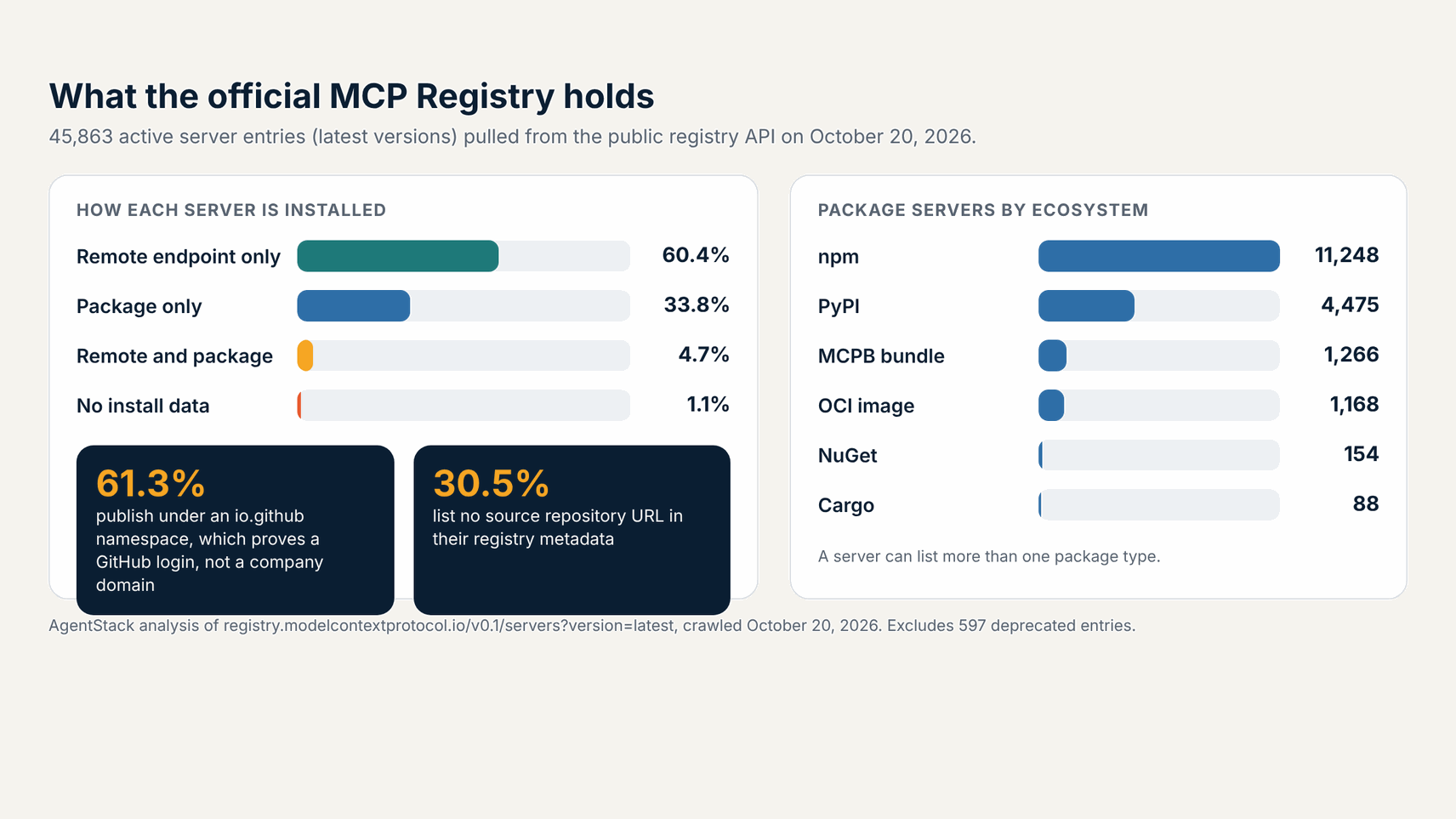
- Remote endpoints dominate: 65.1% of active entries list a remote URL, and 60.4% list only a remote URL with no package to inspect or pin.
- npm leads packages: 11,248 servers ship an npm package, 4,475 a PyPI package, 1,266 an MCPB bundle, and 1,168 an OCI image.
- Namespaces verify accounts: 61.3% sit under
io.github.*, which the registry checks through GitHub OAuth. The other 38.7% use DNS or HTTP verification of a domain. - Metadata gaps: 30.5% of active entries list no source repository, and 1.1% list neither a package nor a remote.
- Churn: 57.5% of active entries carry a latest version published in September or October 2026, so any copy you curate goes stale within weeks.
Per its about page, the Official MCP Registry stores metadata only and expects downstream registries to add curation, ratings, and scanning. That design puts approval on you, which is why every enterprise option below adds its own review, scan, or policy layer. Run the same crawl with the command below to refresh the numbers for your own review.
# List the latest version of every server, 100 per page
curl -s "https://registry.modelcontextprotocol.io/v0.1/servers?version=latest&limit=100"

# Follow metadata.nextCursor until it is empty
curl -s "https://registry.modelcontextprotocol.io/v0.1/servers?version=latest&limit=100&cursor=<nextCursor>"
MCP Registries Compared
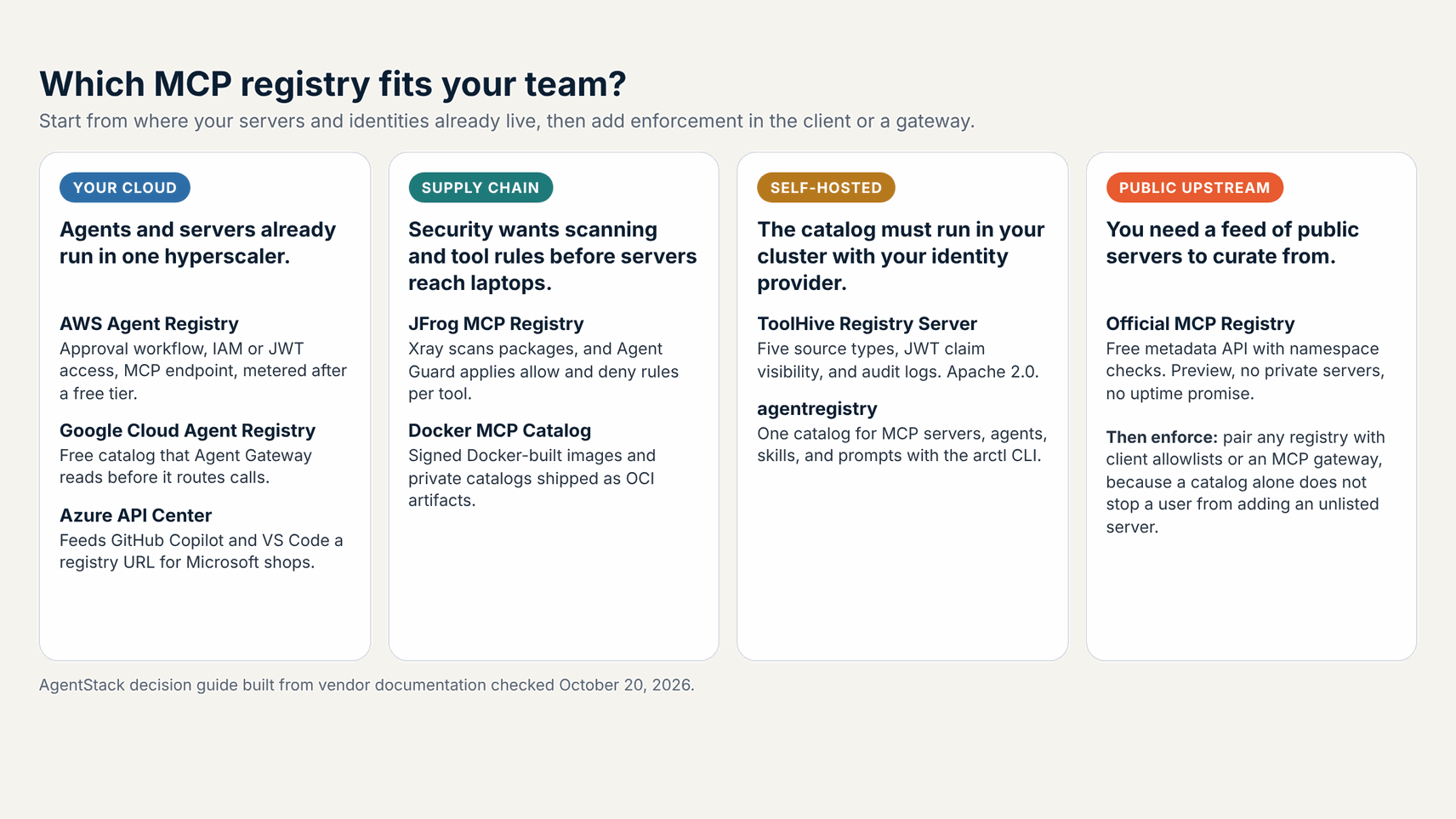
Decision kernel: Choose AWS Agent Registry, Google Cloud Agent Registry, or Azure API Center when your agents already run in that cloud. Choose JFrog when security owns package intake. Choose ToolHive or agentregistry when the catalog must run in your own cluster. None of them blocks an unlisted server alone, so plan client or gateway enforcement too.
| Registry | Best for | Status (October 20, 2026) | Private servers | Curation | Price cue |
|---|---|---|---|---|---|
| AWS Agent Registry | AWS organizations | GA since August 31, 2026 | Yes | Approval workflow with curator role | 5,000 records free, then $0.40 per 1,000 |
| Google Cloud Agent Registry | Google Cloud and Agent Platform | GA since June 18, 2026 | Yes | IAM, plus Agent Gateway policy | $0 for catalog and search |
| Azure API Center | Microsoft and GitHub Copilot shops | GA; MCP endpoint needs Standard | Yes | Access management, custom metadata | Free plan to 200 APIs; Standard included with eligible API Management tiers |
| JFrog MCP Registry | Supply chain security teams | GA since March 18, 2026 | Yes, via Artifactory | Xray scan plus regex tool policies | Paid AI Catalog add-on; Enterprise X from $950/mo |
| Docker MCP Catalog | Teams on Docker Desktop | In Docker Desktop MCP Toolkit; custom catalogs via CLI | Yes, as OCI images | Docker review for Docker-built images | Catalog free; Enterprise Gateway by quote |
| ToolHive Registry Server | Kubernetes platform teams | v1.5.3, Apache 2.0 | Yes | JWT claim visibility, admin roles | $0 license; you run it and PostgreSQL |
| agentregistry | Agents, skills, and prompts in one place | v0.4.0, Apache 2.0 | Yes | Curation before publishing | $0 license; enterprise edition from Solo.io |
| Official MCP Registry | Public upstream feed | Preview; API frozen at v0.1 | No | Namespace verification only | $0; no uptime guarantee |
Verdict: If you already pay a hyperscaler, start with its registry, because identity, audit logs, and billing are already wired. JFrog and Docker win when servers arrive as packages or images that need scanning and signing. ToolHive and agentregistry win when nothing can leave your cluster, and the Official MCP Registry belongs upstream of all of them.
The 8 Best MCP Registries and Catalogs for Enterprise Teams
The list runs from managed cloud registries to self-hosted and public options. Each entry covers what the registry is, who it fits, how approval and access work, what it costs as of October 20, 2026, and one honest limitation. Each heading carries a homepage screenshot captured from the vendor’s own site on that date.
1. AWS Agent Registry: best for AWS organizations
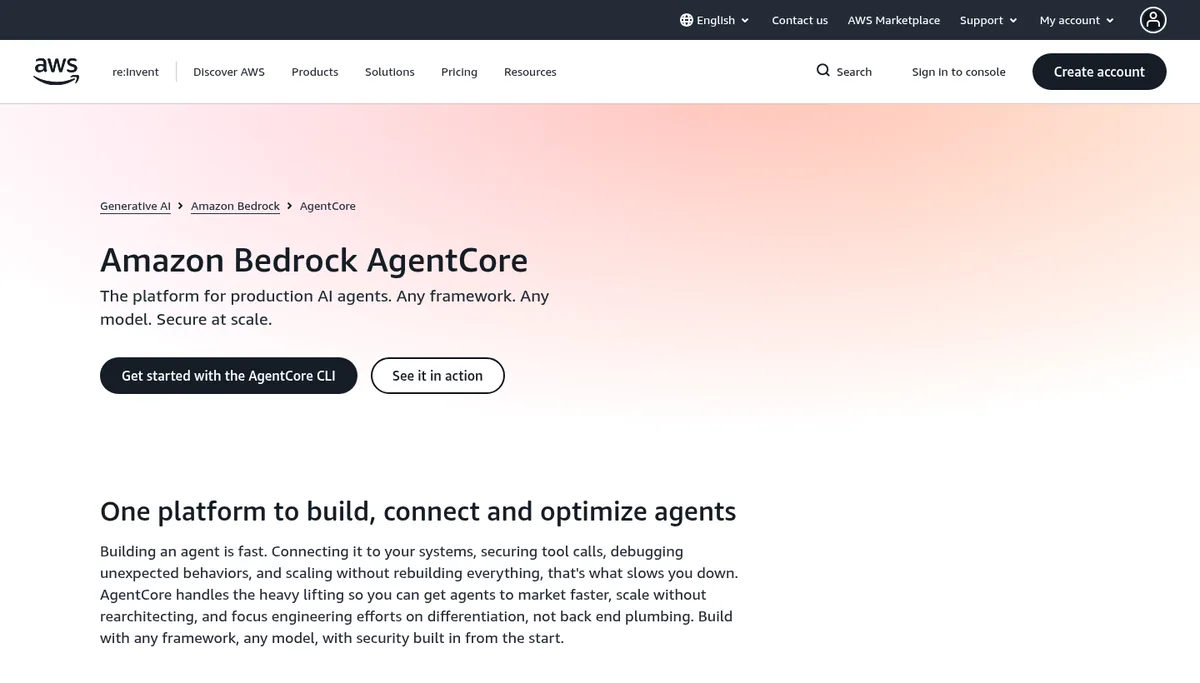
Verdict: AWS Agent Registry is the most complete managed registry for teams that already build agents on AWS. It is a fully managed catalog for MCP servers, agents, skills, and custom resources, with an approval workflow before any record becomes discoverable, per the AWS documentation.
Best for: platform teams with many AWS accounts. The general availability announcement on August 31, 2026 added CloudFormation, Terraform, and CDK support, sharing across accounts through AWS Resource Access Manager, and automatic discovery of agents running on AgentCore Runtime and AgentCore Gateway. It runs in five Regions: US East (N. Virginia), US West (Oregon), Europe (Ireland), Asia Pacific (Tokyo), and Asia Pacific (Sydney).
How access works: each registry chooses IAM credentials or JSON Web Tokens (JWT) from your corporate identity provider. Its MCP endpoint exposes three tools, search_discoverable_registry_records, list_discoverable_registry_records, and batch_get_discoverable_registry_record, so Claude Code, Kiro, or your own agent can search approved records. AWS warns that records carry publisher-supplied metadata, so validate a package or endpoint before an agent installs or connects to it.
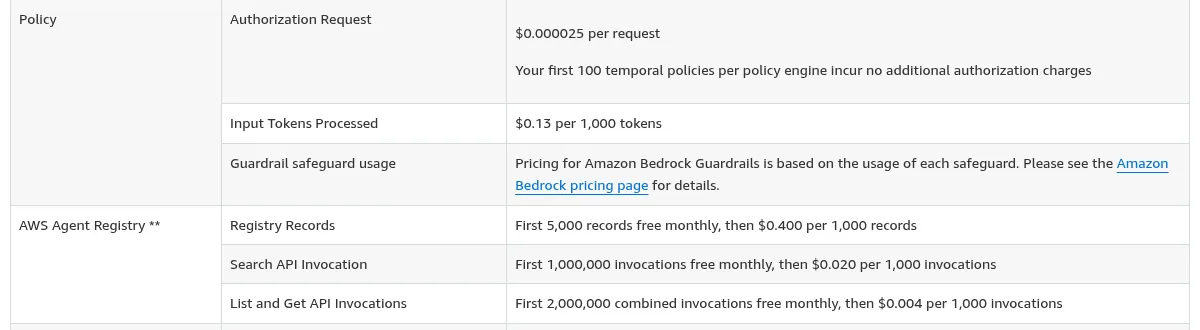
Pricing: the AgentCore pricing page lists 5,000 free records a month, then $0.40 per 1,000 records, 1 million free Search calls, then $0.02 per 1,000, and 2 million free List and Get calls, then $0.004 per 1,000. Limitation: the public preview bedrock-agentcore namespace stops working on October 30, 2026, so early adopters must migrate to the new agent-registry namespace now.
2. Google Cloud Agent Registry: best for Google Cloud and Agent Platform
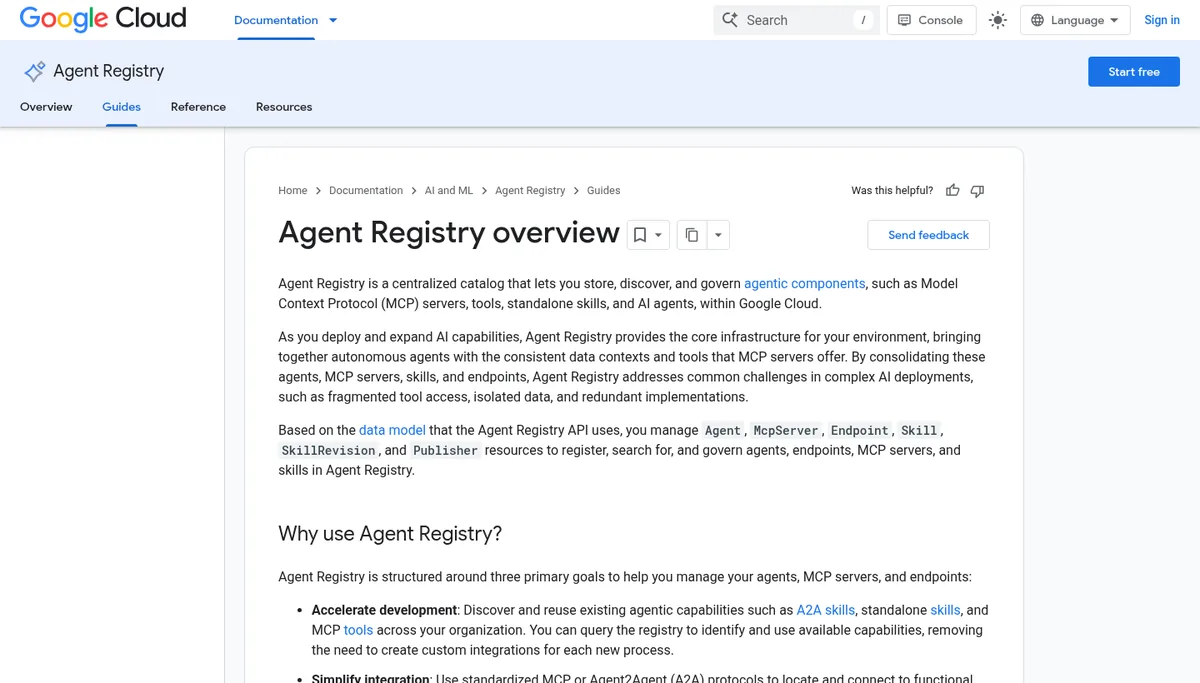
Verdict: Google Cloud Agent Registry is the strongest choice when you want the registry wired into runtime policy. Per the overview, Agent Gateway queries Agent Registry and evaluates IAM and content security policies before it routes requests between agents, MCP servers, and external endpoints.
Best for: teams on Gemini Enterprise Agent Platform that want one inventory of agents, MCP servers, endpoints, and skills across projects. The release notes list general availability on June 18, 2026 with API v1, client libraries in seven languages, Agent2Agent (A2A) v1.0 support, and Terraform. Standalone skill governance entered preview on July 23, 2026.
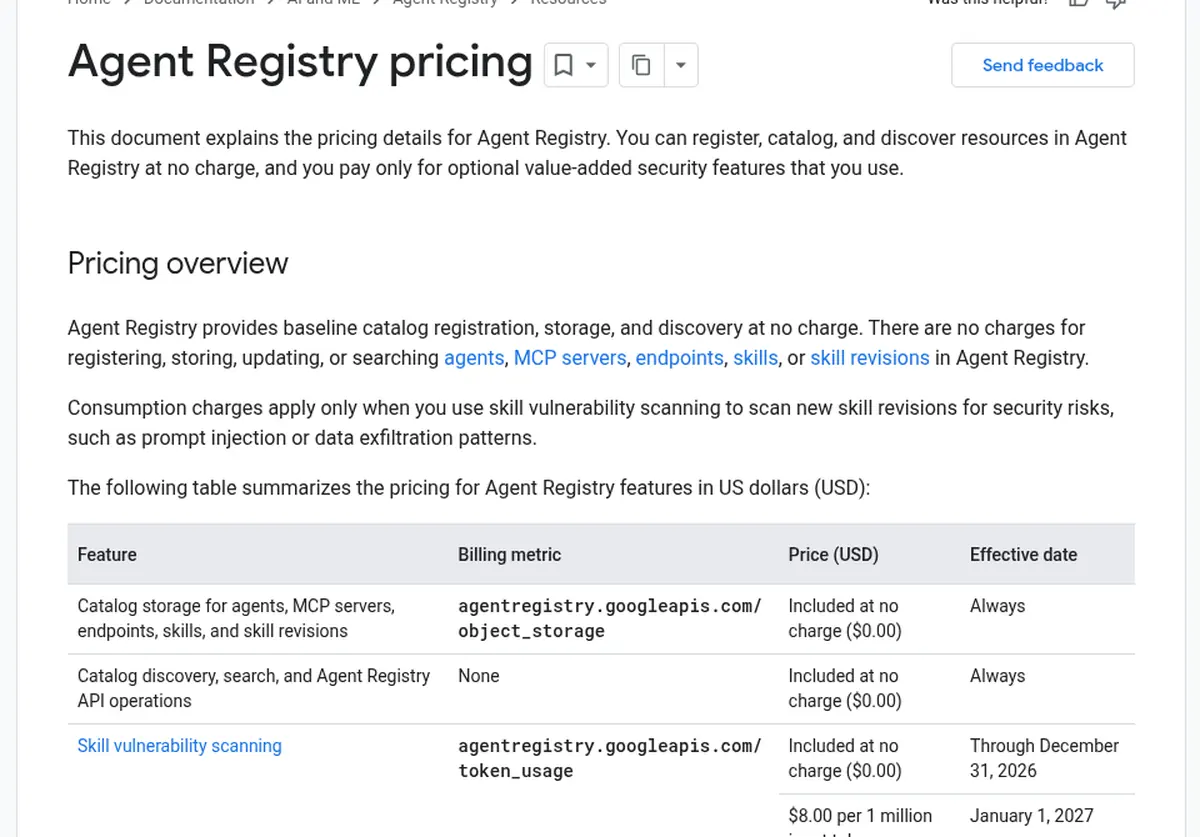
Pricing: Google charges $0 for registering, storing, updating, and searching agents and MCP servers in Agent Registry. The pricing page bills only skill vulnerability scanning, free through December 31, 2026 and $8 per 1 million input tokens from January 1, 2027. Limitation: the registry’s own remote MCP server is still in preview, and the value of the catalog drops sharply outside Google Cloud.
3. Azure API Center: best for Microsoft and GitHub Copilot shops
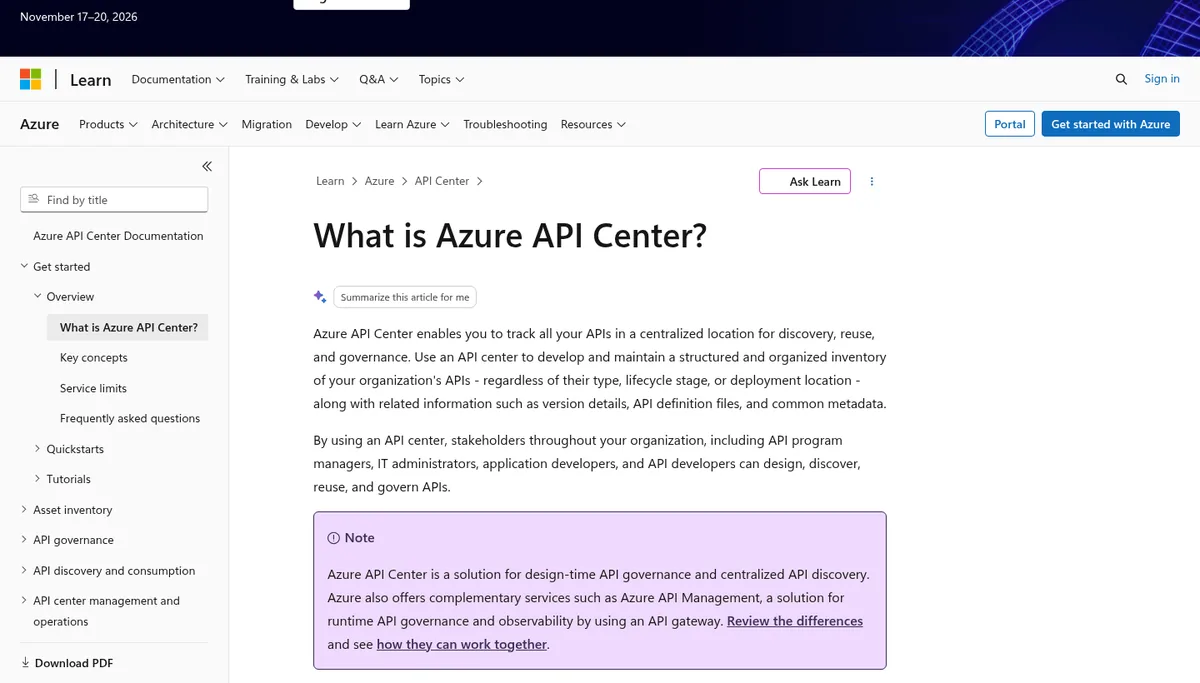
Verdict: Azure API Center fits enterprises that standardize on Entra ID, Visual Studio Code, and GitHub Copilot. It inventories MCP servers next to REST APIs and serves a registry endpoint at /workspaces/default/v0.1/servers, which GitHub’s registry setup guide lists as a fully managed option.
How it works: per the API Center MCP docs, developers browse servers in the API Center portal, test tools in a built-in console, and install them into VS Code. A separate API Center MCP server gives agents mcp_registry_search and mcp_registry_fetch tools, and custom metadata can flow into each entry’s _meta field.
Pricing and limits: the Azure service limits cap the Free plan at 200 APIs and five versions per API, against 10,000 APIs on Standard. Per the overview, Standard costs nothing extra when you link an API Management Standard, Standard v2, Premium, or Premium v2 instance. Limitation: the agent-facing MCP endpoint needs Standard, and GitHub’s guide asks you to allow anonymous access to the registry so Copilot can fetch it.
4. JFrog MCP Registry: best for supply chain security teams
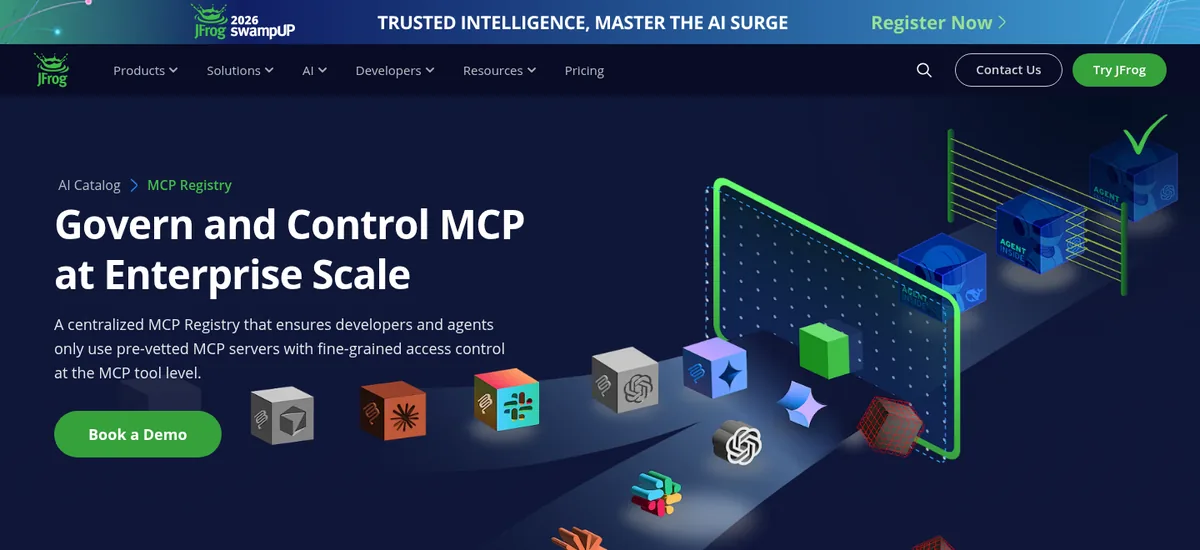
Verdict: JFrog MCP Registry treats MCP servers as software artifacts, which suits companies where Artifactory already gates every npm and PyPI package. JFrog announced general availability on March 18, 2026.
What it adds: per the JFrog docs, public MCP packages are scanned by Xray for maliciousness and license compliance before a project can allow them. JFrog Agent Guard, a local proxy installed by the IDE plugin, wraps each server and applies regex allow and deny rules per tool, so a team can permit read tools and block delete commands on the same server.
Pricing: the JFrog pricing page lists AI Catalog as a paid add-on for Enterprise X, which starts at $950 a month on cloud, and for Enterprise+. Limitation: JFrog only pays off if Artifactory is already your package gate, since custom servers publish through Artifactory npm and PyPI repositories.
5. Docker MCP Catalog: best for teams on Docker Desktop
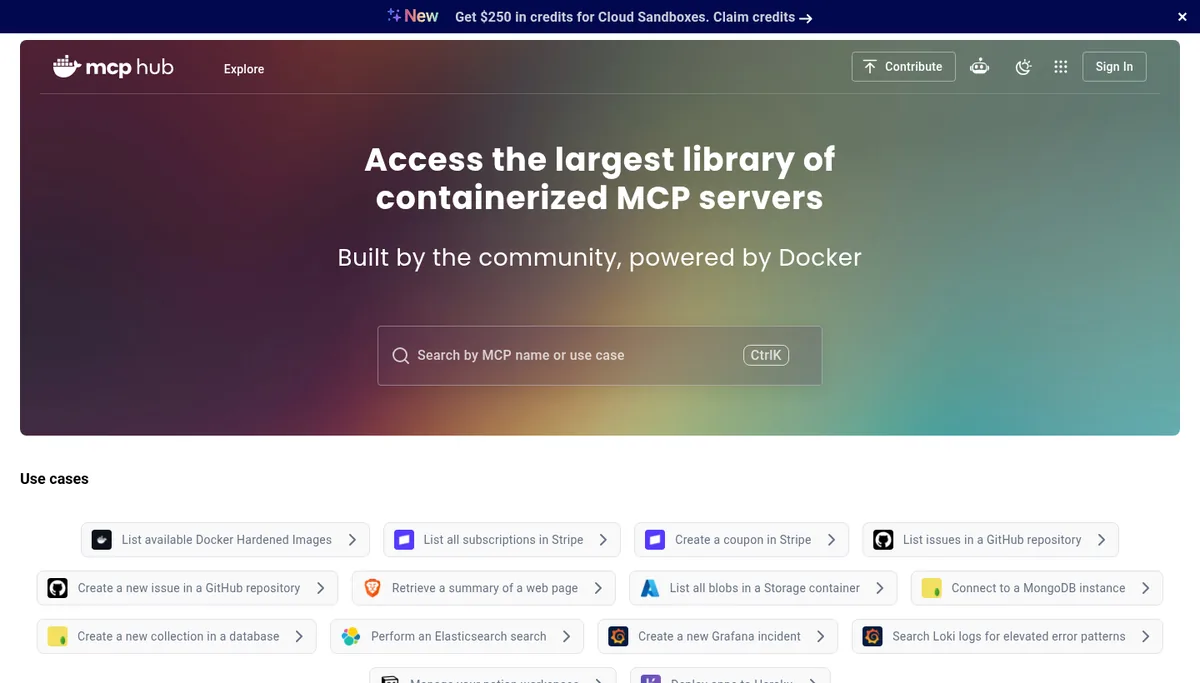
Verdict: Docker MCP Catalog is the fastest way to give developers a curated list that runs servers in isolated containers. The catalog lists 300+ servers, and Docker-built images in the mcp namespace include signatures, provenance, and Software Bills of Materials (SBOMs), per the Docker MCP Registry repository.
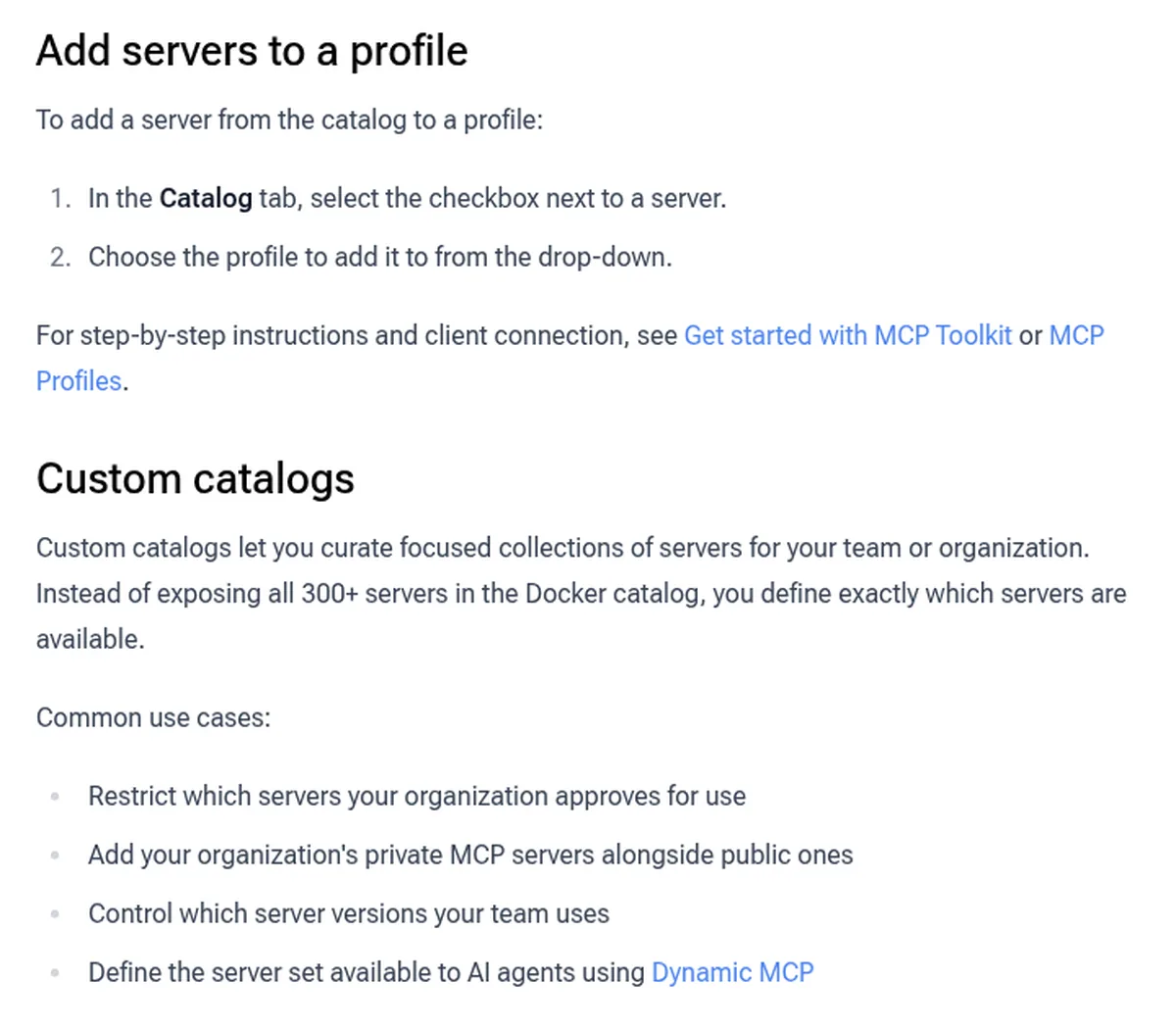
Private catalogs: per the MCP Toolkit CLI docs, you copy the Docker catalog, remove servers you do not approve, add internal images, and push the result as an OCI artifact. Running docker mcp gateway run --catalog with that reference limits Dynamic MCP’s mcp-find tool to your curated set, and access follows your container registry permissions.
Limitation: custom catalogs are a CLI workflow, and org-wide policy, SSO, and audit move to the separate MCP Enterprise Gateway, which publishes no price. Remote servers that are not containerized gain less from Docker’s isolation and signing.
6. Stacklok ToolHive Registry Server: best self-hosted registry for Kubernetes
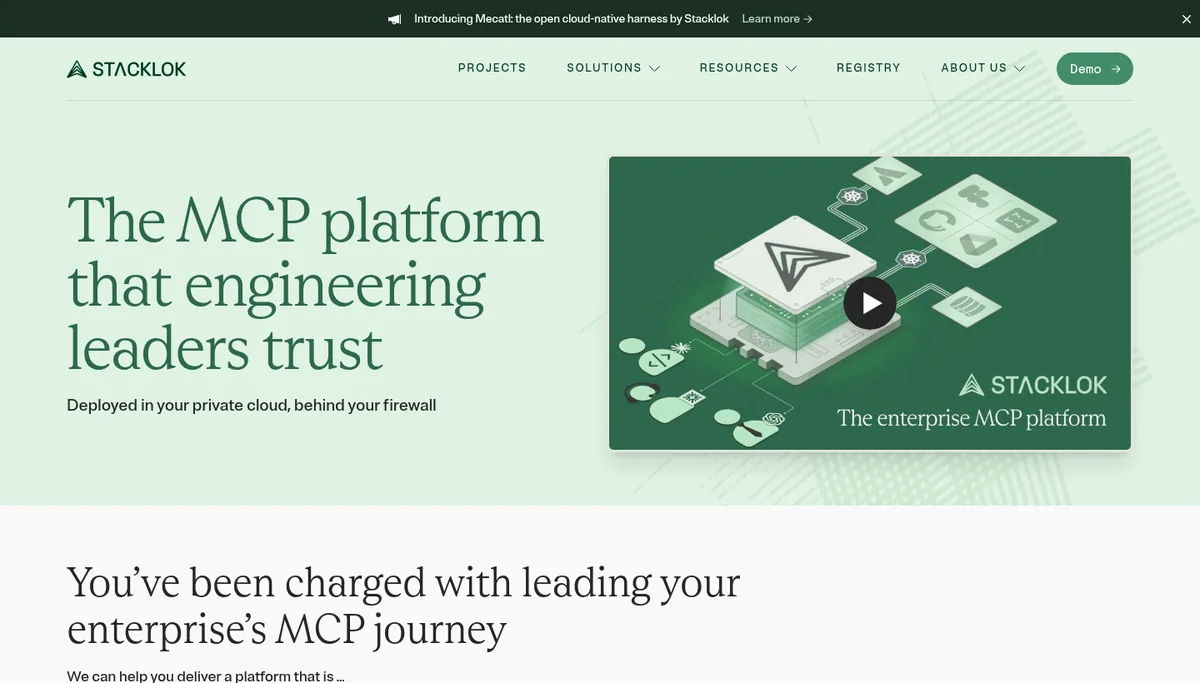
Verdict: ToolHive Registry Server is the most governance-ready open source registry we found. It implements the official MCP Registry API, so spec-compliant clients can query it, and the repository ships under Apache 2.0 with v1.5.3 released October 14, 2026.
What it adds: ToolHive aggregates five source types into named registries: upstream registry APIs, Git, local files, Kubernetes clusters, and a managed admin API. JWT claim-based visibility decides which entries each user or team can see, OAuth 2.0 or OIDC plugs into Okta, Auth0, or Entra ID, and audit logs follow NIST SP 800-53 AU-3 fields, per the ToolHive docs.
Pricing: the server is free to run. Limitation: you operate it yourself, which means PostgreSQL 16 or later, upgrades, and on-call ownership, and the project had 29 GitHub stars on October 20, 2026, so expect a smaller community than the cloud options.
7. agentregistry: best for one catalog of agents, skills, and MCP servers
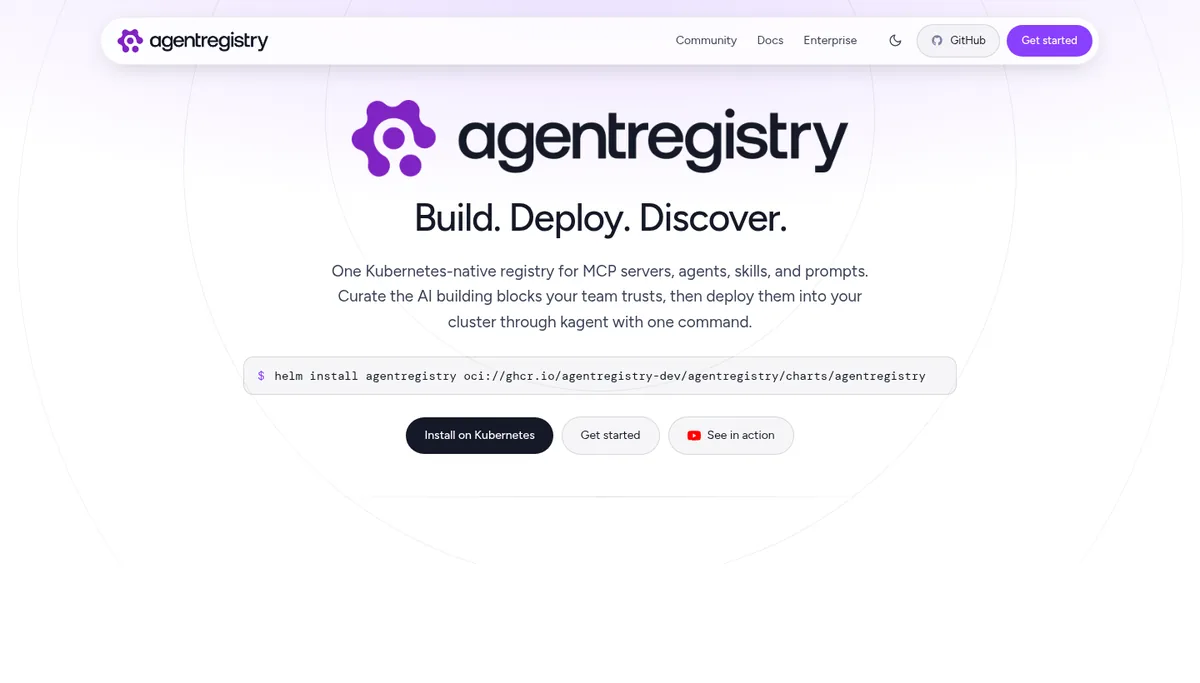
Verdict: agentregistry suits teams that want MCP servers, agents, skills, and prompts versioned in one open source catalog with a deploy path to Kubernetes. Solo.io started the project, and the repository is Apache 2.0 with about 525 GitHub stars and release v0.4.0 from August 3, 2026.
How it works: per its homepage and README, MCP servers register from npm, PyPI, OCI images, or remote HTTP and SSE endpoints. The arctl CLI scaffolds, builds, and publishes artifacts, the web UI runs on port 12121 in the Docker Compose quick start, and organizations curate and approve entries before company-wide use.
Pricing: the open source project is free, and Solo.io sells an enterprise edition. Limitation: the project is still on 0.x releases, so plan for breaking changes and test upgrades before you rely on it for production approvals.
8. Official MCP Registry: best public upstream feed
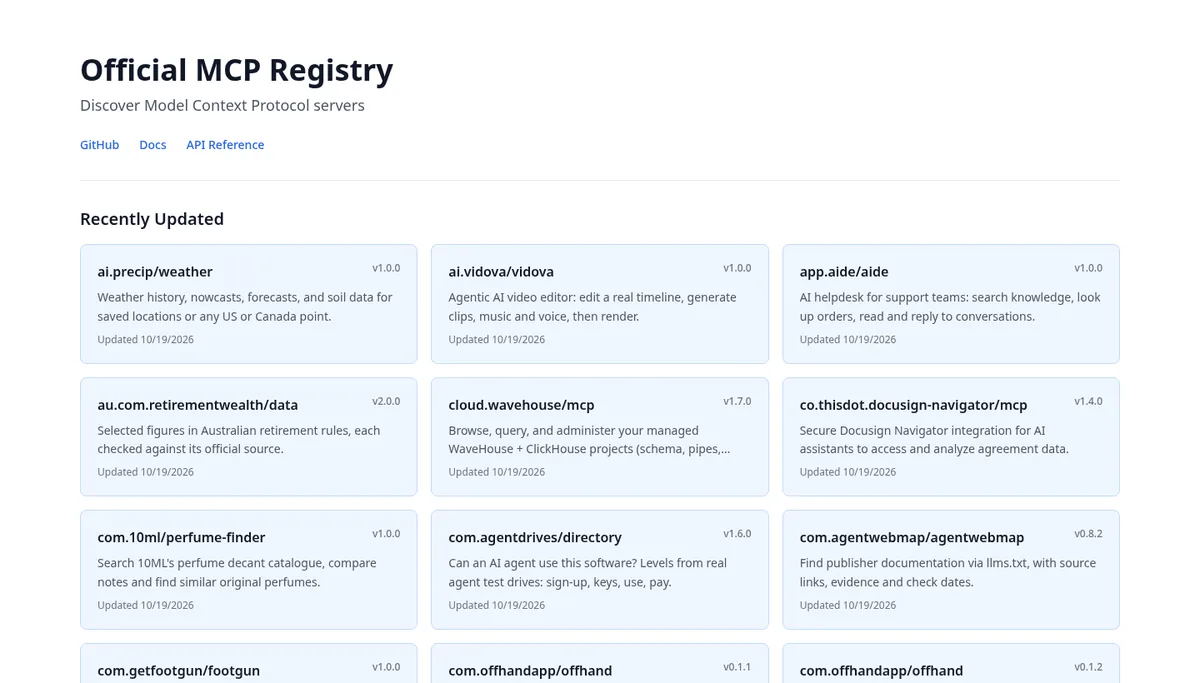
Verdict: the Official MCP Registry is the shared source that private registries mirror and filter, and enterprises should consume it through one of the options above. Its repository had about 7,381 GitHub stars on October 20, 2026, and the v0.1 API has been frozen since October 24, 2025.
How it works: publishers prove namespace ownership through GitHub OAuth for io.github.* names, or DNS or HTTP verification for domains, per the API reference. The aggregator guide asks downstream registries to scrape about once an hour and states there are no uptime or data durability guarantees.
Limitation: per the about page, the registry is still in preview, does not accept private servers, and is not meant for host applications to call directly. Its code is not designed for self-hosting either, so fork it only if you will maintain it.
Why a Registry Alone Does Not Block Unapproved Servers
A registry controls discovery, and enforcement happens in the client or in a gateway. GitHub calls its own custom registry restriction weaker than a managed settings allowlist, because matching by server name or ID can be bypassed by editing configuration files. Pair any registry on this list with an allowlist or gateway before you call MCP access governed.
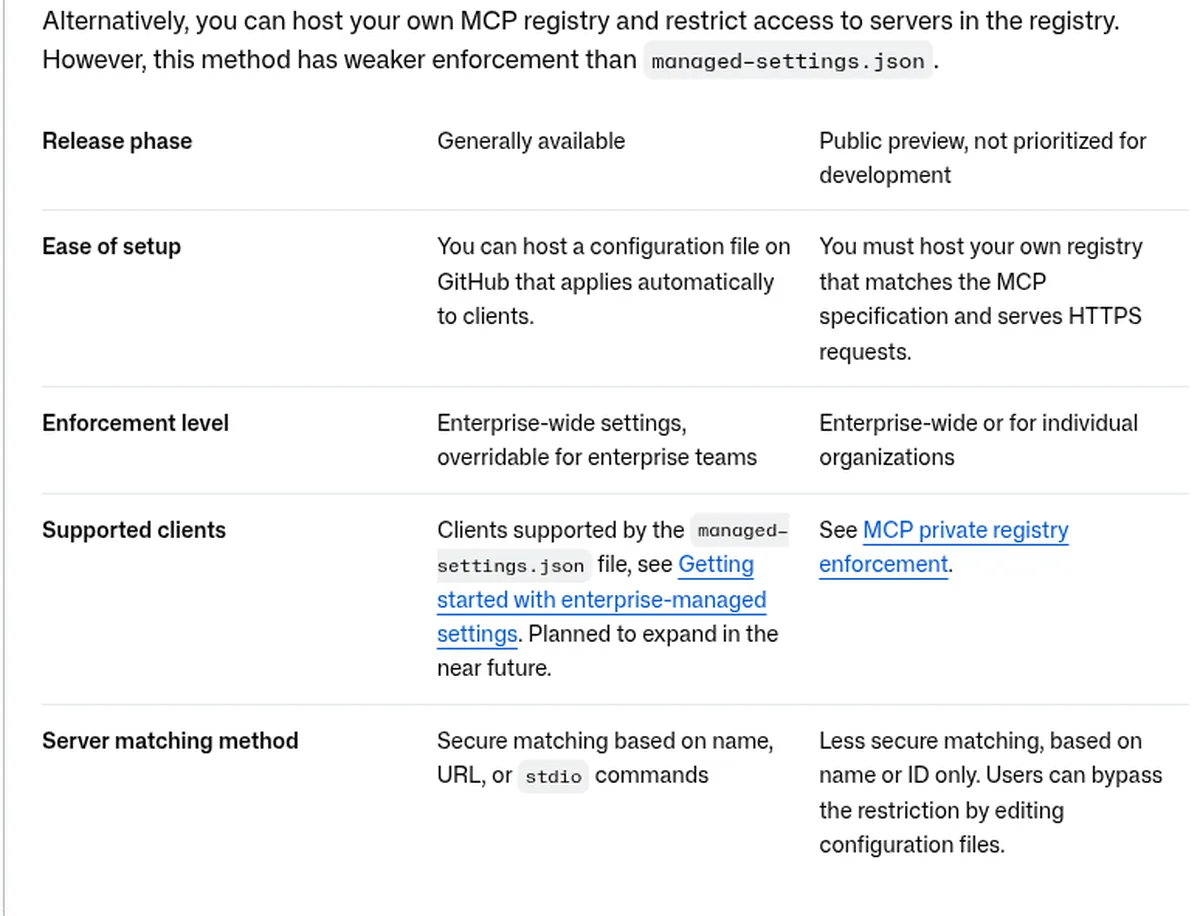
Per GitHub’s MCP management docs, the managed settings allowlist is generally available, while custom registry enforcement is in public preview and not prioritized for development. The August 6, 2026 changelog says allowlists match remote servers by canonical URL and local servers by exact command, fail closed on malformed policy, and are enforced in the GitHub Copilot app, Copilot CLI, and VS Code.
{
  "allowedMcpServers": [
    { "serverUrl": "https://mcp.internal.example.com/*" },
    { "serverUrl": "https://api.githubcopilot.com/*" },
    { "serverCommand": ["npx", "@playwright/mcp@latest"] }
  ],
  "deniedMcpServers": [
    { "serverCommand": ["npx", "-y", "@modelcontextprotocol/server-filesystem", "/"] }
  ]
}
Generate the allowedMcpServers list in copilot/managed-settings.json from your registry’s approved entries, as in GitHub’s allowlist guide. Route remote servers through a gateway from our MCP gateways guide or Kong vs AWS AgentCore vs Docker comparison so tool calls are checked even when a client ignores the catalog.
| Registry | What it controls | What enforces the decision at call time |
|---|---|---|
| AWS Agent Registry | Which approved records are discoverable | Your client config or gateway; AWS advises validating metadata first |
| Google Cloud Agent Registry | Inventory and identifiers for policy | Agent Gateway checks IAM and content policy before routing |
| Azure API Center | The server list Copilot and VS Code display | Copilot “Registry only” policy by name or ID (preview) |
| JFrog MCP Registry | Approved servers per JFrog Project | Agent Guard proxy on every tool call |
| Docker MCP Catalog | Servers the Docker gateway can find | Docker MCP Gateway or MCP Enterprise Gateway |
| ToolHive Registry Server | Entries visible to each JWT claim set | Your gateway or client policy |
| agentregistry | Curated artifacts and deployments | Your gateway or client policy |
| Official MCP Registry | Public metadata and namespaces | Nothing; downstream registries and clients decide |
Verdict: JFrog and Google tie the registry to a runtime check out of one vendor, which shortens rollout. Every other option needs a second control, either client allowlists for coding agents or an MCP gateway for remote servers. Budget the enforcement layer in the same project as the registry.
What an Enterprise MCP Registry Costs
An enterprise MCP registry costs between $0 and a few hundred dollars a month on usage meters, while bundled platforms are priced by quote. The table models 1,000 records and 2,000 developers who each run 30 searches and 60 list or get calls a day for 30 days, using public list prices.
| Registry | Meter that matters | Rough monthly list cost for the example |
|---|---|---|
| AWS Agent Registry | Records, Search, List and Get calls | $22.40 (records free; 800,000 billable searches and 1.6M billable list or get calls) |
| Google Cloud Agent Registry | Skill scanning only | $0 for MCP servers and search |
| Azure API Center | Plan tier | Standard needed above 200 APIs; no extra cost with eligible API Management |
| JFrog MCP Registry | AI Catalog add-on | Quote on top of Enterprise X from $950 a month |
| Docker MCP Catalog | Enterprise Gateway subscription | Catalog free; gateway by quote |
| ToolHive and agentregistry | Your infrastructure | $0 license plus Kubernetes, PostgreSQL, and staff time |
| Official MCP Registry | None | $0, with no service level agreement |
Verdict: Registry fees are small next to the people and gateway costs around them, so choose on fit and enforcement first. AWS’s metered model stays cheap unless agents search on every turn, and the self-hosted options trade license fees for operations work.
Which MCP Registry Should You Choose?
The right registry follows where your identities, packages, and agents already live. Find the team profile below that matches yours, set up the first step, and add a second registry only when a new source of servers appears, such as a Kubernetes cluster or a SaaS vendor. Each profile names a starting product and the first configuration task.
Platform teams on AWS
- Create one organization registry in AWS Agent Registry with JWT access tied to your identity provider.
- Turn on automatic discovery for AgentCore Runtime and AgentCore Gateway so records stay current.
- Share it to other accounts with AWS Resource Access Manager, then compare runtime options in our Kong vs AWS AgentCore vs Docker guide.
Microsoft and GitHub Copilot enterprises
- Register internal and approved public servers in Azure API Center and copy the workspace registry URL.
- Set the registry URL in GitHub enterprise AI controls for discovery in VS Code and Copilot.
- Publish a managed settings allowlist built from the same list, since that is the generally available enforcement path.
Security teams that own the software supply chain
- Proxy npm and PyPI MCP packages through Artifactory and let Xray scan them before approval.
- Write JFrog Agent Guard tool rules that allow read tools and deny destructive ones.
- Track new MCP advisories such as the FastMCP client RCE disclosure and the ToFu study of 253 MCP server bugs.
Kubernetes platform teams that self-host everything
- Deploy ToolHive Registry Server with Helm and sync the Official MCP Registry as an upstream source.
- Filter that source into a production registry with JWT claim visibility per team.
- Use agentregistry instead if agents, skills, and prompts need the same catalog and deploy path.
MCP Registries We Left Off
We left off products that are still lab features, public directories without private catalogs, and gateways whose catalogs are a side feature. Each one can still be the right tool for a narrower job, so the reasons are listed below with links to the coverage where they fit better.
- Kong Konnect MCP Registry: tech preview in Konnect Labs, and Kong now recommends its newer MCP server object in Catalog.
- GitHub MCP Registry: a public discovery list. The enterprise control lives in managed settings allowlists, covered above.
- Smithery, Glama, and PulseMCP: public marketplaces and directories that add ratings, usage data, or hosting on top of public servers, with no private enterprise catalog in scope for this list.
- Gateway catalogs such as MintMCP and Runlayer: strong for policy, compared in our MCP gateways guide, and best judged as gateways.
- Integration platforms such as Composio: they bundle hosted tools, compared in Composio vs Arcade vs Nango and Composio alternatives.
Frequently Asked Questions
What is the difference between an MCP registry and an MCP gateway?
An MCP registry is a catalog that tells clients which servers exist and how to reach them. An MCP gateway sits in the request path and checks identity, policy, and credentials on every tool call. Enterprises usually run both, with the gateway reading the approved list from the registry.
Can I publish private MCP servers to the Official MCP Registry?
No. The Official MCP Registry accepts only servers whose package or endpoint is publicly reachable, and its documentation recommends a private registry for internal servers. AWS Agent Registry, Google Cloud Agent Registry, Azure API Center, JFrog, Docker custom catalogs, ToolHive, and agentregistry all hold private entries.
Do MCP registries scan servers for malware?
Some do. JFrog scans public MCP packages with Xray before approval, Docker signs and attaches SBOMs to images it builds, and Google scans uploaded skills. AWS, ToolHive, and the Official MCP Registry store metadata without scanning code, so pair them with your own package scanning and review before you approve a server.
How do I point VS Code and GitHub Copilot at a private MCP registry?
Host a registry that implements the MCP Registry API, such as Azure API Center, then enter its base URL in GitHub enterprise or organization AI controls and choose Registry only. Copilot clients then show those servers. For stronger enforcement, add the same servers to a managed settings allowlist.
Is there a free enterprise MCP registry?
Yes. Google Cloud Agent Registry charges nothing for catalog storage or search, AWS Agent Registry includes 5,000 records and 1 million searches a month, and ToolHive Registry Server and agentregistry are free open source projects. Self-hosted options still cost infrastructure and the staff time to run them.
Related Guides
For the layers around a registry, see our MCP security tools, MintMCP vs Runlayer vs Lasso, MCP gateway pricing, MCP hosting platforms and Cloudflare vs Vercel vs AgentCore.
Read MCP explained, MCP gateways, MCP servers for enterprise teams, Kong vs AWS AgentCore vs Docker, AI agent integration platforms, Composio vs Arcade vs Nango, Red Hat MCP Gateway GA, the ToFu MCP bug study, the agent protocols hub, and the MCP topic page. Notes on how we work sit on editorial standards, disclosure, and contact.
The Bottom Line
Pick the registry that sits closest to the identities and packages you already govern, then enforce it in the client and the gateway. Cloud teams should start with their provider’s registry, security-led teams with JFrog, and self-hosting teams with ToolHive or agentregistry.
Mirror only the public servers you have reviewed, pin their versions, and refresh the list on a schedule, since more than half of the official registry changed in the last two months. Send questions or registry suggestions through our contact page.