

Last updated October 16, 2026. Plans, prices, and cost features were checked against each vendor’s public pricing page and product documentation on that date. Enterprise quotes can differ.
LLM cost monitoring tools answer three different questions: who spent the tokens, whether a runaway agent can be stopped before the bill lands, and whether the dashboard matches the provider invoice. Most teams buy for the first question and get surprised by the other two. This guide compares eight tools against all three, with prices checked October 16, 2026.
An LLM cost monitoring tool is software that records token usage and estimated or billed spend for large language model (LLM) calls, then lets you slice that spend by model, user, feature, or team. Some do it from traces, some from a gateway in the request path, and some from the provider’s billing API. The list covers Langfuse, LiteLLM, Helicone, Portkey, Datadog Agent Observability, Vantage, Cloudflare AI Gateway, and OpenLIT.
Token spend is one slice of the wider stack in our AgentOps tools map. For full tracing shortlists, see the AI agent observability tools roundup; for routing and failover, see LLM gateways. No vendor paid for placement, per our editorial standards and disclosure policy.
TL;DR
- Best for per-trace attribution: Langfuse. Cost tracking is on every plan, including the free Hobby tier, and Core costs $29 per month with 100,000 units included.
- Best for hard budgets you host yourself: LiteLLM. The open-source proxy enforces budgets per key, team, user, customer, and agent session once a Postgres database is attached.
- Best managed gateway with budgets: Portkey. Production costs $49 per month, while cost and token budget limits are on Enterprise and select Pro accounts.
- Best for APM-first teams: Datadog Agent Observability. It bills only LLM spans, with Free up to 40,000 spans and Pro at $160 per month for 100,000.
- Best for finance reconciliation: Vantage. It reads provider billing data, such as the OpenAI Costs API, next to cloud spend, with plans priced by tracked spend.
- Best free starting points: Cloudflare AI Gateway (free analytics and custom costs) and OpenLIT (Apache 2.0, self-hosted, OpenTelemetry native).
How We Picked These LLM Cost Tools
We picked tools that a platform or FinOps owner can put in front of production traffic this quarter, then scored each on the jobs that keep a token bill predictable. Every tool had to show cost per model and per request in public documentation, and every price below comes from a public page checked October 16, 2026.
- Attribution depth: Can spend be split by user, feature, team, prompt version, and agent session?
- Enforcement: Can the tool block or reroute a request when a budget runs out, or does it only alert?
- Price accuracy: How does it handle cached tokens, reasoning tokens, and negotiated rates?
- Reconciliation: Does it read the provider’s billing data, or only estimate from public price sheets?
- Cost of the tool itself: Free tier limits, the paid meter, and where enterprise controls start.
We did not score general tracing or eval depth here, because our LangSmith vs Langfuse vs Braintrust pricing breakdown and tracing comparison already cover that ground.
LLM Cost Monitoring Tools Compared
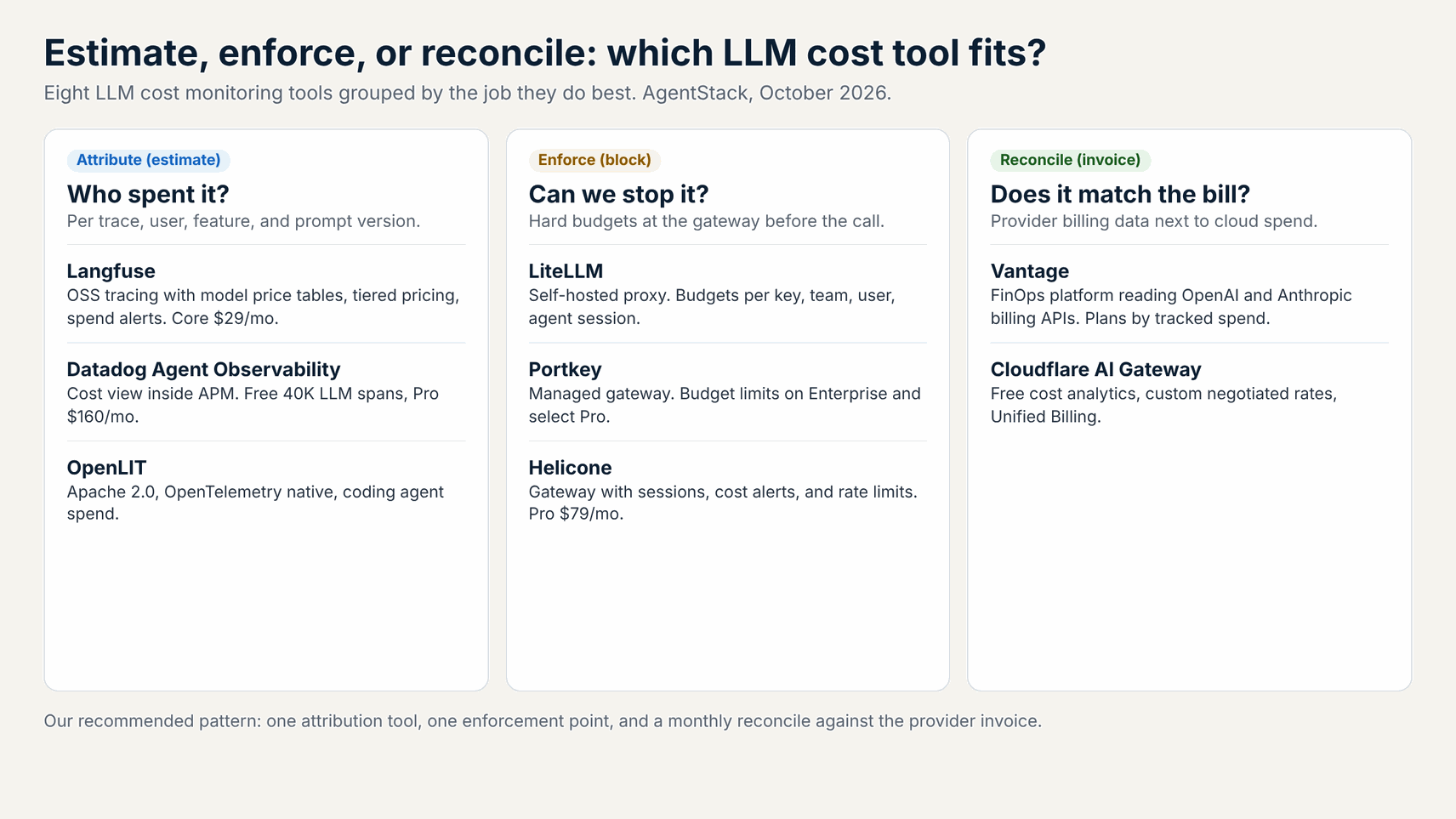
Decision kernel: Choose Langfuse or Datadog when the question is which feature, user, or prompt drives spend, since both price every traced call. Choose LiteLLM or Portkey when a budget must stop traffic, since they sit in the request path. Choose Vantage when finance needs invoice-matched numbers. None of them fixes a badly designed agent loop.
| Tool | How it sees cost | Can it block spend? | Free tier (Oct 16, 2026) | First paid tier |
|---|---|---|---|---|
| Langfuse | Traces plus model price definitions | No, alerts only | Hobby: 50,000 units/mo | Core $29/mo + $8 per 100K units |
| LiteLLM | Proxy spend logs per request | Yes, budgets per key/team/user/session | Open source, self-hosted | Enterprise: custom (30-day trial) |
| Helicone | Gateway or async logging | Rate limits; cost alerts | Hobby: 10,000 requests/mo | Pro $79/mo + usage |
| Portkey | Gateway logs | Yes, on Enterprise and select Pro | Developer: 10K logs/mo | Production $49/mo + $9 per 100K |
| Datadog Agent Observability | LLM spans priced from public rates | No, monitors alert | Free: 40K LLM spans/mo | Pro $160/mo for 100K spans |
| Vantage | Provider billing APIs | No | Starter: up to $2,500 tracked spend | Pro $30/mo up to $7,500 |
| Cloudflare AI Gateway | Gateway token estimates | Rate limiting only | Core features free | Workers Paid for more logs |
| OpenLIT | OpenTelemetry traces | Not documented | Apache 2.0, self-hosted | None published |
Verdict: Pick one attribution tool and one enforcement point, then reconcile monthly. Langfuse plus LiteLLM is a natural open-source pairing, because Langfuse captures the cost LiteLLM returns with each response. Datadog plus Portkey fits teams that prefer managed services. Vantage becomes worth it once finance asks why the dashboard total and the OpenAI invoice differ.
1. Langfuse: Best for Per-Trace Cost Attribution
Langfuse is the strongest pick when engineers need cost per trace, user, and prompt version without paying for a gateway. Langfuse is an open-source LLM engineering platform for tracing, evals, and prompt management, and its cost tracking docs show usage and cost recorded on every generation and embedding.
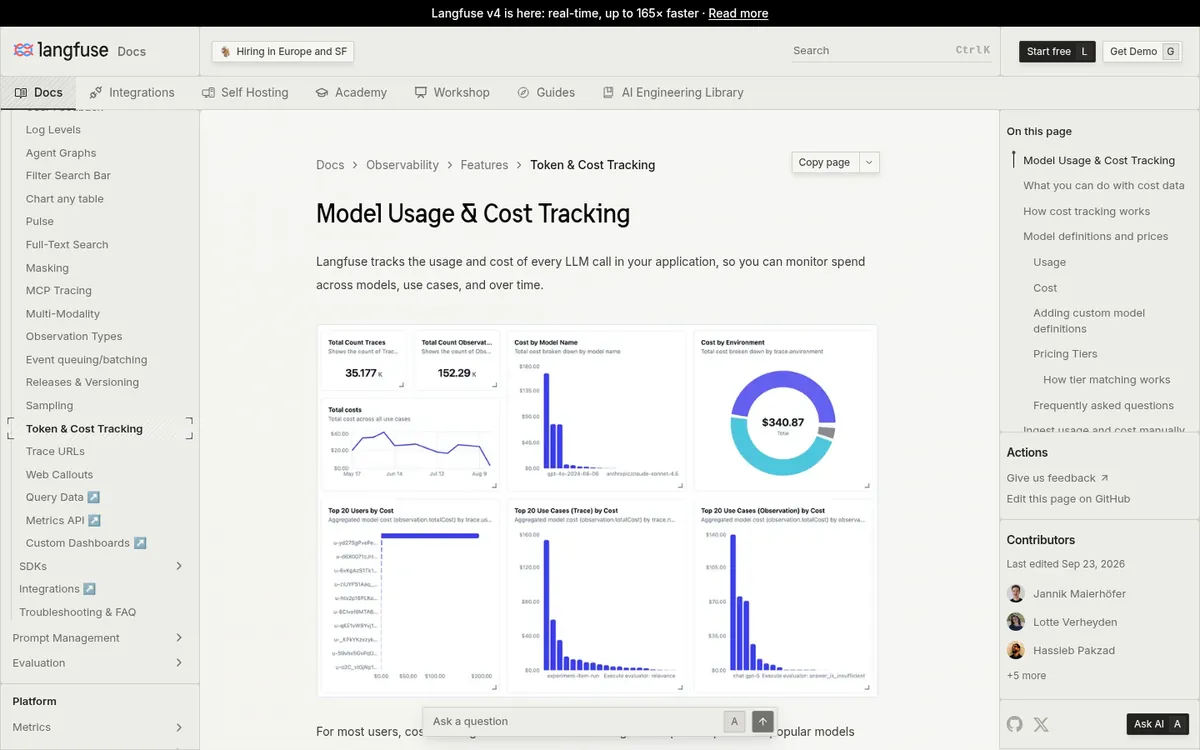
Langfuse either ingests cost from the response or infers it from a model definition with prices per usage type. It ships definitions for OpenAI, Anthropic, and Google models, supports pricing tiers such as higher rates above 200,000 input tokens, and runs a daily automated audit of default prices against provider documentation. Custom definitions cover fine-tuned and self-hosted models.
Per Langfuse pricing, token and cost tracking is on every plan. Hobby is free with 50,000 units a month and two users. Core is $29 per month with 100,000 units, then $8 per 100,000 units, and Pro is $199. Alerts scale from two on Hobby to 20 on Core and 50 on Pro.
Limitation: Langfuse observes and alerts but does not block calls. Changed model prices apply only to new generations, and reasoning models need ingested token counts because Langfuse cannot see reasoning tokens. Best for: teams already tracing with Langfuse who want spend by feature and prompt version.
2. LiteLLM: Best for Self-Hosted Hard Budgets
LiteLLM is the pick when a budget must actually stop requests and the gateway has to run in your own infrastructure. LiteLLM is an open-source proxy that exposes one OpenAI-compatible API across 100+ models, and its spend tracking docs log cost per key, user, and team in a LiteLLM_SpendLogs table.
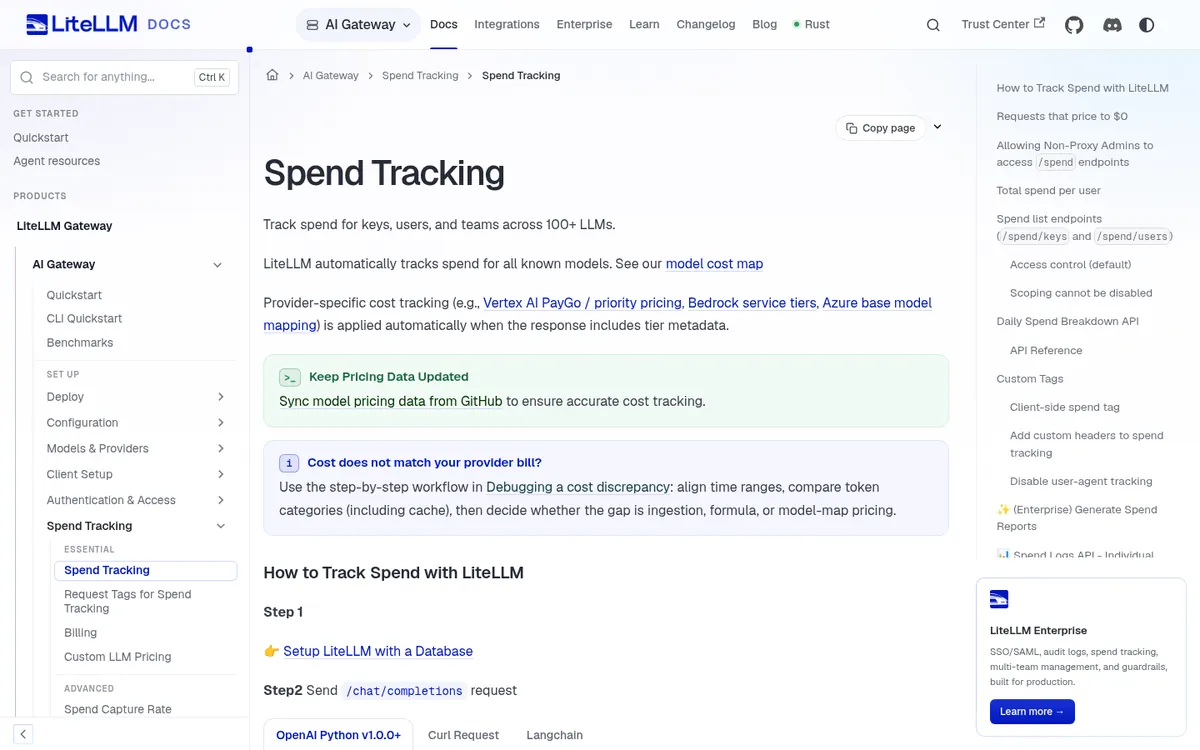
The budgets docs cover a global proxy budget plus budgets per team, team member, internal user, virtual key, customer, and agent session. A key can carry several windows at once, such as $10 per day and $100 per month. Budget reservation is on by default, so LiteLLM estimates the maximum cost and rejects a request before it reaches the provider if the reservation would cross the limit.
Every LiteLLM budget needs a database; without one, the global budget fails open. The docs state that max_budget is skipped on a database-less deployment and requests keep flowing. Per-model budgets and tag-based spend reports need a LiteLLM Enterprise license, which adds SSO, SCIM, and audit logs per the Enterprise page.
# LiteLLM: create a virtual key with a daily and a monthly cap
curl -X POST 'http://localhost:4000/key/generate' \
  -H "Authorization: Bearer $LITELLM_MASTER_KEY" \
  -H 'Content-Type: application/json' \
  -d '{
    "team_id": "support-agents",
    "budget_limits": [
      {"budget_duration": "24h", "max_budget": 10},
      {"budget_duration": "30d", "max_budget": 100}
    ]
  }'
# Over budget: the proxy returns a budget_exceeded error to the caller
Limitation: you operate Postgres, Redis for multi-instance counters, and upgrades yourself. Best for: platform teams that issue one key per app or team and want hard caps on spend.
3. Helicone: Best Gateway for Session-Level Unit Economics
Helicone fits teams that want cost per user session and weekly cost reports with almost no code change. Helicone is an open-source LLM observability platform and AI gateway, and its cost tracking guide groups requests into sessions so you see the cost of a whole support chat or document workflow.
Custom property headers such as Helicone-Property-Feature slice spend by tier, feature, or environment. Helicone describes gateway costs as exact because it sees the full request, and direct integrations as best effort from an open-source cost repository covering 300+ models. Weekly reports go to email or Slack, and caching cuts repeat calls.
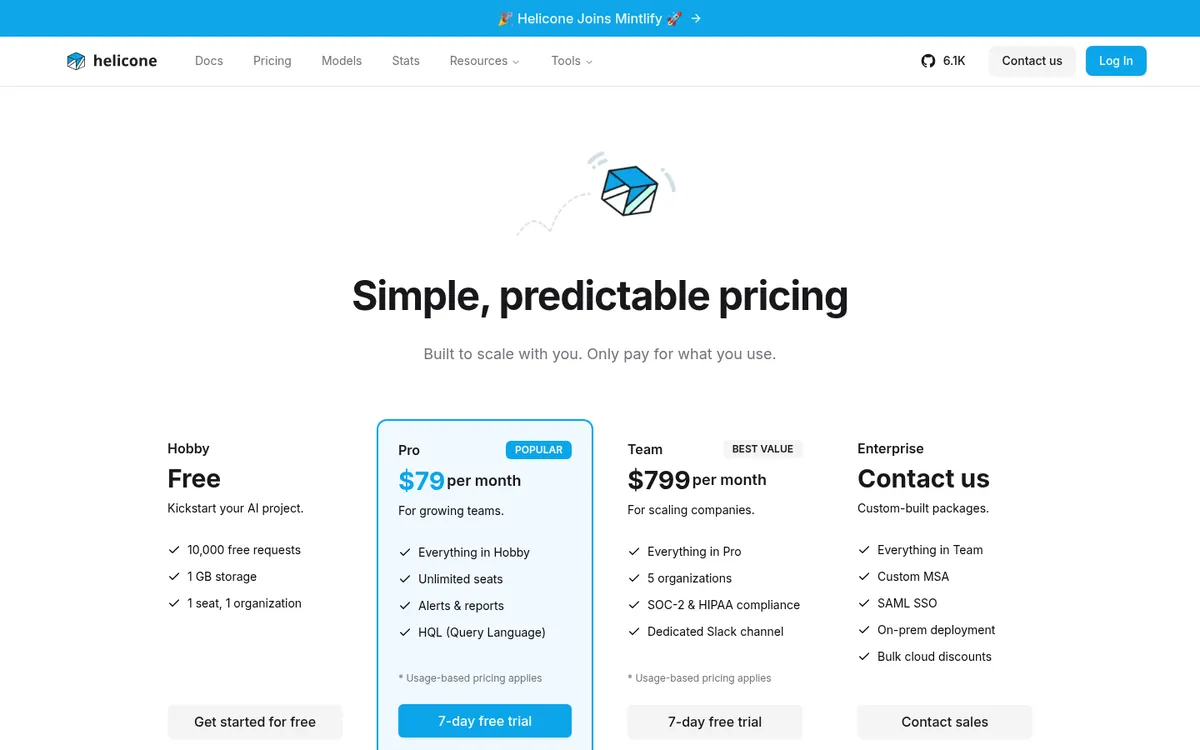
Per Helicone pricing, Hobby is free with 10,000 requests, 1 GB of storage, one seat, and seven days of retention. Pro is $79 per month with unlimited seats plus usage-based pricing. Team is $799 per month with five organizations, SOC 2, and HIPAA.
Limitation: Helicone alerts and rate-limits but does not publish per-key dollar budgets that block traffic the way LiteLLM does. Best for: product teams measuring cost per user, plan tier, or feature.
4. Portkey: Best Managed Gateway With Budget Limits
Portkey suits teams that want gateway-enforced budgets without running the proxy or its spend database themselves. Portkey is a managed AI gateway with observability, guardrails, and prompt management, and its site now presents the product as Prisma AIRS AI Gateway for enterprise buyers.
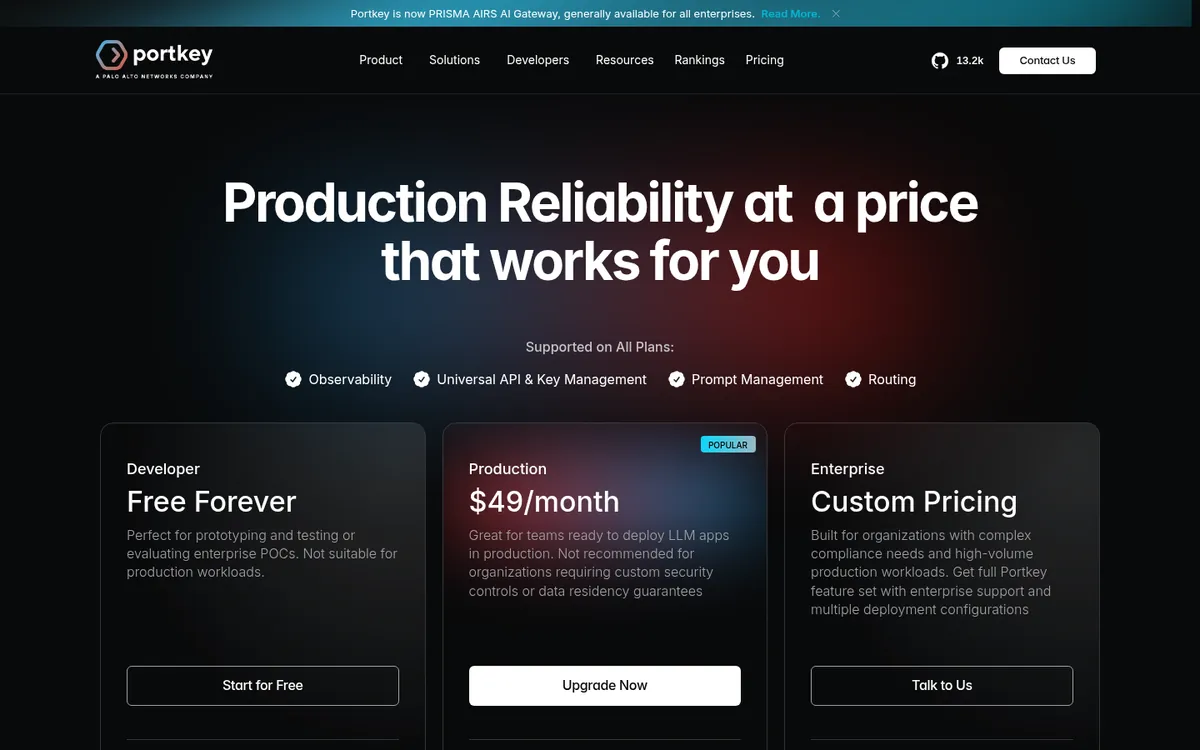
Per Portkey pricing, Developer is free with 10,000 recorded logs a month and three days of log retention. Production is $49 per month with 100,000 logs, then $9 per extra 100,000 requests up to three million. Enterprise adds SSO, granular budget and rate limits, VPC hosting, and BAAs at custom pricing.
The Budget Limits docs allow cost limits from $1 or token limits from 100 tokens, email alerts at a threshold, and weekly or monthly resets. Once set, a limit cannot be edited, and models Portkey cannot price show 0 cents and do not count toward the budget. Budget Limits are on Enterprise and select Pro accounts.
Limitation: budgets are gated above the $49 tier. Best for: teams comparing managed and self-hosted gateways, covered in depth in Portkey vs LiteLLM vs OpenRouter.
5. Datadog Agent Observability: Best for APM-First Teams
Datadog is the pick when LLM spend has to sit next to service latency, infrastructure, and user sessions in one place. Datadog Agent Observability, also listed as LLM Observability, traces agents and LLM calls inside the Datadog platform, and its Cost docs describe an estimated cost for every LLM request.
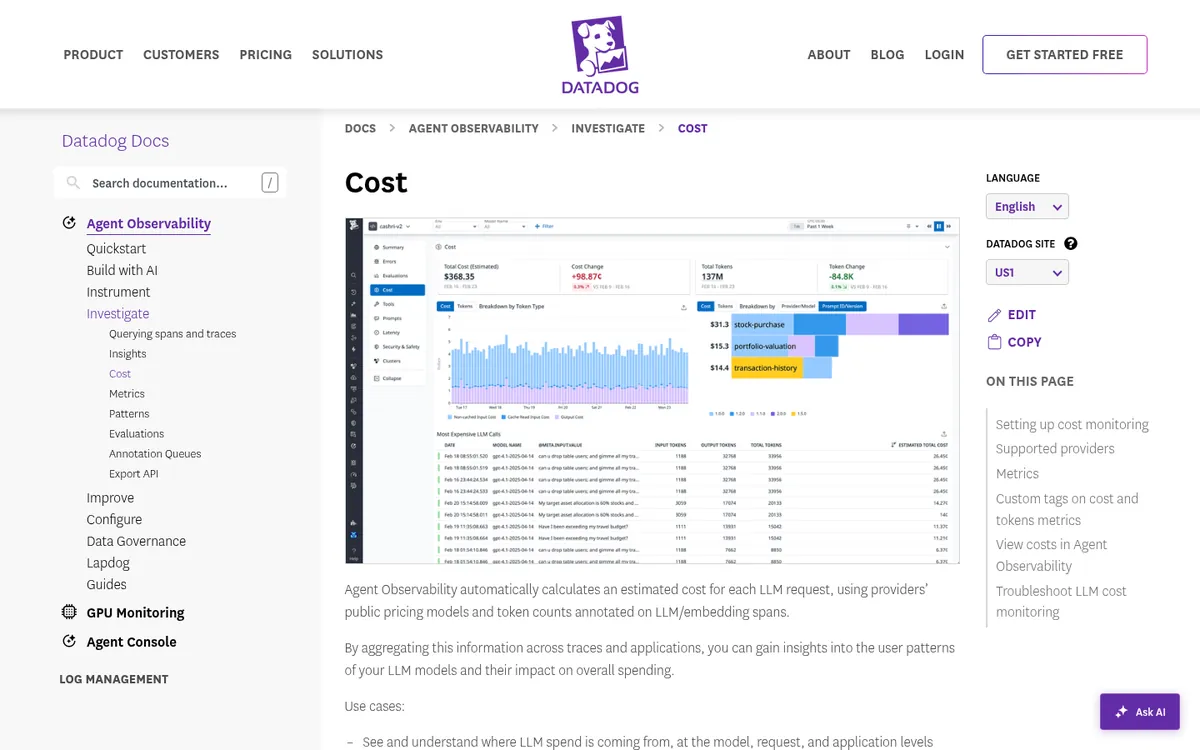
Datadog prices 800+ text models from public provider rates, applies cache read and write rates when the span carries a full cache breakdown, and accepts manual costs for private pricing. The cost_tags parameter promotes bounded span tags such as team or customer tier onto cost metrics, so a monitor can alert per team. Traces show PARTIAL COST when some spans cannot be priced.
Per the Agent Observability page, Datadog bills only LLM spans, while tool, workflow, agent, embedding, and retrieval spans are free. Free covers up to 40,000 LLM spans a month and Pro starts at $160 per month for 100,000, both with 15-day retention.
Limitation: cost is an estimate for text models only, and the product is not supported on Datadog government sites. Best for: SRE and platform teams already paying for Datadog APM.
6. Vantage: Best for Reconciling LLM Spend to the Invoice
Vantage is the tool that answers the finance question: does our LLM spend match what the provider actually billed? Vantage is a FinOps platform that ingests cloud, SaaS, and AI provider costs into one reporting layer, and it reads billing data rather than estimating from traces.
The OpenAI integration uses a read-only Admin API key on the OpenAI Costs API and breaks spend down by operation, model, project, and API key. Custom LLM Enrichment joins per-request token telemetry you deliver to S3 with those billed costs. The pricing page lists AI integrations such as Anthropic, OpenRouter, Fireworks AI, and Modal.
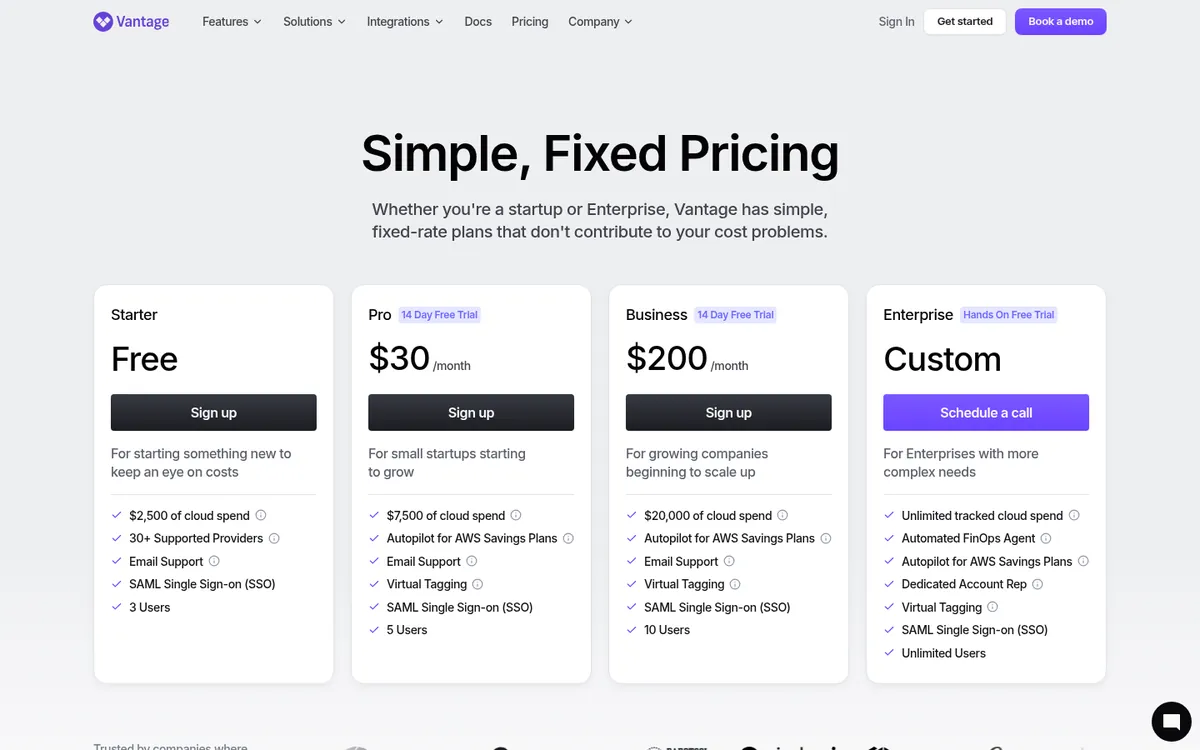
Per Vantage pricing, Starter is free up to $2,500 of tracked spend, Pro is $30 per month up to $7,500, Business is $200 per month up to $20,000, and Enterprise is custom.
Limitation: OpenAI data refreshes once a day, so Vantage will not catch a runaway loop in the hour it happens. Best for: FinOps teams allocating AI spend across products next to AWS, Azure, and Google Cloud.
7. Cloudflare AI Gateway: Best Free Cost Analytics at the Edge
Cloudflare AI Gateway is the cheapest way to get cross-provider cost estimates, because its core features are free on every plan. Cloudflare AI Gateway is a proxy that sits between your app and model providers, adding analytics, caching, and rate limiting with one line of configuration.
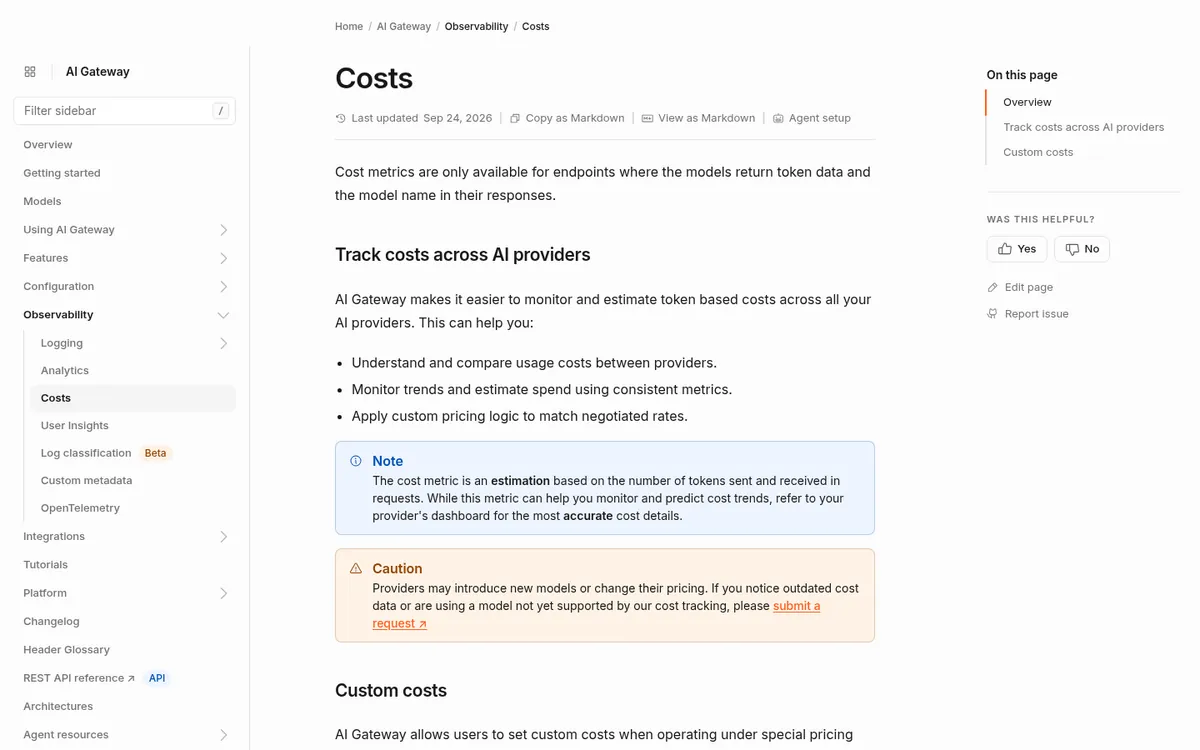
The Costs docs describe a token-based estimate across providers and custom costs per request that override public prices for negotiated rates. Cloudflare says to treat the metric as an estimate and to check the provider dashboard for exact numbers. Cost appears only where a model returns token data and its model name.
Per AI Gateway pricing, dashboard analytics, caching, and rate limiting are free. Legacy log storage allows 100,000 logs on Workers Free and 10 million per gateway on Workers Paid; accounts created on or after September 24, 2026 use Workers Logs pricing. Unified Billing adds a 5% fee on purchased credits.
Limitation: no per-key dollar budgets. Best for: teams already on Cloudflare that want free spend visibility before buying anything.
8. OpenLIT: Best Open-Source Option for Coding Agent Spend
OpenLIT fits teams that want cost data inside their own OpenTelemetry pipeline and also need to see what Claude Code, Cursor, and Codex cost per developer. OpenLIT is an open-source platform for agent observability, evals, guardrails, and prompt management, licensed under Apache 2.0 per its documentation.
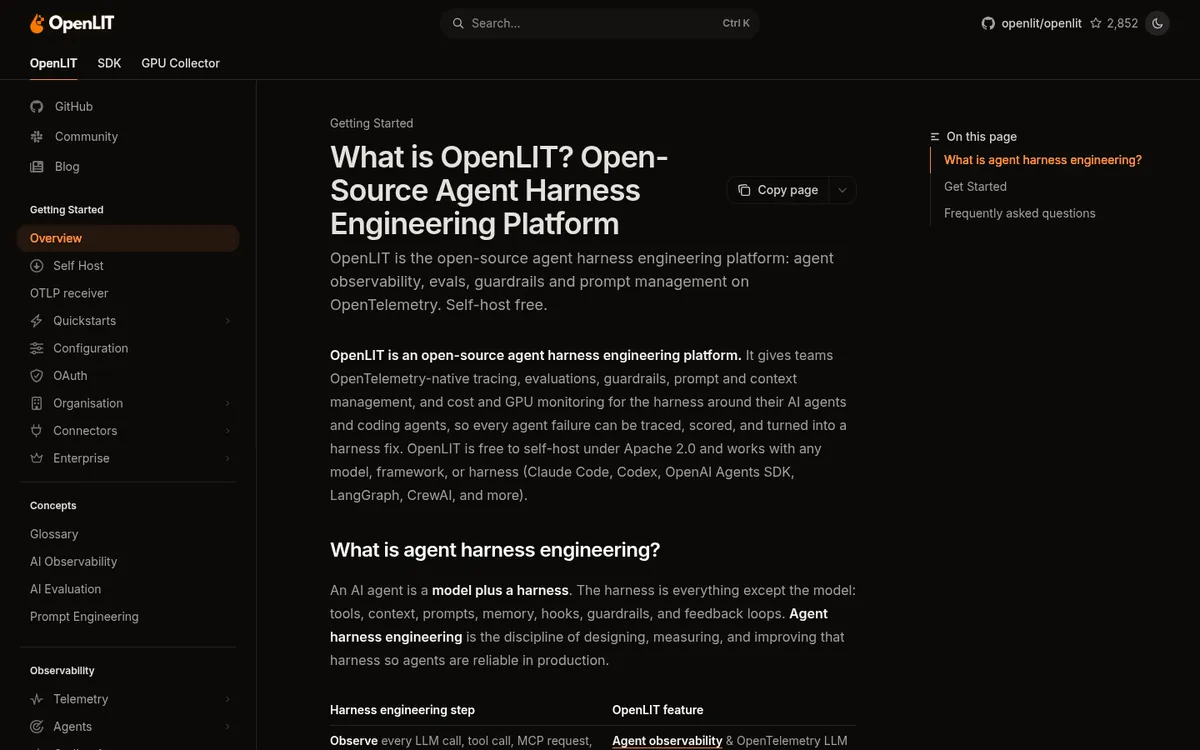
The OpenLIT SDK auto-instruments 70+ LLMs, agent frameworks, and vector databases and tracks token use and spend per model, provider, and request. Its coding agent module reports cost per session, per user, and per team for Claude Code, Cursor, Codex, and OpenCode. Telemetry can be exported to Grafana, Datadog, New Relic, or any OTLP backend.
Limitation: you host and maintain the stack, and budget enforcement is not documented. Best for: platform teams standardizing on OpenTelemetry; more self-hosted options sit in our open-source LLM observability guide.
Why Your Cost Dashboard Disagrees With the Invoice
Dashboards drift from invoices for three documented reasons: cached tokens priced as normal input, reasoning tokens the tool never saw, and negotiated rates that differ from public price sheets. Each tool above handles these differently, and the gap is a pricing-data problem more than a bug.
| Drift source | What goes wrong | How the tools handle it |
|---|---|---|
| Prompt caching | All input billed at the standard rate | Datadog applies cache rates only with a full cache breakdown; Langfuse needs exclusive token buckets |
| Reasoning tokens | Hidden tokens missing from estimates | Langfuse cannot infer reasoning cost without ingested usage |
| Negotiated rates | Public prices overstate spend | Cloudflare custom costs, Langfuse custom models, Datadog manual cost |
| Unpriced models | Requests show $0 | LiteLLM flags them in a Prometheus counter; Portkey shows 0 cents and skips budgets |
| Billing source | Estimates never match to the cent | Vantage reads the OpenAI Costs API instead of estimating |
Verdict: Send provider-reported token counts, including cache and reasoning fields, instead of letting the tool tokenize text. Then reconcile one month against the invoice before you trust per-team chargeback numbers. If you want a tool added to this comparison, tell us through our contact page.
Which LLM Cost Tool Should You Choose?
The right tool follows the question your team cannot answer today. Start with the persona that matches your gap, and add a second tool only when a different stakeholder asks a question the first cannot answer. Each persona lists a starting tool, a first configuration step, and a reason to add more.
Engineering teams asking which feature costs the most
- Start with Langfuse if you already trace with it, or OpenLIT if you are standardizing on OpenTelemetry.
- Tag every generation with feature, user tier, and prompt version from day one.
- Compare tracing options in our Langfuse alternatives and Phoenix vs Langfuse vs Helicone guides.
Platform teams that need spend caps per team
- Run LiteLLM with Postgres and per-key budget windows if self-hosting is fine.
- Choose Portkey Enterprise if the gateway must be managed and SSO is required.
- Turn on fail-closed budget enforcement in LiteLLM when a cap must hold during a Redis outage.
SRE teams already on Datadog
- Keep LLM cost inside Datadog Agent Observability and promote team as a cost tag.
- Send full cache token breakdowns so cache pricing is applied.
- Add a gateway for blocking, because Datadog monitors alert without stopping calls.
Finance and FinOps teams owning the AI budget
- Connect provider billing to Vantage and allocate by project and API key.
- Use one API key or project per product so billing data maps cleanly to owners.
- Reconcile Vantage totals against engineering dashboards monthly.
What It Costs to Monitor 1 Million Calls a Month
Monitoring a million LLM calls a month costs from zero on self-hosted open source to a few hundred dollars on managed plans, before enterprise add-ons. The sketch below uses public list prices and assumes one billable unit, log, or span per call, which understates Langfuse units for multi-step traces.
| Tool | Plan and meter | Rough monthly list cost |
|---|---|---|
| Langfuse | Core, 1M units | $101 (Langfuse’s own pricing example) |
| Portkey | Production, 1M logs | $49 + 9 x $9 = $130 |
| Datadog | Pro, 1M LLM spans | $160 base + on-demand spans past 100K (rate not on the page) |
| Helicone | Pro, 1M requests | $79 + usage-based requests and storage |
| LiteLLM / OpenLIT | Self-hosted | $0 license + compute, database, and ops time |
| Cloudflare AI Gateway | Free core features | $0, plus Workers Paid if you need more logs |
Verdict: the monitoring bill is small next to the token bill it watches, so choose on attribution and enforcement fit rather than the cheapest plan. Model the number of spans per agent run before you compare Langfuse units with Datadog spans.
Frequently Asked Questions
What is the best LLM cost monitoring tool in 2026?
No single tool wins every job. Langfuse leads for per-trace cost attribution, LiteLLM for self-hosted hard budgets, Portkey for managed gateway budgets, Datadog for teams already on its APM, and Vantage for matching spend to the provider invoice. Pick based on whether you need attribution, enforcement, or reconciliation first.
Can I set a hard spending limit on OpenAI or Anthropic API usage?
Yes, by routing calls through a gateway that enforces budgets. LiteLLM supports budgets per key, team, user, customer, and agent session, including daily and monthly windows on one key. Portkey offers cost and token budget limits on Enterprise and select Pro plans. Observability tools such as Langfuse alert without blocking calls.
Why does my LLM cost dashboard not match my invoice?
Most gaps come from cached tokens priced at the standard input rate, reasoning tokens missing from estimates, negotiated rates that differ from public prices, and models the tool cannot price. Send provider-reported token counts with cache and reasoning fields, add custom prices, and reconcile monthly against billing data.
Is there a free LLM cost monitoring tool?
Yes. Cloudflare AI Gateway offers free cost analytics on every plan, and OpenLIT and LiteLLM are open source and free to self-host. Langfuse Hobby includes 50,000 units a month, Helicone Hobby includes 10,000 requests, and Datadog Free covers 40,000 LLM spans. Self-hosting still costs compute and maintenance time.
How do I track LLM costs per user or customer?
Attach a user or customer identifier to every LLM call and let the tool group spend by it. LiteLLM tracks spend by the user field and supports customer budgets, Helicone uses custom property headers, and Datadog promotes bounded span tags to cost metrics. Avoid high-cardinality tags in Datadog because they may be truncated.
Related Guides
For teams deciding whether their existing APM vendor is enough, our Datadog vs Dynatrace vs New Relic comparison covers how each platform traces LLM calls, records token usage, and prices AI monitoring.
If you are replacing LiteLLM rather than adding to it, our LiteLLM alternatives guide compares managed and self-hosted gateways that keep budget limits, routing, and spend logs in place.
Read the AI agent observability tools roundup, LLM gateways, Portkey vs LiteLLM vs OpenRouter, LangSmith vs Langfuse vs Braintrust pricing, Langfuse alternatives, open-source LLM observability, Phoenix vs Langfuse vs Helicone, the AgentOps tools map, the AgentOps hub, and the agent observability topic. Notes on how we work sit on editorial standards, disclosure, and contact.
The Bottom Line
Treat LLM cost as three jobs: attribute it, cap it, and reconcile it. Langfuse, Datadog, Helicone, and OpenLIT answer who spent the money. LiteLLM and Portkey stop a budget from being blown, and Vantage proves the numbers against the invoice.
Run one month of real traffic through your chosen pair before you set team chargebacks. Send questions or tool suggestions through our contact page.